
Most of us buy smart-home gear for convenience: a TV that streams anything, a plug that turns a lamp on from the phone, a storage box that holds the family photos. We rarely think of those devices as computers — but that is exactly what they are, and they stay online, quietly, for years. A new Bitdefender and NETGEAR report on 2026 smart-home security is a useful wake-up call: the least glamorous devices in the house are carrying the largest share of the risk.
What the 2026 IoT report actually found
The 2026 IoT Security Landscape Report from Bitdefender and NETGEAR draws on security events sampled from roughly 10.4 million protected home routers between January and September 2026, logging 5.4 billion security events and about 1.2 billion vulnerability observations. Smart TVs accounted for 22.7% of vulnerability observations, smart plugs 22.4%, and network-attached storage (NAS) devices 22% — together, 67.1%. The report also logged 4.85 billion automated port scans, about 90% of attack-category events: constant probing of home networks, not proof that every scanned home was broken into. That distinction matters. A vulnerability observation is a match between a device and a known flaw; it is not a count of unique vulnerable products, and it is not a successful attack. Still, the pattern is clear: exposure is concentrated in devices people keep for a long time and rarely think about updating.
Why TVs, plugs and NAS top the list
Televisions, plugs and NAS boxes share an awkward lifecycle. A TV can easily last five to ten years, while its security support may last far less. Smart plugs are cheap, bought in bulk, and then forgotten in a socket. A NAS box holds backups and photos, so it is valuable, yet it often runs old firmware because nobody wants to risk breaking the thing that holds everything. The report notes that nearly all observed device vulnerabilities — 99.97% — were publicly known flaws, catalogued as CVEs. In other words, most of the risk is not exotic zero-day hacking. It is known problems on devices that were never patched, or that no longer receive patches at all. Attackers also see these devices as useful in four ways: a direct target, a relay for other traffic, a sensor that gathers information, or a foothold into the wider home network. A TV, with its microphone, camera, apps and network access, can in principle play all four roles.
One weak device can expose the whole network
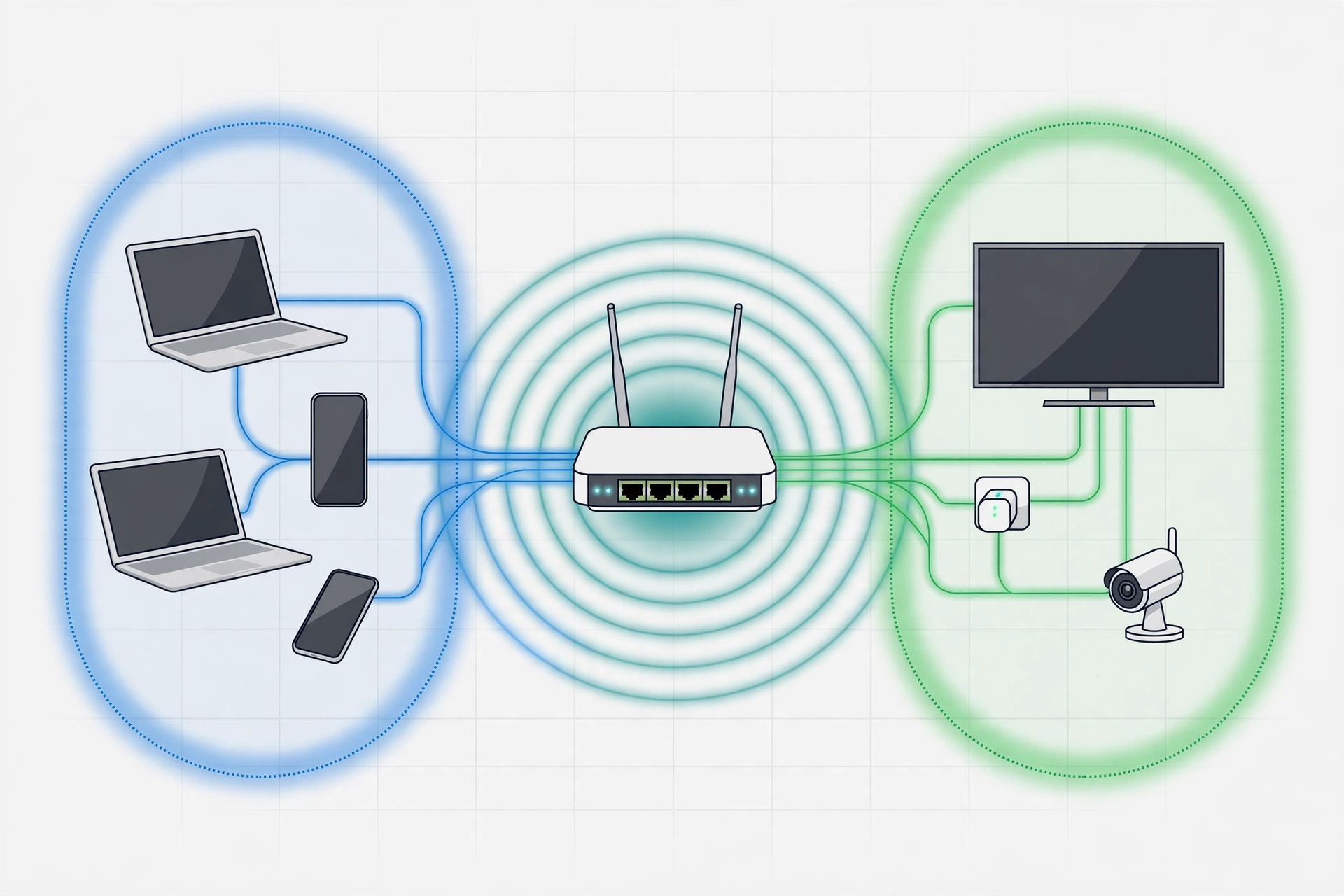
This is the part most households miss. On a typical flat home network, every device can see every other device. A compromised smart plug does not have to steal anything itself; it can become a stepping stone toward a laptop, a phone, or a NAS full of personal files. That is why network segmentation matters more than any single device setting. Most modern routers let you create a separate network — often called a guest network or IoT network — for smart-home gear. Put TVs, plugs, cameras and other gadgets there, and keep laptops, phones and work computers on the main network. If one gadget is compromised, it is far harder for an attacker to wander across to your most sensitive devices. For more on the router side of this, see whether Wi-Fi 7 is worth it or moving your router helps more.
New cameras? Secure them before you mount them
October also brought new smart cameras into this same environment. Ring’s outdoor 4K Plus models — the Outdoor Cam 4K Plus from $149.99, Spotlight Cam 4K Plus at $199.99, and Floodlight Cam 4K Plus at $219.99 — began shipping on October 27, 2026, with battery, plug-in, hardwired, solar and, for some models, Power-over-Ethernet options. Sharper video is welcome, but a camera deserves the same checklist as any other device: a strong, unique password, two-factor authentication on the account, automatic updates turned on, and a place on the segmented IoT network rather than the main network. A camera that watches your home should not also be an open door into it.
A 30-minute smart-home security checklist
Work through this in order, and you will have covered most of the report’s lessons.
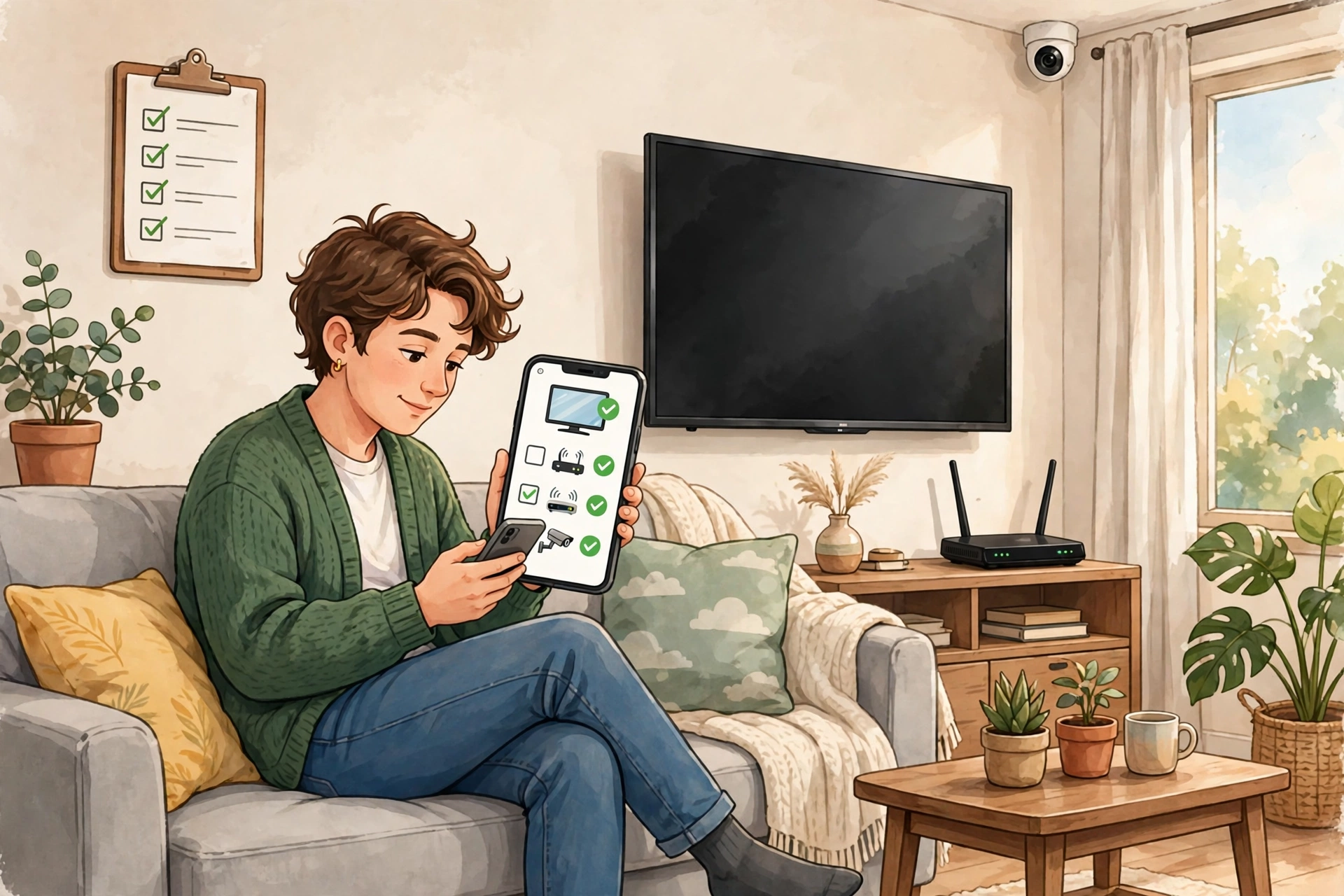
- List everything connected. Open your router app and look at connected devices. Anything you do not recognise, investigate; anything you no longer use, disconnect and remove from the account.
- Update the router first, then everything else. Router firmware, TV software, plug apps, NAS firmware and camera firmware — turn on automatic updates wherever offered.
- Change default passwords and use unique ones. Never leave a device on admin/admin or a factory password. A password manager makes unique passwords painless, and for your main accounts, stronger sign-in helps too — see how passkeys work and how to switch safely.
- Put smart-home gear on its own network. Use the guest or IoT network for TVs, plugs, cameras and speakers, and keep computers and phones on the main network.
- Turn off features you do not use. Disable remote access on a NAS unless you truly need it from outside the home, turn off microphone features you never use, and review TV privacy settings for viewing-data and voice collection.
- Check support status, honestly. If a device no longer receives security updates, plan to replace it — especially a NAS or camera holding sensitive data. Keeping an unsupported device online is a standing risk, not a saving.
- Review app permissions. Free smart-TV apps can carry surprising permissions, including in some reported cases software that routes third-party traffic through your connection. Delete apps you do not use and check what the rest can access.
What to replace, and what to just update
Not everything needs replacing. A TV that still gets updates, a plug from a brand that still patches its app, and a NAS with current firmware can usually stay — once updated and segmented. Replace first: any device with no updates for years, a NAS exposed directly to the internet, and cheap no-brand gadgets with no identifiable maker or update path. When you do buy replacements, favour brands with a stated support window, automatic updates, and a clear way to delete your account and data. That support window matters more than a slightly lower price.
The bottom line
The smart home is not going away, and neither is the probing: billions of scans in nine months means your router is being tested whether you notice or not. The good news in the Bitdefender and NETGEAR data is that most of the exposure is already known and, in many cases, already fixable. Update what you own, separate your gadgets from your computers, retire what is no longer supported, and treat every new camera or plug as a computer joining your network — because that is what it is. For wider context, see the broader guide to cybersecurity threats to watch in 2026 and the practical guide to AI phishing defenses that actually work.
External sources: Bitdefender’s summary of the 2026 IoT Security Landscape Report at https://www.bitdefender.com/en-us/blog/hotforsecurity/2026_iot_security_report, Cybersecurity Dive’s coverage of the report at https://www.cybersecuritydive.com/news/internet-of-things-vulnerabilities-proxies-netgear-bitdefender/873033/, and The Gadgeteer’s Ring 4K camera overview at https://the-gadgeteer.com/2026/10/08/ring-new-4k-security-cameras/