
Cursor has turned the coding agent into something you can talk to. In its November 6 changelog, the company shipped Voice Chat with Agents: a realtime, two-way voice call with the agent in your chat. Instead of typing a prompt and waiting for a written reply, you describe the change out loud, ask what the agent is doing, and hear short spoken updates while the work runs. It is one of the most practical interface changes in the AI coding editor race this year, because it removes the keyboard from the loop at exactly the moment developers are busiest: mid-debug, mid-review, or away from the desk.
The feature lands in a week when voice is suddenly everywhere in developer tools. Google’s Antigravity coding agent added a voice mode powered by Gemini Live around the same time, and Perplexity Teammates put always-on agents on the calendar for ongoing work. Cursor’s answer is narrower and more focused: not a new model, but a new way to talk to the agent you already have.
What Cursor Voice Chat Actually Does
Voice chat is a live spoken conversation with an agent. You speak, the agent answers back in a natural voice, and when you ask for code changes, the voice agent hands the work to the coding agent in that same chat and keeps talking with you while the work runs. The call does not pause the agent, and the agent does not pause the call.
While a call is live, the voice agent can hand off a task or a follow-up to the coding agent, answer questions about your work by reading diffs and run results, search earlier messages and calls with that agent, switch between workers in a Project that has them, and hang up when you say you are done. The lookups it performs on your diffs, runs, and agents are read-only, which matters: the voice layer can describe your code, but it cannot silently rewrite it. Only the coding agent in the chat makes changes.
The coding agent speaks for itself, too. It shares short progress notes while it works and a brief spoken answer when it finishes, so you usually hear a short update instead of the full written reply. If it does not write a spoken update for a turn, the call reads its written reply aloud instead. The full transcript still appears in the chat, and for cloud agents it syncs to your other devices while the call is live, unless Privacy Mode is on.
Voice chat works in the Agents Window, the IDE, on the web, and in Cursor for iOS, so the same call can follow you from your desk to your phone.
How to Start a Voice Call With Your Agent
Starting a call takes three steps, and the first one trips people up: the chat input must be empty, and the agent must be idle. When both are true, a waveform button appears where the Send button usually sits, next to the microphone button. Click it and the call connects. In the IDE, the chat also needs at least one message before the button shows up.
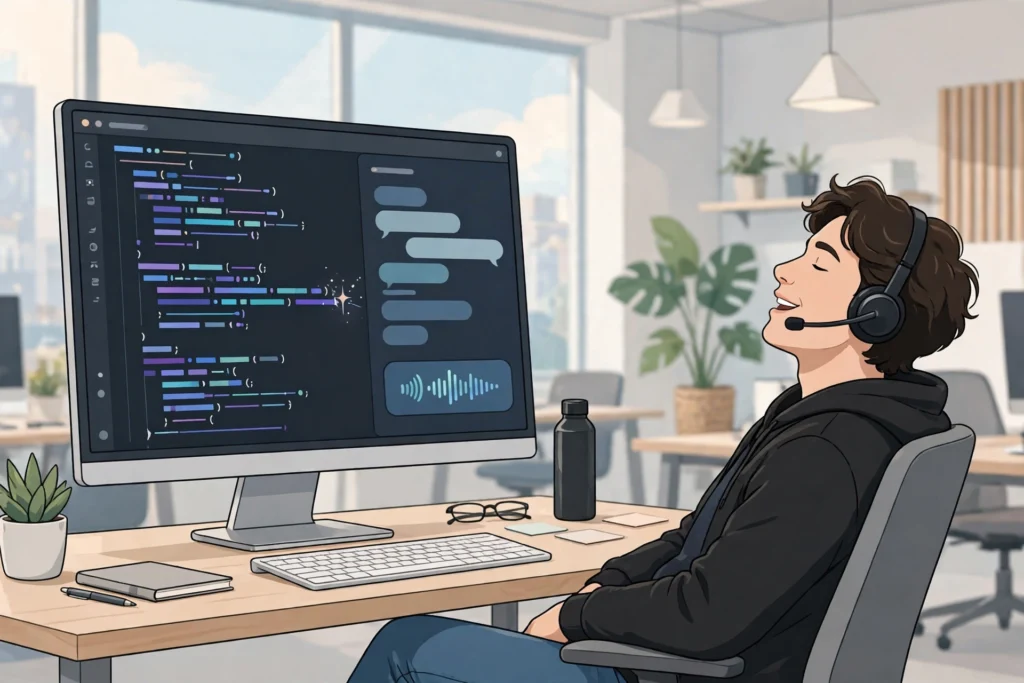
You will need to allow microphone access when your computer, browser, or phone asks. The call connects quickly, and if you do not speak first, the agent checks in after a few seconds. That small detail sets the tone for the whole feature: this is a conversation, not a command line with a microphone attached.
A few conditions hide the button entirely. It does not appear in subagents or Project workers, in archived chats, in Claude Code chats, or in chats owned by another teammate. In the IDE it is also hidden for cloud agents that are still streaming, and when dictation is turned off. If the button is missing and none of those apply, the official fix is simple: update Cursor.
Powered by Grok Voice: What That Means
The speech layer runs on Grok Voice, xAI’s voice model, while the coding agent in the chat keeps using whichever model you picked for it. That split is worth understanding. Grok Voice handles listening and speaking; your chosen coding model still does the reasoning and the code. You can pick from many voices in Voice settings, including Ara, Eve, Leo, Rex, and Sal, and you can change the voice mid-call. The choice sticks to the agent you are talking to, and an agent with its own saved voice uses that instead of your default.
The Grok connection runs deeper than a vendor choice. Cursor is now owned by SpaceX, xAI’s sister company, and the voice feature arrives in the same week xAI turned on default invisible text watermarking for Grok API responses, a move its documentation frames as EU AI Act compliance. Separately, pricing trackers report that OpenAI is winding down its contract to supply models to Cursor, with a proposed shutoff date of November 12, 2026. If that happens, the Grok-powered voice layer stops looking like a convenience feature and starts looking like part of a larger shift in whose models power Cursor.
For developers, the practical takeaway is simpler: the voice you hear is Grok, but the code you get still comes from the model you selected. Check which model your agent is running before a long call, especially if your team has standardised on one provider.
Voice Chat vs. Dictation: Don’t Mix Them Up
Cursor already had a voice feature, and the naming overlap causes confusion. The older feature is dictation, which earlier releases called Voice Mode. Dictation turns your speech into text in the chat input: you speak, review the text, and then send it yourself. In the IDE, Cmd+Shift+Space still toggles it.
Voice chat is different. It is a two-way conversation where the agent answers out loud, hands work to the coding agent, and keeps talking while the work runs. The two features share a microphone button area but do different jobs: dictation writes text for you to send, voice chat talks to the agent for you. Hold Ctrl+M to talk in the Agents Window if you prefer a keyboard route into dictation, but remember that dictation is not a call.
iOS Extras: Siri, Lock Screen, and Calls on the Go
The iOS version of the feature is where voice chat stops being a desk novelty and becomes genuinely useful. On iOS you can say “Hey Siri, call Cursor” to start a call with a new agent, with your iPhone unlocked. When the system call screen is not available, the call appears on the Lock Screen and in the Dynamic Island as a Live Activity, so you can mute or hang up without unlocking the phone.

That matters because the most common voice-coding moment is not at a desk. It is walking between meetings, reviewing a deploy from the car park, or checking on a long-running agent job while making coffee. A call you can start with Siri and manage from the Lock Screen fits those moments; a call that needs you to open an IDE does not.
There are limits, though. By default, a call hangs up after about ten minutes of silence from you while the agent has no work in progress. There is also a daily limit on voice calls, although Cursor does not publish the number. If you reach it, Cursor tells you when you can call again. API-key sessions cannot start a call at all: voice chat needs a signed-in Cursor account, even though the button itself shows up when you are signed out.
Privacy, Limits, and the Fine Print
Voice is a sensitive input, and Cursor has drawn a clear line here. With Privacy Mode on, voice chat runs with zero data retention. That is the setting to check before using voice chat on regulated work, client code, or anything under an NDA. The call transcript still appears in the chat, and cloud agent transcripts sync across devices while the call is live, unless Privacy Mode is on.
The daily call limit deserves a note of caution for teams. Because the number is not published, you cannot plan around it precisely, and a team that leans on voice chat for stand-ups or pair-programming sessions may hit the cap at an awkward moment. Treat it as a new interaction surface with a quota, not as an unlimited phone line to your agent.
There is also a security angle worth remembering. Cursor’s own marketplace recently served a tampered Claude Code extension that tried to plant an SSH backdoor, as our report on the fake Claude Code extension explains. Voice chat does not change that story, but it does widen the surface you should think about: a voice agent that can read your diffs and runs is another channel into your codebase, so Privacy Mode and account hygiene matter more, not less.
Why Voice Coding Matters Now
Step back and the pattern is clear. AI coding tools spent 2025 getting agents to write code; in late 2026 they are competing on how you talk to those agents. Perplexity Teammates made agents persistent colleagues for ongoing work. DeepSeek DSH packaged an open-source coding agent anyone can run. Salesforce Koa Decisions showed that small, fast decision models can route work better than a giant general model. Cursor’s voice chat fits the same arc: the model is no longer the differentiator, the interface is.
For individual developers, the honest test is a week of real use. Try describing a refactor out loud instead of typing it, and notice whether you explain the intent better when you speak than when you type. Try checking on a running agent from your phone instead of walking back to your desk. And try the failure modes: a noisy room, a vague spoken request, a call that drops mid-task. Voice coding will not replace the keyboard, and it should not. But for status checks, quick questions, and hands-busy moments, talking to your agent is now a real option, and it is one click away in the editor you already use.
Update Cursor to try voice chat, and check the official changelog and Cursor’s voice chat documentation for the full requirements before you rely on it for team work.