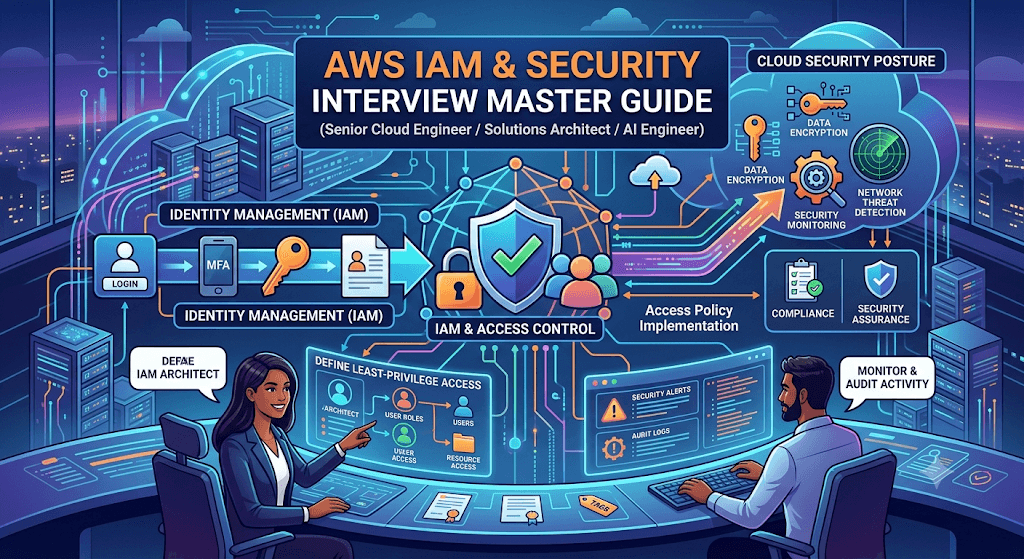
These are among the most frequently asked AWS security interview topics. For senior-level roles, interviewers typically move beyond definitions and focus on architecture decisions, troubleshooting, security design, and real-world scenarios.
1. IAM Users vs IAM Roles
Q1: What is an IAM User?
Answer
An IAM User is a permanent identity within an AWS account.
It can have:
- Username
- Password
- Access Keys
- MFA
Example:
- John (Developer)
- Sarah (Cloud Engineer)
Historically, users received AWS credentials directly.
Q2: What is an IAM Role?
Answer
An IAM Role is a temporary identity that can be assumed by trusted entities.
A role contains:
- Permissions
- Trust relationship
A role does NOT contain:
- Username
- Password
- Permanent credentials
When assumed, AWS STS generates temporary credentials.
Q3: IAM User vs IAM Role
| Feature | IAM User | IAM Role |
|---|---|---|
| Long-term credentials | Yes | No |
| Password | Yes | No |
| Access Keys | Permanent | Temporary |
| Rotation Required | Yes | No |
| More Secure | No | Yes |
| AWS Recommended | Rarely | Yes |
Q4: Why does AWS recommend roles instead of users?
Answer
Because roles:
- Use temporary credentials
- Rotate automatically
- Reduce credential leakage risk
- Support federation
- Enable cross-account access
Interview answer:
Modern AWS environments should minimize IAM users and maximize role-based access.
Q5: Real-world role examples?
Answer
EC2 Role
Allows EC2 instance to access:
- S3
- DynamoDB
- Secrets Manager
without storing keys.
Lambda Role
Allows Lambda to:
- Read S3
- Write CloudWatch Logs
- Access DynamoDB
EKS IRSA Role
Allows Kubernetes Pods to access AWS services securely.
2. IAM Policies
Q6: What is an IAM Policy?
Answer
A JSON document defining permissions.
Example:
{
 "Version":"2012-10-17",
 "Statement":[
  {
   "Effect":"Allow",
   "Action":"s3:GetObject",
   "Resource":"*"
  }
 ]
}
Q7: Components of IAM Policy
Answer
Effect
"Effect":"Allow"or
"Effect":"Deny"Action
"Action":"s3:GetObject"Resource
"Resource":"arn:aws:s3:::company-data/*"Condition
"Condition":{
 "IpAddress":{
  "aws:SourceIp":"10.0.0.0/8"
 }
}
Q8: Types of IAM Policies
Managed Policies
AWS Managed
Examples:
- AdministratorAccess
- ReadOnlyAccess
Customer Managed
Created by organization.
Preferred for enterprises.
Inline Policies
Attached directly to one user/role.
Less reusable.
3. Policy Evaluation Logic
Q9: How does AWS evaluate permissions?
Answer
AWS follows:
- Authenticate request
- Evaluate SCP
- Evaluate Resource Policy
- Evaluate IAM Policy
- Evaluate Permission Boundary
- Evaluate Session Policy
Final decision:
ALLOW only if no explicit deny exists.
Q10: What is the most important IAM rule?
Answer
Explicit Deny always wins.
Even if:
- IAM Policy allows
- Resource Policy allows
- Admin access exists
Explicit Deny overrides everything.
4. Explicit Deny
Q11: What is Explicit Deny?
Answer
A deny statement that overrides all allows.
Example:
{
 "Effect":"Deny",
 "Action":"s3:DeleteBucket",
 "Resource":"*"
}
Q12: Explain Explicit Deny Scenario
Answer
User policy:
AdministratorAccessSCP:
Deny EC2 TerminationResult:
Cannot terminate EC2.
Reason:
Explicit Deny wins.
5. Least Privilege
Q13: What is Least Privilege?
Answer
Grant only permissions required to perform tasks.
Bad:
"Action":"*"Good:
"Action":[
 "s3:GetObject",
 "s3:PutObject"
]
Q14: Why is Least Privilege important?
Answer
Benefits:
- Reduces attack surface
- Limits lateral movement
- Improves compliance
- Reduces accidental damage
Q15: How do you implement Least Privilege?
Answer
- Start with minimal permissions
- Monitor CloudTrail
- Use IAM Access Analyzer
- Remove unused permissions
- Review regularly
6. MFA (Multi-Factor Authentication)
Q16: What is MFA?
Answer
Multi-factor authentication requires:
Something you know:
- Password
Something you have:
- Authenticator app
- Hardware token
Q17: Why is MFA important?
Answer
If password is compromised:
Attacker still needs second factor.
Protects against:
- Credential stuffing
- Password reuse
- Phishing
Q18: Which accounts should always use MFA?
Answer
- Root account
- Admin users
- Production operators
Correct answer:
ALL privileged users.
7. AWS STS
Q19: What is AWS STS?
Answer
AWS Security Token Service generates temporary credentials.
Credentials contain:
- Access Key
- Secret Key
- Session Token
Q20: Benefits of STS
Answer
- Temporary credentials
- Reduced risk
- Cross-account access
- Federation
- No permanent keys
Q21: Common STS APIs
Answer
AssumeRole
Cross-account access.
AssumeRoleWithSAML
Enterprise federation.
AssumeRoleWithWebIdentity
EKS IRSA.
GetSessionToken
Temporary session.
8. Cross-Account Access
Q22: What is Cross-Account Access?
Answer
Allows resources/users in one AWS account to access another AWS account.
Q23: Why is Cross-Account Access important?
Answer
Large enterprises separate:
- Development
- Production
- Security
- Shared Services
Accounts still need controlled communication.
Q24: How does Cross-Account Access work?
Answer
Uses:
- Role
- Trust Policy
- STS AssumeRole
Flow:
Account A → Assume Role → Account B
Q25: Real Example
Answer
Security Account needs to audit Production Account.
Security team assumes audit role in production.
No permanent credentials required.
9. Trust Policies
Q26: What is a Trust Policy?
Answer
Defines WHO can assume a role.
Example:
{
 "Version":"2012-10-17",
 "Statement":[
 {
  "Effect":"Allow",
  "Principal":{
   "AWS":"123456789012"
  },
  "Action":"sts:AssumeRole"
 }
 ]
}
Q27: Difference Between Trust Policy and Permission Policy
| Trust Policy | Permission Policy |
|---|---|
| Who can assume role | What role can do |
| Principal section | Action section |
| Attached to role | Attached to user/role |
10. IAM Identity Center (AWS SSO)
Q28: What is IAM Identity Center?
Answer
Formerly AWS Single Sign-On.
Provides:
- Central authentication
- SSO
- Federation
- Permission management
Q29: Benefits of IAM Identity Center
Answer
- No IAM users
- Centralized management
- Better auditing
- Enterprise integration
Q30: Supported Identity Providers
Answer
- Microsoft Entra ID
- Okta
- Ping Identity
- Google Workspace
- Active Directory
Q31: Why use Identity Center instead of IAM Users?
Answer
Because:
- Centralized identity
- Better governance
- Supports thousands of users
- Enterprise-ready
11. AWS KMS
Q32: What is AWS KMS?
Answer
AWS Key Management Service manages encryption keys.
Used by:
- S3
- RDS
- EBS
- Lambda
- Secrets Manager
Q33: Symmetric vs Asymmetric Keys
Symmetric
One key for encryption/decryption.
Most common.
Asymmetric
Public/private key pair.
Used for signing.
Q34: AWS Managed vs Customer Managed Keys
| AWS Managed | Customer Managed |
|---|---|
| AWS controls | Customer controls |
| Limited flexibility | Full control |
| Basic auditing | Advanced auditing |
Q35: What is Envelope Encryption?
Answer
Process:
- KMS creates Data Key
- Data encrypted using Data Key
- Data Key encrypted using KMS Key
Benefits:
- Scalability
- High performance
Q36: Explain KMS Key Rotation
Answer
Rotation periodically changes cryptographic material.
Benefits:
- Compliance
- Reduced risk
12. Secrets Manager
Q37: What is Secrets Manager?
Answer
Stores:
- Passwords
- API Keys
- Tokens
- Certificates
Securely.
Q38: Why not store passwords in code?
Answer
Risks:
- GitHub leaks
- Insider threats
- Compliance violations
Q39: Features of Secrets Manager
Answer
- Encryption via KMS
- Automatic rotation
- Fine-grained access control
- Auditing
Q40: Secrets Manager vs Parameter Store
| Secrets Manager | Parameter Store |
|---|---|
| Secret rotation | Limited |
| Designed for secrets | Config values |
| More expensive | Lower cost |
13. CloudTrail
Q41: What is CloudTrail?
Answer
Records AWS API activity.
Tracks:
- Who
- What
- When
- From where
Q42: Example CloudTrail Use Case
Answer
EC2 deleted unexpectedly.
CloudTrail reveals:
- User
- IP Address
- Time
- API Call
Q43: Is CloudTrail regional?
Answer
Can be:
- Single Region
- Multi-Region
Best Practice:
Enable organization-wide multi-region trails.
14. GuardDuty
Q44: What is GuardDuty?
Answer
Managed threat detection service.
Analyzes:
- CloudTrail
- VPC Flow Logs
- DNS Logs
Q45: What Threats Does GuardDuty Detect?
Answer
- Credential compromise
- Cryptocurrency mining
- Malware
- Suspicious API calls
- Reconnaissance activity
Q46: Does GuardDuty block threats?
Answer
No.
GuardDuty detects and alerts.
Response is typically automated using:
- EventBridge
- Lambda
- Security Hub
15. Security Hub
Q47: What is Security Hub?
Answer
Centralized security management dashboard.
Aggregates findings from:
- GuardDuty
- Inspector
- Macie
- Config
Q48: Why use Security Hub?
Answer
Provides:
- Single pane of glass
- Compliance reporting
- Security posture visibility
Q49: What compliance frameworks are supported?
Examples:
- CIS AWS Foundations
- PCI-DSS
- NIST
- AWS Foundational Security Best Practices
Q50: Difference Between GuardDuty and Security Hub
| GuardDuty | Security Hub |
|---|---|
| Detects threats | Aggregates findings |
| Threat intelligence | Central dashboard |
| Security analytics | Compliance visibility |
Advanced Architect-Level Scenario Questions
Q51: A developer accidentally exposed AWS Access Keys on GitHub. What would you do?
Answer
Immediate Actions:
- Disable key
- Rotate credentials
- Review CloudTrail
- Check suspicious activity
- Notify security team
Long-Term:
- Use IAM Roles
- Use Secrets Manager
- Enable GitHub secret scanning
- Implement SCP guardrails
Q52: How would you secure a multi-account AWS environment?
Answer
Architecture:
- AWS Organizations
- IAM Identity Center
- SCPs
- MFA
- KMS Encryption
- CloudTrail
- GuardDuty
- Security Hub
- Centralized Logging Account
- Cross-account audit roles
Q53: How would you implement Zero Trust in AWS?
Answer
- Verify every request
- Least privilege access
- MFA everywhere
- Temporary credentials only
- Network segmentation
- Continuous monitoring
- Encryption at rest and in transit
- Centralized identity through IAM Identity Center
Most Important Interview Topics to Master
- IAM Users vs Roles
- STS AssumeRole Flow
- Policy Evaluation Logic
- Explicit Deny
- SCP vs IAM Policies
- Trust Policies
- Cross-Account Access
- Least Privilege
- IAM Identity Center
- KMS & Envelope Encryption
- Secrets Manager Rotation
- CloudTrail Auditing
- GuardDuty Threat Detection
- Security Hub Compliance
- Real-world Security Incident Response
If you’re targeting Senior AWS Cloud Engineer, AWS Solutions Architect, AWS AI Engineer, or AWS Platform Engineer roles paying $150K–$300K+, these topics are among the most heavily tested areas in technical interviews.
This is a comprehensive guide to the highest-priority IAM & Security interview questions, structured with detailed answers. Focus on the logic and use cases—that’s what interviewers probe most.
1. IAM Users vs IAM Roles
Q1: When would you use an IAM User vs an IAM Role?
Answer:
| Aspect | IAM User | IAM Role |
|---|---|---|
| Identity | Long-term, unique human or system | Temporary, assumed by a trusted entity |
| Credentials | Username/password or long-term access keys | Temporary credentials via STS (expire 1–12h) |
| Use Cases | Employees, CI/CD bots (rarely), API keys with fixed permissions | EC2, Lambda, cross-account access, SSO, mobile apps |
| Rotation | Manual or automated via AWS | Automatic (session-based) |
| Best practice | Human admins & developers with MFA | Everything else |
Example:
- User → Your own developer account with MFA for console/CLI.
- Role → An EC2 instance that needs to read from S3 → attach an instance profile with an IAM Role.
Q2: Can an IAM User assume a Role? How?
Yes. A User can call sts:AssumeRole if allowed by a policy on both the User and the Role (trust policy).
Flow:
- User requests
AssumeRolewith Role ARN and session name. - STS returns temporary credentials.
- User uses those creds to act as the Role.
2. IAM Policies
Q3: Difference between Identity-based, Resource-based, and Permission Boundary policies.
| Type | Attached to | Grants permissions to | Example |
|---|---|---|---|
| Identity-based | User, Group, Role | That identity | {"Effect":"Allow","Action":"s3:ListBucket","Resource":"*"} |
| Resource-based | S3 bucket, SNS, SQS, Lambda, etc. | Another principal (account/user/role) | S3 bucket policy allowing cross-account access |
| Permission Boundary | User or Role | Sets max permissions | Prevents an admin role from granting privileged access |
Key nuance: If a resource-based policy allows access and identity-based policy denies → Deny wins (see Q5). But if identity has no explicit allow and no resource policy → implicit deny.
3. Policy Evaluation Logic (Highest Priority)
Q4: Explain AWS’s IAM policy evaluation decision flow.
Answer (Memorize this order):
- By default, all requests are DENIED (implicit deny).
- Evaluate Organization SCPs – if DENY → final decision DENY.
- Evaluate Resource-based policies – if DENY → final DENY.
- Evaluate IAM identity-based policies – if DENY → final DENY.
- Check for explicit ALLOW from identity or resource policy.
- If no explicit ALLOW → final DENY.
- If explicit ALLOW and no DENY → final ALLOW.
- Permission boundaries & session policies also exist, but they only restrict (cannot grant); boundary + identity policy → effective permissions = intersection.
But the official simplified order (exam & real-world):
Explicit DENY > Explicit ALLOW > Implicit DENY
Any DENY from SCP, resource, identity, boundary, session → immediate final DENY.
4. Explicit Deny & Least Privilege
Q5: Why is an Explicit Deny stronger than an Allow?
Answer: Because evaluation is DENY-first. Once a DENY is found, AWS stops evaluating and rejects the request immediately, even if later statements include ALLOW.
Example:
json
{
  "Statement": [
    {"Effect": "Allow", "Action": "s3:*", "Resource": "*"},
    {"Effect": "Deny", "Action": "s3:DeleteObject", "Resource": "arn:aws:s3:::secret-bucket/*"}
  ]
}
→ User can list/read all buckets but cannot delete from secret-bucket.
Q6: How do you implement Least Privilege in AWS?
- Start with minimum permissions (not
"*"). - Use IAM Access Analyzer to refine unused permissions.
- Prefer actions/resources over wildcards.
- Enforce MFA before privileged actions.
- Use conditions (e.g.,
aws:SourceIp,aws:RequestedRegion). - Use Permissions Boundaries for delegated administration.
- Regularly review with IAM Access Analyzer + CloudTrail logs.
5. MFA & STS
Q7: How to enforce MFA on sensitive API calls?
Use a Deny policy with condition BoolIfExists("aws:MultiFactorAuthPresent", "false"):
json
{
  "Effect": "Deny",
  "Action": ["ec2:TerminateInstances", "iam:DeleteUser"],
  "Resource": "*",
  "Condition": {"BoolIfExists": {"aws:MultiFactorAuthPresent": false}}
}BoolIfExistshandles cases where MFA key is missing (e.g., older CLI).- Attach this to users/groups requiring MFA.
Q8: What does AWS STS do?
STS (Security Token Service) issues temporary, limited-privilege credentials for roles or federated users.
Key API calls: AssumeRole, GetFederationToken, GetSessionToken (for MFA), AssumeRoleWithSAML, AssumeRoleWithWebIdentity.
Temporary creds = AccessKeyId + SecretAccessKey + SessionToken (expire 15 min to 36 hours).
6. Cross-Account Access
Q9: Two ways to allow Account A to access S3 in Account B. Trade-offs?
| Method | Setup | Pros | Cons |
|---|---|---|---|
| IAM Role (trust policy) | In Account B: Create Role with trust policy allowing Account A to assume it. In Account A: User assumes role. | Centralized, temporary, auditable via CloudTrail. | Requires STS AssumeRole in code/CLI. |
| S3 Bucket Policy (resource-based) | In Account B: Bucket policy grants "Principal": {"AWS": "AccountA-RootOrUser"} | Simpler, no role assumption; direct. | Less flexible, only works for services supporting resource policies. |
Best practice for cross-account: IAM Roles (more secure, temporary).
7. Trust Policies
Q10: What is a trust policy? Example?
A trust policy is a resource-based policy attached to an IAM Role, defining who can assume that role.
json
{
  "Effect": "Allow",
  "Principal": {"AWS": "arn:aws:iam::123456789012:root"},
  "Action": "sts:AssumeRole",
  "Condition": {"Bool": {"aws:MultiFactorAuthPresent": "true"}}
}
→ Only users from account 123456789012 with MFA can assume this role.
Important: The role’s permissions policy defines what they can do after assuming it.
8. IAM Identity Center (SSO)
Q11: IAM Identity Center vs IAM – when to use which?
IAM Identity Center (successor to AWS SSO) is for human users across multiple AWS accounts with a single identity source (Azure AD, Okta, etc.).
| Feature | IAM | Identity Center |
|---|---|---|
| User type | Internal AWS-only | Federated, multi-account |
| Multi-account | No (per account) | Yes (centralized) |
| Permission sets | Inline/managed policies | Assignable to groups across accounts |
| CLI access | Long-term keys | Temporary via aws sso login |
Use IAM for → EC2 roles, service accounts, infra automation.
Use Identity Center for → Employees accessing prod/dev accounts.
9. KMS (Key Management Service)
Q12: How do IAM and KMS interact? What’s the difference between a key policy and IAM policy for KMS?
KMS requires both:
- Key policy (resource-based) – can allow IAM policies.
- IAM policy – if key policy grants
"Effect":"Allow","Principal":{"AWS":"*"},"Action":"kms:*","Resource":"*", then IAM policies can control access.
Default key policy (root access only):
json
{
  "Effect": "Allow",
  "Principal": {"AWS": "arn:aws:iam::111122223333:root"},
  "Action": "kms:*",
  "Resource": "*"
}
To delegate to IAM, add this statement. Then IAM policies with kms:Decrypt etc. work.
Key concepts:
- Grant – temporary permission (used by EBS, S3 SSE-KMS, etc.)
- External key material – BYOK (Bring Your Own Key)
10. Secrets Manager
Q13: How to securely retrieve secrets from an EC2 instance?
Step-by-step:
- Create an IAM Role for EC2 with policy allowing
secretsmanager:GetSecretValueon a specific secret. - Attach role to EC2 instance profile.
- Application calls
GetSecretValuevia AWS SDK (no hardcoded creds). - Secrets Manager returns plaintext secret (encrypted in transit).
- Never log the secret.
- Rotate secret via Lambda (Secrets Manager native rotation).
Alternative: Parameter Store (SecureString) – cheaper but less automated rotation.
11. CloudTrail
Q14: How does CloudTrail help with IAM security?
- Audit all IAM API calls:
CreateUser,AttachPolicy,AssumeRole,DeleteAccessKey. - Detect anomalies: Role assumed from unusual IP, multiple failed AssumeRole attempts.
- Track cross-account access:
userIdentityfield shows assumed role ARN + source account. - Enable CloudTrail to S3 + CloudWatch Logs, then trigger alerts for sensitive actions.
Question pattern: “A user reported access issues. Where do you check?” → CloudTrail Event History (last 90 days free).
12. GuardDuty
Q15: Can GuardDuty detect IAM misuse? Examples.
Yes. GuardDuty analyzes CloudTrail events (plus VPC, DNS, EKS). IAM-related findings:
- UnauthorizedAccess:IAMUser/AssumeRole – failed AssumeRole attempts.
- PrivilegeEscalation:IAMUser/AdministrativePolicy – user attached admin policy to themselves.
- Persistence:IAMUser/CreateAccessKey – new access key from unusual location.
- Impact:IAMUser/DeleteRolePolicy – destructive change.
Action: GuardDuty → EventBridge → SNS (alert) or Lambda (auto-remediate: detach policy, disable key, isolate).
13. Security Hub
Q16: Security Hub vs GuardDuty for IAM?
| Service | Role for IAM |
|---|---|
| GuardDuty | Threat detection (real-time anomalies) |
| Security Hub | Compliance + posture (CIS, PCI, etc.) – checks IAM configs every 12–24h |
Security Hub IAM checks (CIS benchmarks):
- Root user no access keys.
- MFA enabled for root + IAM users.
- No expired/inactive certs/keys.
- IAM password policy meets requirements.
- IAM roles not shared across accounts (except trusted).
Architecture: GuardDuty findings → Security Hub (aggregates across accounts/regions) → AWS Config + EventBridge.
Final high-difficulty integrated question
Q17: A Lambda function assumes a Role to write to S3. The request is denied. Walk through your IAM debugging steps.
- Check CloudTrail –
errorCode: Client.UnauthorizedOperation,requestParameters,userIdentity(assumed-role ARN). - Verify trust policy on the assumed Role – does it allow Lambda service (
"Principal": {"Service": "lambda.amazonaws.com"})? - Check identity-based policy attached to Role – does it have
s3:PutObjecton target bucket? - Check S3 bucket policy – does it explicitly deny the Role or its account?
- Check KMS key policy (if SSE-KMS) – does role have
kms:GenerateDataKeyandkms:Decrypt? - Check Permission Boundary – is it restricting actions the identity policy allows?
- Check SCP (if AWS Organizations) – does org deny
s3:PutObjectfor that account?
Most common cause: Trust policy missing lambda.amazonaws.com or role missing s3:PutObject.
IAM Users vs. Roles
Q: What is the difference between an IAM User and an IAM Role? A:
- IAM User: A permanent identity with long-term credentials (password for console access, access keys for programmatic access). Tied to a single person or application. Best for specific, limited use cases (e.g., legacy workloads or third-party tools that don’t support roles).
- IAM Role: A temporary identity with no long-term credentials. It is assumed by trusted principals (users, services, applications) and provides temporary security credentials via STS. Ideal for most scenarios, especially service-to-service access, EC2 instances, Lambda, cross-account access, and human users (via federation/SSO).
Key differences:
- Credentials: Users have permanent ones (riskier); Roles have temporary, auto-rotated ones.
- Association: Users are for one entity; Roles are assumable by many.
- Best Practice: Prefer roles for temporary credentials. Use IAM Identity Center (SSO) for human users instead of IAM users.
Q: When would you use an IAM User instead of a Role? A: Only for workloads that cannot assume roles (e.g., certain third-party tools, CodeCommit SSH, or legacy apps). AWS strongly recommends federation/SSO + roles for humans and roles for applications.
IAM Policies
Q: What are the types of IAM Policies? A:
- Identity-based policies: Attached to users, groups, or roles (what the identity can do).
- Resource-based policies: Attached to resources (e.g., S3 bucket policy, who can access it).
- Permissions boundaries: Limit the maximum permissions an identity can have.
- Service Control Policies (SCPs): AWS Organizations level, limit what accounts can do.
- Session policies: Limit permissions for a role session.
- Trust policies: Resource-based policies on roles defining who can assume them.
Policies are JSON documents with Effect (Allow/Deny), Action, Resource, optional Condition, and Principal (for resource-based).
Policy Evaluation Logic
Q: Explain AWS IAM Policy Evaluation Logic step-by-step. A:
- Authentication: Verify the principal.
- Check for explicit Deny: Any explicit Deny in applicable policies (identity-based, resource-based, SCPs, RCPs, boundaries, etc.) results in Deny.
- Check for Allow: The request is allowed only if there is at least one explicit Allow that applies and no Deny.
- Default is Implicit Deny if no Allow matches.
Explicit Deny always wins over any Allow. Evaluation considers all applicable policy types. For cross-account, both identity policy (Allow) and resource policy (Allow) are needed.
Q: What is the difference between Explicit Deny and Implicit Deny? A: Explicit Deny is a {“Effect”: “Deny”} statement that overrides everything. Implicit Deny is the default behavior when no policy explicitly allows the action.
Least Privilege
Q: What is the Principle of Least Privilege, and how do you implement it in AWS? A: Grant only the minimum permissions required to perform a task. Implementation:
- Start with no permissions and add as needed.
- Use IAM Access Analyzer to find unused permissions.
- Attach policies to roles/groups instead of users.
- Use conditions (e.g., IP, MFA, tags).
- Regularly review with IAM Access Advisor and automate with tools like IAM Policy Simulator.
MFA (Multi-Factor Authentication)
Q: Why and how do you enforce MFA in IAM? A: MFA adds a second layer of security. Enforce via IAM policies (e.g., aws:MultiFactorAuthPresent condition) or root account settings. Best practice: Require MFA for all IAM users with console access and for sensitive actions (e.g., assuming high-privilege roles).
STS (Security Token Service)
Q: What is AWS STS and its common operations? A: STS provides temporary credentials. Key operations: AssumeRole (cross-account or within account), GetFederationToken, AssumeRoleWithSAML, AssumeRoleWithWebIdentity. Used heavily with roles for temporary access.
Cross-Account Access & Trust Policies
Q: How does Cross-Account Access work with IAM Roles? A:
- In the trusting account (destination), create a role with a Trust Policy allowing the principal from the other account (e.g., another AWS account or specific IAM user/role).
- In the source account, grant sts:AssumeRole permission to the principal.
- The principal assumes the role via STS to get temporary credentials.
Trust Policy example: Defines who can call sts:AssumeRole. Use conditions like aws:ExternalId to prevent confused deputy problem, or aws:MultiFactorAuthPresent for extra security.
Q: What is a Trust Policy and how does it differ from a Permissions Policy? A: Trust Policy (resource-based on the role) controls who can assume the role. Permissions Policy controls what the assumed role can do. Both are required for role usage.
IAM Identity Center (SSO)
Q: What is AWS IAM Identity Center (formerly AWS SSO) and how does it differ from traditional IAM? A: Centralized service for workforce access to multiple AWS accounts and applications via SSO. Uses Permission Sets (which create IAM roles in target accounts). Supports identity sources like Active Directory, Okta, or built-in directory. Vs. IAM: IAM is account-level; Identity Center is organization-level for multi-account management and SSO. Human users get temporary role sessions automatically.
KMS (Key Management Service)
Q: What is AWS KMS and key types? A: Managed service for creating and controlling encryption keys.
- AWS-managed keys: Automatic rotation.
- Customer-managed keys (CMKs): Full control, custom policies, rotation.
- Symmetric vs. Asymmetric. Integrates with most AWS services for envelope encryption.
Secrets Manager
Q: Compare AWS KMS and Secrets Manager. A:
- KMS: Manages encryption keys.
- Secrets Manager: Stores and rotates secrets (DB credentials, API keys). Secrets are encrypted with KMS keys. Features auto-rotation, versioning, and fine-grained access.
CloudTrail
Q: What is AWS CloudTrail and its importance? A: Logs API calls and account activity for governance, compliance, and auditing. Enables multi-region, multi-account trails. Integrates with S3, CloudWatch Logs, and KMS for encryption. Critical for detecting unauthorized actions.
GuardDuty
Q: What is Amazon GuardDuty? A: Intelligent threat detection service using ML, anomaly detection, and threat intelligence. Monitors CloudTrail, VPC Flow Logs, DNS logs, etc. Findings integrate with Security Hub and EventBridge for automated response.
Security Hub
Q: What is AWS Security Hub? A: Centralized security posture management. Aggregates findings from GuardDuty, Inspector, Config, Macie, etc. Provides compliance checks (CIS, PCI, NIST) and automated remediation. Offers a single pane of glass for security.
Additional Common Questions
Q: How do you handle the “Confused Deputy” problem? A: Use sts:ExternalId in trust policies for third-party cross-account access.
Q: Explain IAM Policy Simulator and Access Analyzer. A: Simulator tests policies before deployment. Access Analyzer identifies unintended external access and unused permissions.
Q: Best practices for IAM security? A: Least privilege, MFA everywhere possible, roles over users, enable CloudTrail, GuardDuty, Security Hub, rotate keys, use conditions, regular audits.
This covers the highest-priority topics comprehensively for interviews (from associate to specialty level). Focus on real-world scenarios, trade-offs (security vs. usability), and how services integrate. Practice with AWS console/CLI for hands-on confidence.