
Amazon Web Services — AWS — is the cloud platform behind a huge share of the internet, from startups running their first app to enterprises moving entire data centers. If you have ever wondered what AWS actually is, how it works, and whether you need it, this beginner’s guide explains it in plain language: what the core services do, how the pricing works, and how to open an account and launch your first project.
In today’s digital world, almost every app, website, streaming service, or online business relies on cloud computing. At the forefront of this revolution stands Amazon Web Services (AWS) — the world’s most widely adopted cloud platform.
If you’re new to tech, starting a side project, launching a startup, or just curious about how modern applications actually run, this beginner-friendly guide will explain what AWS is, why it matters, and how to take your first steps.
What Exactly Is AWS?
AWS (Amazon Web Services) is Amazon’s cloud computing platform. Launched in 2006, it lets anyone — individuals, startups, large enterprises, governments — rent IT resources over the internet instead of buying and maintaining physical servers, data centers, and networking gear.
Think of AWS as a giant, global utility for computing power:
- Need a virtual computer? Rent one in seconds.
- Want to store photos, videos, or backups? Upload them to secure, durable storage.
- Building an AI app, running a website, or analyzing big data? AWS has ready-to-use tools for that too.
Instead of paying for hardware upfront and hoping you sized it correctly, you pay only for what you actually use — often by the second or per request.
As of 2026, AWS offers over 200 fully featured services, runs in dozens of geographic regions worldwide, and powers everything from Netflix and Airbnb to NASA missions and small personal blogs.
Why Do People and Companies Choose AWS?
Here are the main reasons AWS became the leader in cloud computing:
- Pay-as-you-go pricing — No long-term contracts required for most services. Start small, pay pennies, scale massively when needed.
- Massive global scale — The AWS Cloud spans 39 geographic Regions with 124 Availability Zones (isolated locations within regions for fault tolerance), plus hundreds of edge locations via Amazon CloudFront. This means low-latency access almost anywhere on Earth.
- Speed and agility — Launch a server in minutes instead of weeks. Experiment fast, fail fast, iterate faster.
- Huge ecosystem — Over 200 services cover compute, storage, databases, machine learning, analytics, IoT, security, developer tools, and more.
- Security and compliance — AWS invests heavily in security. Many organizations find it easier to meet regulatory requirements (HIPAA, GDPR, PCI DSS, etc.) on AWS than on-premises.
- Market leadership — Most developers, DevOps engineers, and cloud architects learn AWS first because so many jobs and companies use it.
For a side-by-side comparison, read our guide to AWS vs traditional hosting.
Core AWS Services Every Beginner Should Know
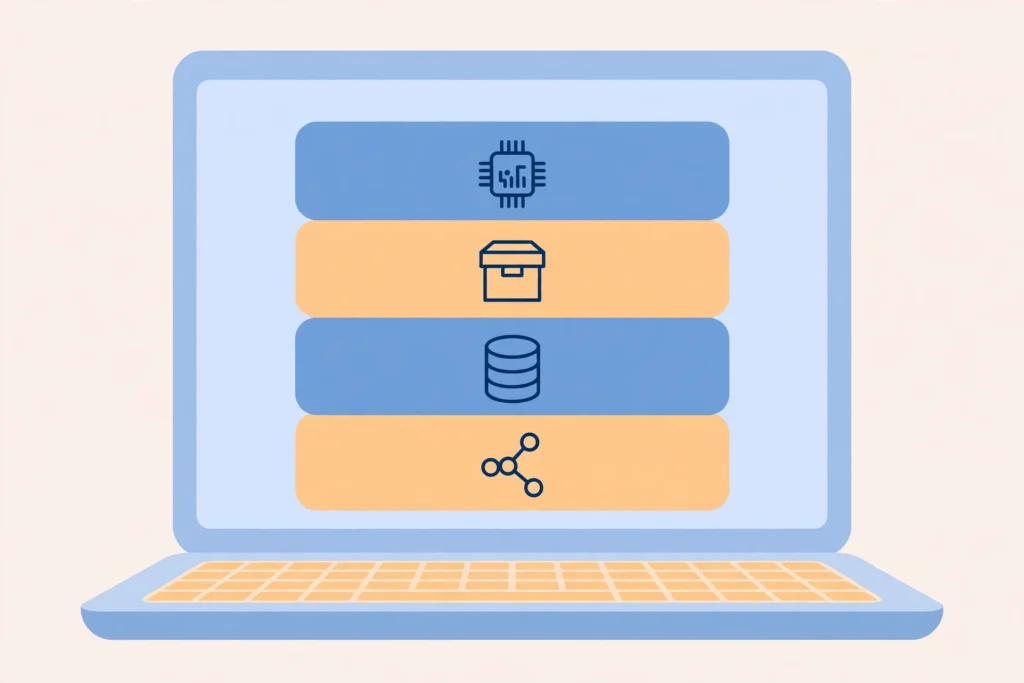
AWS has hundreds of services, but most people start with these foundational ones:
- Amazon EC2 (Elastic Compute Cloud) — Virtual servers in the cloud. Launch Linux or Windows machines, choose CPU/memory, and scale them up/down.
- Amazon S3 (Simple Storage Service) — The go-to object storage. Extremely durable (99.999999999% durability), used for backups, websites, big data lakes, user-uploaded files, etc.
- Amazon RDS (Relational Database Service) — Managed databases (MySQL, PostgreSQL, Oracle, SQL Server, etc.). AWS handles backups, patching, and scaling.
- AWS Lambda — Serverless computing. Run code without managing servers — pay only for execution time (great for APIs, automation, event-driven apps).
- Amazon VPC (Virtual Private Cloud) — Your private network in the cloud. Control IP ranges, subnets, routing, and security.
- AWS IAM (Identity and Access Management) — Security cornerstone. Define who (users, roles) can do what (permissions) very granularly.
- Amazon CloudWatch — Monitoring and observability. Collect logs, metrics, set alarms.
- Amazon S3 + CloudFront — Host static websites or deliver content globally with low latency via the CDN.
Other popular categories include:
- AI/ML — SageMaker, Bedrock, Rekognition, etc.
- Containers — ECS, EKS (Kubernetes)
- Analytics — Athena, Redshift, Glue
- Developer tools — CodeCommit, CodeBuild, CodePipeline
To see how these services fit together, read AWS Architecture Explained Simply.
How Much Does AWS Cost?
AWS uses pay-as-you-go pricing: you pay for the compute, storage, and data transfer you actually use, with no upfront cost for most services. That is why a side project can cost pennies while a global app scales to thousands of servers on the same platform. AWS also offers a Free Tier so new accounts can try core services at no cost for a limited period — check the current terms on the AWS Free Tier page before you start, and set a billing alarm on day one so a forgotten test server never surprises you.
How Cloud Computing Models Work on AWS

AWS offers several ways to use resources:
- IaaS (Infrastructure as a Service) — EC2, VPC (you manage OS and apps)
- PaaS (Platform as a Service) — Elastic Beanstalk, App Runner (less management)
- Serverless — Lambda, API Gateway, DynamoDB (almost zero server management)
- SaaS — Amazon WorkSpaces, Chime, etc. (fully managed applications)
Most beginners start with a mix of IaaS and serverless.
Many teams run these models as a microservices architecture on AWS.
Getting Started with AWS (Step-by-Step for Beginners)
- Go to https://aws.amazon.com and click “Create an AWS Account”.
- Sign up with your email and set a strong password.
- Provide billing information — the AWS Free Tier gives you 12 months of limited free usage on many services (e.g., 750 hours/month of EC2 t3.micro, 5 GB S3 storage, etc.).
- Once logged in, visit the AWS Management Console — your central dashboard.
- Try the free interactive tutorials at https://aws.amazon.com/getting-started or launch a simple EC2 instance or S3 bucket.
- Explore AWS Cloud Practitioner Essentials (free digital training) to build foundational knowledge.
Pro tip: Always enable MFA on your root account and use IAM users/roles for daily work — never use root credentials for everyday tasks.
Once your account is ready, you can create your first server on AWS, and for production workloads, learn about multi-region deployment on AWS.
Final Thoughts
AWS can feel overwhelming at first with so many services, but you don’t need to learn everything. Start small: host a static website on S3, run a tiny server on EC2, store files, or build a serverless API with Lambda.
Cloud computing — and AWS in particular — has democratized technology. What used to require millions in capital and months of setup now costs dollars and takes minutes.
Whether you’re building the next big app, learning modern IT skills, or just experimenting, AWS is an excellent place to begin your cloud journey.
Ready to dive in? Head over to the AWS Free Tier today — your first virtual server is waiting.
Happy building! 🚀
AWS can look overwhelming at first because it has more than 200 services, but you do not need to learn them all. Start with the basics — EC2 for compute, S3 for storage, and IAM for security — build one small project, and add services as you need them. The Free Tier lets you experiment without a bill, and every expert was once a beginner staring at the same console. Open an account, launch something small, and learn by doing.