
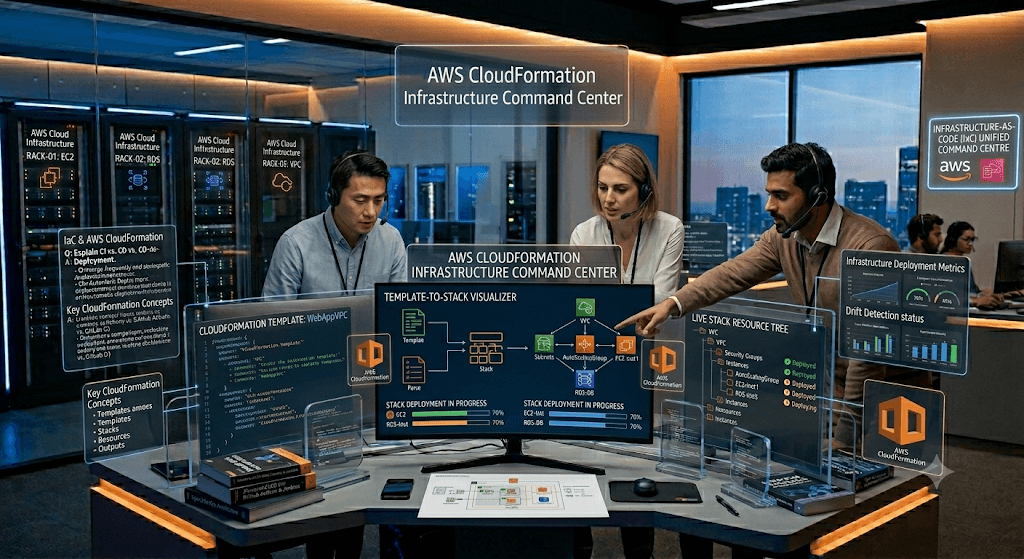
This guide covers beginner, intermediate, advanced, architect-level, and scenario-based CloudFormation interview questions commonly asked for:
- Cloud Engineer
- AWS DevOps Engineer
- AWS Solutions Architect
- Data Engineer
- Platform Engineer
- Site Reliability Engineer (SRE)
- Cloud Infrastructure Engineer
Infrastructure as Code (IaC) is the practice of managing and provisioning infrastructure (servers, networks, databases, etc.) through machine-readable definition files rather than manual configuration or interactive tools.
AWS CloudFormation is Amazon Web Services’ native IaC service. It allows you to define your AWS infrastructure in declarative templates (YAML or JSON) and then have AWS create, update, and delete resources automatically and consistently.
Why Use CloudFormation?
- Repeatability — Deploy the same stack across dev, staging, and production.
- Version Control — Templates are code, so they live in Git.
- Automation — Integrate with CI/CD pipelines (CodePipeline, GitHub Actions, etc.).
- Dependency Management — CloudFormation handles resource ordering and rollbacks.
- Cost & Compliance — Easy to audit changes and enforce standards.
Core Concepts
- Template — The main file (YAML is preferred for readability).
- Stack — A collection of resources created from a template.
- Resources — The actual AWS components (EC2, S3, VPC, Lambda, RDS, etc.).
- Parameters — Input values you can pass at deploy time.
- Mappings — Static data lookups (e.g., AMI IDs per region).
- Conditions — Logic to create resources conditionally.
- Outputs — Values exported from the stack (e.g., load balancer DNS).
- Nested Stacks — Break large templates into reusable child stacks.
- Drift Detection — See if resources have been manually changed outside CloudFormation.
- Change Sets — Preview what a stack update will change before applying.
Basic Template Structure (YAML)
YAML
AWSTemplateFormatVersion: '2010-09-09'
Description: 'Simple VPC + EC2 example'

Parameters:
  Environment:
    Type: String
    Default: dev
    AllowedValues: [dev, prod]

Resources:
  MyVPC:
    Type: AWS::EC2::VPC
    Properties:
      CidrBlock: 10.0.0.0/16
      Tags:
        - Key: Environment
          Value: !Ref Environment

  MySecurityGroup:
    Type: AWS::EC2::SecurityGroup
    Properties:
      GroupDescription: Allow SSH and HTTP
      VpcId: !Ref MyVPC
      SecurityGroupIngress:
        - IpProtocol: tcp
          FromPort: 22
          ToPort: 22
          CidrIp: 0.0.0.0/0
        - IpProtocol: tcp
          FromPort: 80
          ToPort: 80
          CidrIp: 0.0.0.0/0

  MyEC2Instance:
    Type: AWS::EC2::Instance
    Properties:
      InstanceType: t3.micro
      ImageId: ami-0abcdef1234567890  # Replace with valid AMI
      SecurityGroupIds:
        - !Ref MySecurityGroup
      SubnetId: !Ref MyPublicSubnet  # (you would define this too)

Outputs:
  InstancePublicIP:
    Description: Public IP of the EC2 instance
    Value: !GetAtt MyEC2Instance.PublicIp
Deployment Methods
- AWS Console (quick testing)
- AWS CLI:Bash
aws cloudformation create-stack --stack-name my-stack --template-body file://template.yaml --parameters ParameterKey=Environment,ParameterValue=prod aws cloudformation update-stack ... - AWS CDK (higher-level IaC in TypeScript/Python/etc. that compiles to CloudFormation)
- Serverless Application Model (SAM) — Extension for serverless apps (Lambda, API Gateway, etc.)
Best Practices
- Modularize — Use nested stacks or separate templates per layer (network, compute, data).
- Use Parameters + Mappings liberally for environment-specific values.
- Enable Termination Protection on production stacks.
- Use Stack Policies to protect critical resources during updates.
- Combine with other tools:
- AWS CDK for developer-friendly experience.
- Terraform if you need multi-cloud.
- Crossplane or Pulumi as alternatives.
- Testing — Use cfn-lint, taskcat, or AWS CloudFormation Guard (cfn-guard) for policy-as-code.
- State Management — CloudFormation manages state; avoid mixing with manual changes.
Common Pitfalls
- Circular dependencies.
- Long stack update times (break into smaller stacks).
- Hard-coded values instead of parameters.
- Not using DeletionPolicy: Retain for databases/S3 buckets you want to keep.
1. What is Infrastructure as Code (IaC)?
Answer
Infrastructure as Code (IaC) is the practice of managing and provisioning infrastructure through code instead of manual processes.
Instead of:
- Logging into AWS Console
- Creating EC2 manually
- Creating VPC manually
You define everything in code:
Resources:
  MyEC2:
    Type: AWS::EC2::Instance
Benefits:
- Automation
- Consistency
- Version Control
- Repeatability
- Faster deployments
- Disaster Recovery
2. What is AWS CloudFormation?
Answer
CloudFormation is AWS’s Infrastructure-as-Code service used to create and manage AWS resources using templates.
CloudFormation can create:
- VPC
- EC2
- Lambda
- S3
- RDS
- IAM
- Glue
- Redshift
- SageMaker
- DynamoDB
using YAML or JSON templates.
3. Why use CloudFormation?
Answer
Benefits:
Consistency
Every environment is identical.
Automation
No manual clicks.
Version Control
Store templates in Git.
Rollback
Automatic rollback if deployment fails.
Repeatability
Deploy infrastructure multiple times.
Compliance
Infrastructure becomes auditable.
4. What is a CloudFormation Template?
Answer
A template is a YAML/JSON file describing AWS infrastructure.
Example:
Resources:
  MyBucket:
    Type: AWS::S3::Bucket
CloudFormation reads template and provisions resources.
5. YAML vs JSON in CloudFormation?
Answer
YAML preferred because:
Advantages:
- Less verbose
- Easier to read
- Supports comments
Example:
BucketName: mybucketJSON:
{
 "BucketName":"mybucket"
}
Most companies use YAML.
6. What are the main sections of a CloudFormation template?
Answer
AWSTemplateFormatVersion
Description
Parameters
Mappings
Conditions
Resources
Outputs
7. Which section is mandatory?
Answer
Only:
Resourcesis mandatory.
Without Resources CloudFormation cannot create infrastructure.
8. What are Parameters?
Answer
Parameters make templates reusable.
Example:
Parameters:
  InstanceType:
    Type: String
User provides:
t2.micro
m5.large
during deployment.
9. Why use Parameters?
Answer
Avoid hardcoding values.
Example:
Instead of:
InstanceType: t2.microUse:
InstanceType:
  Ref: InstanceType
Template becomes reusable.
10. What are Outputs?
Answer
Outputs expose values after deployment.
Example:
Outputs:
  BucketName:
    Value: !Ref MyBucket
Useful for:
- VPC IDs
- Load Balancer DNS
- S3 bucket names
11. What is a Stack?
Answer
A Stack is a deployed instance of a CloudFormation template.
Example:
Template:
vpc.yamlDeploy:
aws cloudformation create-stackResult:
Stack = Production-VPC12. What is Stack Creation?
Answer
Process of converting template into actual AWS resources.
Flow:
Template
→ Validate
→ Create Resources
→ Stack Created
13. What is Stack Update?
Answer
Modify template and redeploy.
CloudFormation:
- Detects changes
- Updates resources
- Keeps unchanged resources untouched
14. What is Stack Deletion?
Answer
Deletes stack resources.
aws cloudformation delete-stackRemoves associated resources unless protected.
15. What is Stack Drift?
Answer
Drift occurs when resources are manually changed outside CloudFormation.
Example:
CloudFormation:
EC2=t2.microAdmin changes:
EC2=t3.mediumNow drift exists.
16. How do you detect drift?
Answer
aws cloudformation detect-stack-driftCloudFormation compares:
Template
vs
Actual Resources
17. What is Change Set?
Answer
Preview changes before deployment.
Example:
Add EC2
Delete S3
Modify RDS
before execution.
Useful in production.
18. What is Rollback?
Answer
If deployment fails:
CloudFormation automatically:
Delete failed resources
Restore previous state
This is rollback.
19. What is Disable Rollback?
Answer
Keeps failed resources for troubleshooting.
--disable-rollbackUseful for debugging.
20. What is Nested Stack?
Answer
Large templates split into smaller templates.
Example:
network.yaml
security.yaml
database.yaml
Master stack:
main.yamlreferences all.
Benefits:
- Modularity
- Reusability
- Easier maintenance
21. What is StackSet?
Answer
Deploy CloudFormation stacks across:
- Multiple AWS accounts
- Multiple AWS regions
Example:
100 AWS AccountsDeploy IAM role everywhere.
22. What are Mappings?
Answer
Static lookup tables.
Example:
Mappings:
  RegionMap:
    us-east-1:
      AMI: ami-123
Used for region-specific values.
23. What are Conditions?
Answer
Create resources only when condition is true.
Example:
Conditions:
  IsProd: !Equals [!Ref Env, prod]
24. What are Intrinsic Functions?
Answer
Built-in CloudFormation functions.
Common:
Ref
GetAtt
Join
Sub
FindInMap
ImportValue
Select
Split
If
25. What does Ref do?
Answer
Returns resource identifier.
Example:
!Ref MyBucketReturns bucket name.
26. What is Fn::GetAtt?
Answer
Gets resource attribute.
Example:
!GetAtt ELB.DNSNameReturns load balancer DNS.
27. What is Fn::Sub?
Answer
String substitution.
!Sub arn:aws:s3:::${Bucket}Very common in IAM policies.
28. What is Fn::Join?
Answer
Combines strings.
!Join
 - "-"
 - [prod, app]
Output:
prod-app29. What is ImportValue?
Answer
Imports output from another stack.
Stack A:
Export:
  Name: VPCID
Stack B:
!ImportValue VPCID30. What is Cross-Stack Reference?
Answer
Sharing outputs between stacks using:
Export
ImportValue
31. What is DependsOn?
Answer
Controls resource creation order.
Example:
DependsOn: InternetGateway32. What is CreationPolicy?
Answer
Waits for success signal before completing resource creation.
Commonly used with:
- Auto Scaling Groups
- EC2 instances
33. What is UpdatePolicy?
Answer
Controls update behavior.
Example:
Rolling update of ASG.
UpdatePolicy:
  AutoScalingRollingUpdate:
34. What is DeletionPolicy?
Answer
Controls resource behavior on deletion.
Options:
Delete
Retain
Snapshot
35. What is Retain Policy?
Answer
Keeps resource even after stack deletion.
Common:
DeletionPolicy: RetainUsed for:
- RDS
- S3
36. What is Snapshot Policy?
Answer
Creates snapshot before deletion.
Used with:
- RDS
- EBS
37. What is CloudFormation Drift Detection Limitation?
Answer
Not all AWS resources support drift detection.
Also:
- Can be slow
- Doesn’t prevent drift
Only detects it.
38. How does CloudFormation handle dependencies?
Answer
Automatically determines dependency graph.
Example:
Subnet references VPCCloudFormation creates VPC first.
39. What is a Custom Resource?
Answer
Used when CloudFormation doesn’t support an AWS feature.
Typically implemented with:
Lambda Function40. How Custom Resource Works?
Answer
Flow:
CloudFormation
↓
Lambda
↓
Custom Logic
↓
Response
41. What is CloudFormation Registry?
Answer
Registry stores:
- Resource Providers
- Modules
- Extensions
for CloudFormation.
42. What is CloudFormation Module?
Answer
Reusable infrastructure component.
Example:
Standard VPC Moduleused across projects.
43. What is CloudFormation Macro?
Answer
Transforms templates before deployment.
Common macro:
AWS::Serverlessused by SAM.
44. What is AWS SAM?
Answer
AWS Serverless Application Model.
Simplifies deployment of:
- Lambda
- API Gateway
- DynamoDB
Example:
Type: AWS::Serverless::Function45. CloudFormation vs Terraform?
Answer
| Feature | CloudFormation | Terraform |
|---|---|---|
| Vendor | AWS | HashiCorp |
| Multi-cloud | No | Yes |
| AWS Integration | Excellent | Good |
| State File | Managed | User Managed |
| Learning Curve | Easier | Moderate |
| Popularity | High | Very High |
Interview Answer:
Terraform dominates multi-cloud environments, while CloudFormation is preferred in AWS-only organizations.
46. Real-Time Scenario: Multi-Environment Deployment
Question
How would you deploy Dev, QA, and Prod using same template?
Answer
Use Parameters:
Parameters:
  Environment:
Pass:
dev
qa
prod
Use Conditions and Mappings.
47. Real-Time Scenario: Prevent Production Database Deletion
Answer
DeletionPolicy: Retainand stack termination protection.
48. Real-Time Scenario: Reuse VPC Across Projects
Answer
Stack A:
Export VPC IDStack B:
ImportValue49. Real-Time Scenario: Deploy Infrastructure Across 50 Accounts
Answer
Use:
CloudFormation StackSetswith AWS Organizations.
50. Senior Architect Interview Question
How would you design enterprise-scale CloudFormation architecture?
Answer
Best Practices:
- Separate stacks by domain
- Networking
- Security
- Compute
- Data
- Use Nested Stacks
- Use StackSets
- GitHub Actions/Jenkins CI/CD
- Change Sets before production
- Drift Detection
- Parameter Store
- Secrets Manager
- Cross-stack exports
- IAM least privilege
- Version-controlled templates
- Automated testing
Top 25 CloudFormation Best Practices (Interview Favorite)
- Use YAML
- Avoid hardcoded values
- Use Parameters
- Use Outputs
- Use Change Sets
- Enable Stack Policies
- Use Nested Stacks
- Use StackSets
- Store templates in Git
- CI/CD deployments
- Use IAM Roles
- Least Privilege
- Use Secrets Manager
- Use Parameter Store
- Use Drift Detection
- Use Retain for databases
- Tag everything
- Use Conditions
- Use Mappings
- Use Cross-Stack References
- Use Macros carefully
- Use Linting
- Validate templates
- Automate testing
- Monitor Stack Events
Frequently Asked Senior-Level Questions
- How does CloudFormation dependency resolution work?
- Explain stack drift remediation.
- How do StackSets work with AWS Organizations?
- How would you manage secrets in CloudFormation?
- Explain Change Sets vs Direct Deployments.
- How do you perform blue-green infrastructure deployments?
- How would you implement rolling ASG updates?
- Explain CloudFormation rollback triggers.
- How would you handle enterprise-scale template modularization?
- CloudFormation vs Terraform vs CDK?
- How do custom resources work internally?
- How would you design multi-account AWS infrastructure using StackSets?
- How would you prevent accidental production deletions?
- How do exports/imports affect stack lifecycle?
- What are CloudFormation quotas and limitations?
- How do you integrate CloudFormation into CI/CD pipelines?
- How would you manage hundreds of CloudFormation stacks?
- What is drift detection strategy in production?
- How do you implement disaster recovery using IaC?
- How would you migrate manually created infrastructure into CloudFormation?
These are the most commonly asked CloudFormation questions for AWS Solutions Architect, DevOps Engineer, Cloud Engineer, Platform Engineer, and Senior Data Engineering interviews in the U.S. market.
Some More
Here’s a comprehensive list of Infrastructure-as-Code (IaC) interview questions focused on AWS CloudFormation, along with detailed answers. These range from beginner to advanced levels.
1. Basic Concepts
Q1: What is Infrastructure as Code (IaC) and why is it important?
Answer:
IaC is the practice of managing and provisioning infrastructure using machine-readable definition files (e.g., JSON/YAML) instead of manual processes or interactive tools.
Importance:
- Repeatability – same environment every time
- Version control – track changes, rollback
- Automation – reduces human error
- Cost efficiency – tear down resources when not needed
- Consistency across dev/staging/prod
Q2: What is AWS CloudFormation? How does it relate to IaC?
Answer:
CloudFormation is AWS’s native IaC service. You write a template (YAML/JSON) describing AWS resources and their dependencies. CloudFormation creates and manages those resources as a stack. It’s declarative: you define the desired end state, and CloudFormation handles creation, updates, and deletions.
Q3: Explain the structure of a CloudFormation template.
Answer:
A template has these top-level sections (only Resources is required):
- Format Version – CF version (e.g.,
2010-09-09) - Description – what the stack does
- Parameters – inputs passed at runtime
- Mappings – fixed lookup tables (e.g., AMI per region)
- Conditions – decide if a resource is created
- Resources – the actual AWS resources (EC2, S3, etc.)
- Outputs – values returned after stack creation
- Metadata – additional info or template configuration
2. Working with CloudFormation
Q4: What is a CloudFormation stack? A change set?
Answer:
- Stack – a collection of AWS resources created/managed as a single unit. You can create, update, or delete a stack.
- Change Set – a preview of changes before applying them. It shows which resources will be modified, added, or replaced, helping avoid unintended updates.
Q5: How do you handle dependencies between resources in CloudFormation?
Answer:
- Automatic – CloudFormation detects dependencies via intrinsic functions like
!Refor!GetAtt.
Example: If an EC2 instance references a Security Group ID via!Ref, CloudFormation knows to create the SG first. - Explicit – Use
DependsOnattribute to force order even if no direct reference exists.
Example: A custom resource that must run after a database is fully ready.
Q6: What are intrinsic functions? Name five and give an example.
Answer:
Built-in functions to process values dynamically.
!Ref– returns the physical ID of a resource or value of a parameter.!Ref MyEC2Instance→ instance ID.!GetAtt– gets an attribute from a resource.!GetAtt MyBucket.Arn!Sub– substitutes variables in a string.!Sub "arn:aws:s3:::${BucketName}"!Join– concatenates strings.!Join [":", ["a", "b", "c"]]→"a:b:c"!Select– picks from a list/map.!Select [1, ["a","b","c"]]→"b"
Q7: How do you pass sensitive data (like DB passwords) into CloudFormation?
Answer:
- Use Parameters with
NoEcho: true– masks value in logs/console. - Store secrets in AWS Secrets Manager – retrieve via dynamic reference:
{{resolve:secretsmanager:MySecret:SecretString:password}} - Use Systems Manager Parameter Store (SecureString) –
{{resolve:ssm-secure:MyParam:1}} - Avoid hardcoding secrets in templates or user-data scripts.
3. Advanced & Best Practices
Q8: Explain the difference between a stack update with replacement vs. modification.
Answer:
- Modification without replacement – resource is updated in-place (e.g., changing an EC2 instance type).
- Replacement – resource is deleted and recreated because an attribute is immutable (e.g., changing an RDS DB name). This causes downtime/new ID.
CloudFormation’s update policy (e.g.,UpdateReplacePolicy) can control this.
Q9: What are Drifts and how does CloudFormation handle drift detection?
Answer:
Drift is when actual resource configuration differs from what’s in the CloudFormation template (e.g., someone manually changes a security group rule).
- Drift Detection – run drift detection on a stack. CloudFormation compares actual vs. expected.
- Resolution – manually fix resource or update template to match actual, then reapply.
Q10: What are nested stacks? When would you use them?
Answer:
Nested stacks are stacks created inside another stack using resource type AWS::CloudFormation::Stack.
Use cases:
- Reusable components (e.g., a standard VPC, a monitoring stack)
- Limit stack complexity (max 500 resources per stack)
- Separate lifecycle management (update nested stack independently)
- Cross-team reuse
Q11: How do you manage state in CloudFormation? Compare with Terraform.
Answer:
CloudFormation does not have an explicit state file. AWS manages state on the service side.
Implications:
- No need to store/secure
.tfstatefiles – safer and simpler. - No “state locking” issues.
- But you lose advanced state operations (e.g., manual state surgery).
Terraform stores state (local or remote), offering more flexibility but with more responsibility.
Q12: Explain stack policies. When are they used?
Answer:
A stack policy prevents accidental updates or deletions of critical resources.
- JSON policy that defines
Allow/Denyactions per resource. - Example: prevent deletion of RDS database even during a stack delete.
- Applied during stack creation or via
set-stack-policy.
4. Problem-Solving & Scenario
Q13: Your stack update fails and rolls back. How do you investigate?
Answer:
- Check Stack Events – look for the failed resource (status
UPDATE_FAILED). - Read Status Reason – e.g., “Security group limit exceeded” or “Invalid AMI ID”.
- Examine CloudTrail for API calls made by CloudFormation.
- If failure is transient (e.g., timeout), use
--disable-rollbackto retry. - For logical errors, update the template and try again.
Q14: How would you conditionally create a resource (e.g., only in prod)?
Answer:
Use Conditions section and Fn::If intrinsic function.
Example:
yaml
Conditions:
  IsProd: !Equals [!Ref Environment, "prod"]

Resources:
  MyInstance:
    Type: AWS::EC2::Instance
    Condition: IsProd   # only created if Environment=prod
Q15: A resource in your stack needs to be updated but will cause downtime. How do you handle it?
Answer:
- Use Update Policy attributes like
AutoScalingRollingUpdatefor ASG,CreateReplacefor RDS. - For manual control: create change set → confirm changes → execute during maintenance window.
- Use custom deletion policies (
Retain) to preserve data if replacement happens. - Implement blue/green by launching new version alongside old, then switching.
Q16: How do you reuse CloudFormation templates across environments?
Answer:
- Parameters – pass environment-specific values (e.g., InstanceType, EnvName).
- Mappings – region/AMI maps.
- Export/Import – share outputs across stacks.
- Nested stacks – compose common patterns.
- StackSets – deploy same template across multiple regions/accounts.
- Template snippets / modules (CloudFormation Modules – AWS’s version of reusable components).
5. Integration & Tooling
Q17: How do you integrate CloudFormation with CI/CD (e.g., Jenkins, GitLab, CodePipeline)?
Answer:
Example pipeline steps:
- Developer commits template YAML to Git.
- CI runs
cfn-lintandcfn-nag(security checks). - Deploy step runs:
aws cloudformation deploy --template-file template.yaml --stack-name my-stack - For production, use change sets:
aws cloudformation create-change-set→ approve → execute.
Q18: What is the CloudFormation registry? What are private and public extensions?
Answer:
- Public extensions – AWS, third-party, or community resource types (e.g., GitHub repo resource).
- Private extensions – custom resource types you create and own.
- Registry – stores and manages these extensions. Use it to extend CloudFormation beyond AWS resources (e.g., manage Datadog, Snowflake).
Q19: Compare CloudFormation with AWS CDK (Cloud Development Kit).
Answer:
- CDK – imperative, uses programming languages (TypeScript, Python, C#) to generate CloudFormation templates.
- CloudFormation – declarative YAML/JSON.
- CDK offers higher-level “constructs” (reusable patterns) and easier logic (loops, conditions).
- CDK compiles to CloudFormation templates.
- Choose CF if you prefer pure declarative/team knows YAML; choose CDK for complex logic, reuse, and dev comfort.
6. Sample Detailed Answer for a Common Question
Q: How would you design a CloudFormation template to deploy a 3-tier web app (VPC, ALB, EC2, RDS) with high availability and parameterized environments?
Answer (structured):
- Parameters –
Environment(dev/stage/prod),KeyName,DBUsername,DBPassword(NoEcho). - Mappings –
RegionMapfor AMI IDs per region. - Resources –
- VPC with public and private subnets across 2 AZs.
- Internet Gateway + route tables.
- ALB in public subnets.
- Auto Scaling Group (EC2) in private subnets with user-data that pulls app code from S3.
- RDS (Multi-AZ) in private subnets.
- Security Groups – tight rules (ALB → EC2 → RDS).
- Conditions – If
Environment=prod, then enable RDS deletion protection and use larger instances. - Outputs – ALB DNS name, RDS endpoint.
- Best practices:
- Use
AWS::EC2::SecurityGroupIngressfor clear rules. - Use
UpdatePolicyfor ASG rolling updates. - Use
DeletionPolicy: Retainon RDS for prod.
- Use
This shows you understand architecture, dependencies, reusability, and safety in one answer.
CloudFormation Change Sets are a powerful safety feature that lets you preview the impact of proposed changes to a stack before applying them.
Instead of directly running an update-stack command (which immediately modifies your live resources), you create a change set first. This generates a detailed report of what CloudFormation plans to do — create, modify, replace, or delete resources — giving you a chance to review and approve (or discard) the changes.
Why Use Change Sets?
- Risk Reduction: See potential destructive actions (e.g., an RDS instance replacement that would delete your database) before they happen.
- Visibility: Understand exact property changes, resource replacements, and impacts on dependencies.
- Compliance & Auditing: Great for production environments and team reviews.
- No Commitment: You can create multiple change sets to compare scenarios without affecting the stack.
Important Note: Change sets do not guarantee the update will succeed. They won’t catch quota limits, permission issues, or unsupported updates — those only appear during actual execution.
How Change Sets Work
- Create a change set (provide new template, parameters, or both).
- Review the change set (Console, CLI, or API).
- Execute the change set (or delete it if unwanted).
- CloudFormation applies the changes and updates the stack.
Change Types CloudFormation Reports
- Create — New resource will be added.
- Modify — Resource properties will be updated in place.
- Replace — Resource will be deleted and recreated (data loss risk for stateful resources like RDS, S3 with versioning off, etc.).
- Delete — Resource will be removed.
- Dynamic — Changes that depend on runtime behavior.
Since 2024, AWS has improved visibility with more detailed action previews.
Example: Using the AWS CLI
1. Create a Change Set
Bash
aws cloudformation create-change-set \
  --stack-name my-prod-stack \
  --change-set-name update-v2 \
  --template-body file://updated-template.yaml \
  --parameters ParameterKey=InstanceType,ParameterValue=t3.medium \
  --capabilities CAPABILITY_IAM
2. Describe / Review the Change Set
Bash
aws cloudformation describe-change-set \
  --stack-name my-prod-stack \
  --change-set-name update-v2
This returns a JSON list showing each resource, action (Create/Modify/Replace/Delete), and before/after details.
3. Execute the Change Set
Bash
aws cloudformation execute-change-set \
  --stack-name my-prod-stack \
  --change-set-name update-v2
4. Delete an unwanted Change Set
Bash
aws cloudformation delete-change-set \
  --stack-name my-prod-stack \
  --change-set-name update-v2
You can also do all of this in the AWS Management Console under the stack’s “Change sets” tab.
Best Practices
- Always use change sets for production stacks.
- Pay special attention to any Replacement actions on stateful resources.
- Review nested stacks recursively (change sets support them).
- Integrate into CI/CD pipelines: Create → Review (manual or automated checks) → Execute.
- Use descriptive change set names (e.g., feature-x-deploy-20260607).
- Combine with Stack Policies to protect critical resources.
- For complex changes, create several change sets with different parameter/template variations.
Common Use Cases
- Updating EC2 instance types or AMI IDs.
- Modifying security groups, scaling policies, or Lambda code.
- Adding new resources (e.g., new S3 bucket + IAM policy).
- Database engine version upgrades (often cause replacement).

