
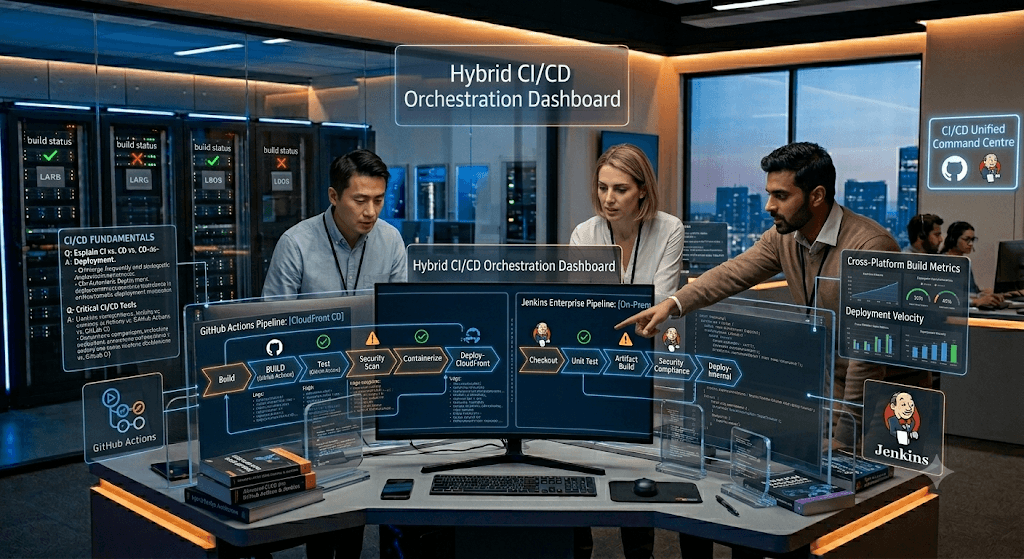
CI/CD (Continuous Integration / Continuous Delivery or Deployment) automates building, testing, and deploying code to improve software quality, speed up releases, and reduce manual errors.
GitHub Actions and Jenkins are two popular tools for implementing CI/CD pipelines. GitHub Actions is tightly integrated with GitHub, while Jenkins is a flexible, self-hosted automation server.
GitHub Actions Overview
GitHub Actions is GitHub’s native CI/CD platform. You define workflows in YAML files stored in your repository (.github/workflows/ directory). Workflows trigger on events (push, pull request, schedule, etc.) and run jobs on runners (GitHub-hosted or self-hosted).
Key Strengths:
- Easy setup with marketplace of reusable Actions.
- Free tier for public repos and generous minutes for private ones.
- Strong integration with GitHub features (PRs, Secrets, Environments, Deployments).
- Supports matrix builds, caching, artifacts, and secrets management.
Basic Example Workflow (.github/workflows/ci.yml):
YAML
name: CI Pipeline

on:
  push:
    branches: [ main ]
  pull_request:

jobs:
  build:
    runs-on: ubuntu-latest
    steps:
      - uses: actions/checkout@v4

      - name: Set up Node.js
        uses: actions/setup-node@v4
        with:
          node-version: 20

      - name: Install dependencies
        run: npm ci

      - name: Run tests
        run: npm test

      - name: Build
        run: npm run build
This runs on every push/PR, checks out code, sets up the environment, installs deps, tests, and builds.
For deployment, add steps for Docker build/push, cloud provider actions (AWS, Azure, etc.), or use GitHub Environments for approvals.
Jenkins Overview
Jenkins is an open-source automation server. You can define pipelines as code (Jenkinsfile) or via its web UI. It uses plugins extensively and runs on your own servers or containers.
Key Strengths:
- Highly customizable with 1,800+ plugins.
- Excellent for complex, on-prem, or hybrid environments.
- Supports Declarative and Scripted Pipelines (Groovy-based).
- Mature ecosystem for enterprise needs.
Basic Declarative Pipeline (Jenkinsfile):
groovy
pipeline {
    agent any
    stages {
        stage('Build') {
            steps {
                sh 'npm install'
            }
        }
        stage('Test') {
            steps {
                sh 'npm test'
            }
        }
        stage('Deploy') {
            steps {
                // deployment steps
            }
        }
    }
    post {
        always {
            echo 'Pipeline finished'
        }
    }
}
Jenkins requires installation (often via Docker) and configuration of agents, plugins, and credentials.
Comparison: GitHub Actions vs Jenkins (2025/2026)
| Aspect | GitHub Actions | Jenkins |
|---|---|---|
| Setup | Zero-config in GitHub repos | Self-hosted, more installation effort |
| Hosting | GitHub-hosted + self-hosted runners | Fully self-managed (or Kubernetes) |
| Config | YAML workflows | Jenkinsfile (Groovy) or UI |
| Extensibility | Marketplace Actions | Extensive plugins |
| Maintenance | Managed by GitHub | You manage updates, security, scaling |
| Cost | Free tier + pay-per-minute | Free (but infrastructure costs) |
| Best For | Teams in GitHub ecosystem, simplicity | Complex enterprise, on-prem control |
GitHub Actions wins for speed and developer experience in most modern cloud-native teams. Jenkins remains strong for highly customized or regulated environments where you need full control. Many organizations use both (e.g., GitHub Actions for lighter workflows, Jenkins for heavy lifting).
Best Practices for CI/CD
- Pipeline as Code — Store definitions in the repo (YAML or Jenkinsfile).
- Fail Fast — Run linting, unit tests early.
- Caching — Speed up builds (e.g., npm/yarn cache, Maven/Gradle).
- Security — Use secrets, scan dependencies (Dependabot, Snyk, OWASP), sign artifacts.
- Multi-stage — Separate build/test/deploy; use environments for prod approvals.
- Monitoring — Track pipeline duration, failure rates.
- Idempotency & Rollbacks — Make deployments repeatable and reversible.
- Test Thoroughly — Unit, integration, end-to-end, performance.
Getting Started Recommendations
- GitHub Actions: Go to your repo → Actions tab → New workflow. Use official starters or the quickstart.
- Jenkins: Run via Docker (docker run -p 8080:8080 -p 50000:50000 jenkins/jenkins), complete setup wizard, then create a Pipeline job pointing to your Jenkinsfile.
This guide is designed for Cloud Engineers, DevOps Engineers, Data Engineers, Platform Engineers, MLOps Engineers, and AWS Engineers interviewing in the U.S. market.
Section 1: CI/CD Fundamentals
1. What is CI/CD?
Answer
CI/CD stands for:
Continuous Integration (CI)
Developers frequently merge code into a shared repository.
The CI system:
- Builds code
- Runs tests
- Detects integration issues early
Continuous Delivery (CD)
Code is automatically prepared for deployment.
Production deployment requires approval.
Continuous Deployment
Every successful change automatically goes to production.
Flow
Developer
    ↓
Git Commit
    ↓
Build
    ↓
Unit Tests
    ↓
Integration Tests
    ↓
Package Artifact
    ↓
Deploy
2. Why is CI/CD important?
Answer
Benefits:
- Faster releases
- Reduced manual effort
- Better code quality
- Faster feedback
- Consistent deployments
- Lower deployment risk
3. Difference between Continuous Delivery and Continuous Deployment?
Answer
| Continuous Delivery | Continuous Deployment |
|---|---|
| Requires approval | Fully automated |
| Human decision involved | No human intervention |
| Safer for regulated industries | Faster releases |
| Common in enterprises | Common in startups |
4. What is a CI/CD pipeline?
Answer
Automated workflow that moves code from:
Code
→ Build
→ Test
→ Security Scan
→ Package
→ Deploy
→ Monitor
5. What are the stages of a CI/CD pipeline?
Answer
Typical stages:
- Source
- Build
- Test
- Security Scan
- Package
- Artifact Storage
- Deploy
- Validation
- Monitoring
Section 2: Git Concepts for CI/CD
6. What is Git?
Answer
Distributed version control system used for:
- Source control
- Collaboration
- Branch management
7. What is branching strategy?
Answer
Common strategies:
Git Flow
main
develop
feature/*
release/*
hotfix/*
Trunk-Based Development
main
feature branches
Preferred for modern CI/CD.
8. What is a Pull Request?
Answer
Mechanism to:
- Review code
- Run automated tests
- Approve changes
before merge.
9. Why enforce PR checks?
Answer
Ensures:
- Tests pass
- Code review completed
- Security scan successful
before merge.
Section 3: Jenkins Fundamentals
10. What is Jenkins?
Answer
Jenkins is an open-source automation server used for:
- CI/CD
- Build automation
- Deployment automation
- Testing
Features:
- Huge plugin ecosystem
- Pipeline as Code
- Distributed builds
11. Jenkins Architecture
Answer
Developer
    ↓
Jenkins Controller
    ↓
Build Agents
Controller:
- Manages jobs
- Scheduling
- Plugins
Agents:
- Execute builds
12. What is Jenkins Master-Agent architecture?
Answer
(Older terminology)
Master
Controls pipeline.
Agent
Runs build tasks.
Modern Jenkins uses:
Controller
Agent
13. Why use Jenkins agents?
Answer
Benefits:
- Scalability
- Parallel execution
- Isolation
- Different OS support
Example:
Linux Agent
Windows Agent
Mac Agent
14. What is Jenkinsfile?
Answer
Pipeline definition stored in repository.
Example:
pipeline {
 agent any

 stages {
   stage('Build') {
      steps {
         sh 'mvn clean package'
      }
   }
 }
}
15. Advantages of Jenkinsfile
Answer
- Version controlled
- Repeatable
- Auditable
- Reusable
Section 4: Jenkins Pipeline Questions
16. What is Declarative Pipeline?
Answer
Structured pipeline syntax.
Example:
pipeline {
 agent any

 stages {
   stage('Build'){
      steps {
         echo 'Building'
      }
   }
 }
}
Benefits:
- Easier
- Cleaner
- Recommended
17. What is Scripted Pipeline?
Answer
Groovy-based pipeline.
Example:
node {
   stage('Build'){
      sh 'mvn package'
   }
}
More flexible.
18. Declarative vs Scripted Pipeline
| Declarative | Scripted |
|---|---|
| Simple | Flexible |
| Easier | Complex |
| Recommended | Advanced use cases |
19. What are Jenkins stages?
Answer
Logical sections of pipeline.
Example:
Build
Test
Deploy
20. What are steps in Jenkins?
Answer
Individual actions.
Example:
steps {
 sh 'pytest'
}
21. How do you run parallel stages?
Answer
parallel {
 stage('Unit Test') {
 }
 stage('Integration Test') {
 }
}
Reduces execution time.
22. What is a Jenkins Shared Library?
Answer
Reusable pipeline code.
Example:
buildProject()
deployProject()
Used across multiple projects.
23. Why use Shared Libraries?
Answer
- Avoid duplication
- Standardization
- Easier maintenance
24. What are Jenkins credentials?
Answer
Secure storage for:
- Passwords
- SSH keys
- API tokens
Example:
withCredentials(...)25. How do you secure Jenkins?
Answer
Best practices:
- RBAC
- SSO
- MFA
- HTTPS
- Secrets management
- Agent isolation
Section 5: GitHub Actions Fundamentals
26. What is GitHub Actions?
Answer
GitHub-native CI/CD platform.
Automates:
- Build
- Test
- Deploy
- Security Scans
directly inside GitHub.
27. Components of GitHub Actions
Answer
- Workflow
- Event
- Job
- Step
- Action
- Runner
28. What is a Workflow?
Answer
Automation process defined in:
.github/workflows/Example:
name: CI29. What is an Event?
Answer
Trigger for workflow.
Examples:
push
pull_request
workflow_dispatch
schedule
30. What is a Job?
Answer
Collection of steps.
jobs:
 build:
31. What is a Step?
Answer
Single action.
steps:
 - run: npm install
32. What is a Runner?
Answer
Machine executing workflow.
Types:
- GitHub Hosted
- Self Hosted
33. What is an Action?
Answer
Reusable unit of automation.
Example:
uses: actions/checkout@v4Section 6: GitHub Actions Pipeline Questions
34. Basic GitHub Actions Workflow
name: CI

on:
 push:

jobs:
 build:
   runs-on: ubuntu-latest

   steps:
   - uses: actions/checkout@v4

   - run: npm install

   - run: npm test
35. How do secrets work in GitHub Actions?
Answer
Stored in:
Repository Secrets
Organization Secrets
Environment Secrets
Access:
${{ secrets.AWS_KEY }}36. How do you deploy to AWS from GitHub Actions?
Answer
Using:
- IAM Role
- OIDC
- AWS CLI
Example:
aws s3 sync37. What is GitHub OIDC?
Answer
Allows GitHub Actions to assume AWS IAM roles without storing credentials.
Benefits:
- No static secrets
- More secure
Highly preferred in modern AWS environments.
38. GitHub Actions Matrix Strategy
Answer
Run jobs across multiple versions.
strategy:
 matrix:
   python-version:
     [3.10,3.11,3.12]
39. What are reusable workflows?
Answer
Workflow used by multiple repositories.
workflow_callImproves standardization.
40. Self-hosted runners vs GitHub-hosted runners
| GitHub Hosted | Self Hosted |
|---|---|
| Managed | Self managed |
| Easy | More control |
| Limited customization | Full customization |
Section 7: AWS CI/CD Interview Questions
41. How do you deploy Lambda via CI/CD?
Answer
Pipeline:
GitHub/Jenkins
    ↓
Build ZIP
    ↓
Upload Artifact
    ↓
Deploy Lambda
    ↓
Run Validation Tests
Tools:
- GitHub Actions
- Jenkins
- AWS SAM
- CloudFormation
42. How do you deploy Glue jobs through CI/CD?
Answer
Pipeline:
Code Commit
↓
Unit Tests
↓
Package
↓
Upload to S3
↓
Update Glue Job
43. How do you deploy CloudFormation using CI/CD?
Answer
aws cloudformation deployPipeline validates templates before deployment.
44. How do you deploy Terraform using Jenkins?
Answer
Stages:
Checkout
Terraform Init
Terraform Validate
Terraform Plan
Approval
Terraform Apply
45. How do you implement Blue-Green deployment?
Answer
Two environments:
Blue = Current
Green = New
Switch traffic after validation.
Benefits:
- Zero downtime
- Easy rollback
46. What is Canary Deployment?
Answer
Deploy to small percentage.
Example:
10%
25%
50%
100%
Monitor errors before full rollout.
Section 8: Advanced CI/CD Questions
47. How do you implement rollback?
Answer
Methods:
- Previous artifact deployment
- Previous container image
- Previous Lambda version
- Blue-Green switchback
48. What is artifact management?
Answer
Store build outputs.
Examples:
- Jenkins Artifacts
- Nexus
- Artifactory
- S3
49. What is immutable deployment?
Answer
Never modify running servers.
Create new infrastructure instead.
Benefits:
- Consistency
- Reliability
50. What are CI/CD best practices?
Answer
Development
- Small commits
- Frequent merges
Security
- Secret scanning
- Dependency scanning
- Image scanning
Deployment
- Blue-Green
- Canary
- Rollback strategy
Monitoring
- CloudWatch
- Datadog
- Splunk
Real-World Scenario Questions
51. Jenkins pipeline suddenly fails after plugin upgrade. What would you do?
Answer
- Check Jenkins logs
- Identify updated plugin
- Verify compatibility
- Rollback plugin
- Test in lower environment
52. GitHub Actions workflow is taking 45 minutes. How optimize?
Answer
- Parallel jobs
- Dependency caching
- Matrix optimization
- Incremental builds
- Self-hosted runners
53. Production deployment failed. What actions would you take?
Answer
- Stop rollout
- Trigger rollback
- Analyze logs
- Validate artifact
- Root cause analysis
- Postmortem
54. How would you secure a CI/CD pipeline?
Answer
- OIDC authentication
- Least privilege IAM
- Secrets Manager
- Dependency scanning
- Container scanning
- Signed artifacts
- RBAC
- Audit logging
55. How would you design an enterprise CI/CD pipeline?
Answer
GitHub
    ↓
PR Validation
    ↓
Unit Tests
    ↓
Security Scan
    ↓
Build
    ↓
Artifact Repository
    ↓
Dev Deploy
    ↓
Integration Tests
    ↓
QA Deploy
    ↓
Approval
    ↓
Production Deploy
    ↓
Monitoring
Most Important Interview Questions (Asked Frequently)
- What is CI/CD?
- Jenkins vs GitHub Actions?
- Declarative vs Scripted Pipeline?
- What is Jenkinsfile?
- GitHub Actions workflow structure?
- What are runners?
- What are secrets?
- How do you secure pipelines?
- What is OIDC?
- Blue-Green deployment?
- Canary deployment?
- Rollback strategy?
- Shared Libraries?
- Self-hosted runners?
- How do you deploy AWS resources using CI/CD?
- How do you deploy Lambda through GitHub Actions?
- How do you deploy Terraform using Jenkins?
- How do you implement approval gates?
- How do you handle production failures?
- Design a CI/CD architecture for a large enterprise.
Explanations are given below with Answers
1. What is CI/CD?
Answer
CI/CD stands for:
Continuous Integration (CI)
Developers frequently merge code into a shared repository where automated processes validate code quality.
CI activities include:
- Code compilation
- Unit testing
- Static code analysis
- Security scanning
- Artifact creation
Continuous Delivery (CD)
Code is automatically prepared for deployment.
Features:
- Automated testing
- Staging deployments
- Release approvals
Continuous Deployment
Every successful change automatically deploys to production without manual intervention.
Benefits
- Faster releases
- Reduced human errors
- Better software quality
- Early bug detection
- Improved collaboration
Typical Flow
Developer Commit
       ↓
Git Repository
       ↓
Build
       ↓
Unit Tests
       ↓
Security Scan
       ↓
Artifact Repository
       ↓
Deploy Dev
       ↓
Deploy QA
       ↓
Deploy Prod
2. Jenkins vs GitHub Actions
| Feature | Jenkins | GitHub Actions |
|---|---|---|
| Hosting | Self-hosted | GitHub managed |
| Setup | Complex | Simple |
| Plugins | 2000+ plugins | Marketplace actions |
| Scalability | Manual | Automatic |
| Maintenance | High | Low |
| Cost | Infrastructure cost | Included in GitHub plans |
| Security | User managed | GitHub managed |
| Integration | Any tool | Best with GitHub ecosystem |
Jenkins Advantages
- Full control
- Enterprise customization
- Large plugin ecosystem
- Hybrid environments
GitHub Actions Advantages
- Native GitHub integration
- YAML-based
- Less maintenance
- Fast setup
Interview Answer
Large enterprises often use:
- Jenkins for complex enterprise workflows
- GitHub Actions for cloud-native and modern DevOps workflows
3. Declarative vs Scripted Pipeline
Declarative Pipeline
More structured.
pipeline {
    agent any

    stages {
        stage('Build') {
            steps {
                sh 'mvn clean package'
            }
        }
    }
}
Pros
- Easy to read
- Easier maintenance
- Recommended approach
Scripted Pipeline
Fully programmable Groovy.
node {
    stage('Build') {
        sh 'mvn clean package'
    }
}
Pros
- Maximum flexibility
- Complex logic support
Cons
- Harder maintenance
Interview Answer
Use Declarative for most projects and Scripted only when advanced logic is needed.
4. What is Jenkinsfile?
Answer
A Jenkinsfile is a pipeline definition stored in source control.
Example:
pipeline {
 agent any

 stages {

  stage('Build') {
   steps {
    sh 'mvn clean package'
   }
  }

  stage('Test') {
   steps {
    sh 'mvn test'
   }
  }

 }
}
Benefits:
- Infrastructure as Code
- Version controlled
- Reusable
- Auditable
5. GitHub Actions Workflow Structure
Workflow File
name: CI Pipeline

on:
  push:
    branches:
      - main

jobs:
  build:

    runs-on: ubuntu-latest

    steps:
      - uses: actions/checkout@v4

      - name: Build
        run: mvn clean package
Components
- Workflow
- Events (trigger)
- Jobs
- Steps
- Actions
- Runners
6. What are Runners?
Answer
Runners execute GitHub Actions workflows.
Types
GitHub-hosted
Ubuntu
Windows
macOS
Managed by GitHub.
Self-hosted
EC2
On-Prem VM
Kubernetes
Managed by organization.
Use Cases
- Internal networks
- Custom software
- Regulatory compliance
7. What are Secrets?
Answer
Secrets securely store sensitive information.
Examples:
- AWS Keys
- Database Passwords
- API Tokens
GitHub example:
env:
 AWS_ACCESS_KEY_ID: ${{ secrets.AWS_ACCESS_KEY_ID }}
Never hardcode secrets inside pipelines.
8. How do you secure pipelines?
Answer
Best Practices
1. Use IAM Roles
Avoid long-term credentials.
2. Secret Management
Use:
- AWS Secrets Manager
- HashiCorp Vault
- GitHub Secrets
3. Branch Protection
Require:
- Pull requests
- Reviews
- Status checks
4. Artifact Signing
Validate integrity.
5. Dependency Scanning
Tools:
- Dependabot
- Snyk
- Trivy
6. Least Privilege
Grant minimum permissions.
9. What is OIDC?
Answer
OpenID Connect (OIDC) enables GitHub Actions to authenticate with AWS without storing AWS credentials.
Traditional approach:
GitHub Secret
     ↓
AWS Access Key
OIDC approach:
GitHub
   ↓
OIDC Token
   ↓
AWS IAM Role
Benefits:
- No static credentials
- More secure
- Short-lived tokens
10. Blue-Green Deployment
Answer
Two identical environments:
Blue  = Current Production
Green = New Version
Deploy new version to Green.
Switch traffic:
Users
  ↓
Load Balancer
  ↓
Green
Benefits:
- Near zero downtime
- Instant rollback
11. Canary Deployment
Answer
Gradually shift traffic.
Example:
Version 1 → 90%
Version 2 → 10%
Monitor metrics.
Then:
Version 1 → 50%
Version 2 → 50%
Finally:
Version 2 → 100%Benefits:
- Lower risk
- Early issue detection
12. Rollback Strategy
Answer
Methods
1. Artifact Rollback
Redeploy previous version.
Build-100
Build-101
Build-102
Deploy Build-101.
2. Blue-Green Rollback
Switch traffic back.
3. Infrastructure Rollback
Terraform:
terraform apply previous-state4. Database Rollback
Use migration versioning.
Tools:
- Flyway
- Liquibase
13. Shared Libraries
Answer
Reusable Jenkins code.
Example:
@Library('company-library')

deployApp()
Benefits:
- Reusability
- Standardization
- Central governance
Common functions:
- Build
- Deploy
- Security Scan
- Notifications
14. Self-hosted Runners
Answer
Custom machines executing workflows.
Example:
EC2 InstanceWorkflow:
runs-on: self-hostedBenefits:
- Internal network access
- Custom tooling
- Compliance
Challenges:
- Maintenance
- Scaling
- Security
15. How do you deploy AWS resources using CI/CD?
GitHub Actions Example
name: AWS Deploy

on:
 push:
  branches:
   - main

jobs:

 deploy:

  runs-on: ubuntu-latest

  steps:

   - uses: actions/checkout@v4

   - uses: aws-actions/configure-aws-credentials@v4
     with:
      role-to-assume: arn:aws:iam::123456789:role/github-role
      aws-region: us-east-1

   - run: |
      aws cloudformation deploy \
      --template-file infra.yaml \
      --stack-name prod-stack
Deployment Targets:
- CloudFormation
- CDK
- Terraform
- ECS
- Lambda
- EKS
16. How do you deploy Lambda through GitHub Actions?
Example
steps:

- uses: actions/checkout@v4

- name: Zip Lambda
  run: zip function.zip lambda.py

- name: Configure AWS
  uses: aws-actions/configure-aws-credentials@v4

- name: Deploy Lambda
  run: |
      aws lambda update-function-code \
      --function-name myLambda \
      --zip-file fileb://function.zip
Production Enhancement:
- Use SAM
- Use Serverless Framework
- Use CDK
17. How do you deploy Terraform using Jenkins?
Jenkins Pipeline
pipeline {

 agent any

 stages {

  stage('Init') {
   steps {
    sh 'terraform init'
   }
  }

  stage('Validate') {
   steps {
    sh 'terraform validate'
   }
  }

  stage('Plan') {
   steps {
    sh 'terraform plan'
   }
  }

  stage('Approval') {
   steps {
    input 'Approve deployment?'
   }
  }

  stage('Apply') {
   steps {
    sh 'terraform apply -auto-approve'
   }
  }

 }

}
Best Practices:
- Remote state
- State locking
- Separate workspaces
- Security scanning
18. How do you implement approval gates?
Jenkins
input "Approve Production Deployment?"GitHub Actions
environment:
  name: production
Configure required approvers.
Common Approval Gates
- Security Review
- QA Approval
- Change Management
- CAB Approval
- Production Release Manager
19. How do you handle production failures?
Incident Workflow
Step 1
Detect failure.
CloudWatch
Datadog
Prometheus
Step 2
Stop deployment.
Step 3
Rollback.
Previous artifact
Blue-Green switch
Canary rollback
Step 4
Root Cause Analysis.
Step 5
Fix and redeploy.
Key Metrics
- MTTR
- Deployment Success Rate
- Change Failure Rate
These are part of DORA metrics.
20. Design a CI/CD Architecture for a Large Enterprise
Enterprise Architecture
Developers
     │
     ▼
GitHub Enterprise
     │
     ▼
Pull Requests
     │
     ▼
GitHub Actions/Jenkins
     │
     ├───────────────► SonarQube
     │
     ├───────────────► Trivy Security Scan
     │
     ├───────────────► Unit Tests
     │
     └───────────────► Integration Tests
     │
     ▼
Artifact Repository
(Nexus/Artifactory)
     │
     ▼
Terraform / CloudFormation
     │
     ▼
AWS Dev Account
     │
     ▼
AWS QA Account
     │
     ▼
Approval Gate
     │
     ▼
AWS Production Account
     │
     ▼
Blue-Green Deployment
     │
     ▼
Monitoring
(CloudWatch/Datadog)
For Senior Cloud Engineer, AWS DevOps Engineer, Data Engineer, Platform Engineer, and MLOps interviews, these 55 questions cover roughly 90% of CI/CD topics commonly asked, especially around Jenkins, GitHub Actions, AWS deployments, Infrastructure as Code, security, and production release strategies.
More important Questions in second section
Here’s a comprehensive guide to CI/CD interview questions and detailed answers, focusing on GitHub Actions and Jenkins. The questions are grouped by topic and difficulty level.
1. Foundational CI/CD Concepts
Q1: What is CI/CD? Explain the difference between Continuous Integration, Continuous Delivery, and Continuous Deployment.
Answer:
- Continuous Integration (CI): Developers frequently merge code changes into a shared repository (e.g., GitHub). Each merge triggers an automated build and test process to catch integration issues early.
- Continuous Delivery (CD): Extends CI by automatically deploying every successful build to a staging environment. Manual approval is required to push to production.
- Continuous Deployment (CD): Fully automated – every change that passes all tests is deployed directly to production without human intervention.
Key difference: Delivery waits for a manual trigger to production; Deployment is fully automatic.
Q2: What are the benefits of a CI/CD pipeline?
Answer:
- Faster feedback on code quality
- Reduced manual errors
- Faster release cycles
- Increased developer productivity
- Easier rollbacks
- Consistent deployment process
2. GitHub Actions
Q3: What are the core components of GitHub Actions?
Answer:
- Workflow: A YAML file defining the automation process (in
.github/workflows/). - Event: Triggers the workflow (e.g.,
push,pull_request,schedule). - Job: A set of steps running on the same runner.
- Step: A single task (either a shell command or an action).
- Action: A reusable unit of code (e.g.,
actions/checkout@v4). - Runner: A server that runs the workflow (GitHub-hosted or self-hosted).
Q4: How do you manage secrets in GitHub Actions?
Answer:
Secrets are stored in the repository or organization settings:
- Go to Settings → Secrets and variables → Actions.
- Click New repository secret.
- Use
${{ secrets.SECRET_NAME }}in workflows.
Example:
yaml
- name: Deploy to AWS
  env:
    AWS_ACCESS_KEY_ID: ${{ secrets.AWS_ACCESS_KEY }}
  run: aws s3 sync ./build s3://my-bucket
Note: Secrets are encrypted and never exposed in logs.
Q5: How do you run jobs conditionally in GitHub Actions?
Answer:
Use the if keyword with expressions.
Examples:
yaml
jobs:
  deploy:
    if: github.ref == 'refs/heads/main'
    runs-on: ubuntu-latest
    steps:
      - run: echo "Deploying..."

  skip-on-draft:
    if: github.event.pull_request.draft == false
    runs-on: ubuntu-latest
Q6: What is a matrix strategy in GitHub Actions? Give an example.
Answer:
Matrix strategy runs a job with multiple configurations (e.g., different Node versions or OS) in parallel.
Example:
yaml
strategy:
  matrix:
    node-version: [14, 16, 18]
    os: [ubuntu-latest, windows-latest]

steps:
  - uses: actions/setup-node@v3
    with:
      node-version: ${{ matrix.node-version }}
This creates 3×2 = 6 parallel jobs.
Q7: How do you cache dependencies in GitHub Actions to speed up builds?
Answer:
Use the actions/cache action.
yaml
- uses: actions/cache@v3
  with:
    path: ~/.npm
    key: ${{ runner.os }}-node-${{ hashFiles('**/package-lock.json') }}
    restore-keys: |
      ${{ runner.os }}-node-
Q8: Can GitHub Actions be triggered manually? How?
Answer:
Yes, using workflow_dispatch event.
yaml
on:
  workflow_dispatch:
    inputs:
      environment:
        description: 'Deploy target'
        required: true
        default: 'staging'
Users can then click Run workflow from the Actions tab and optionally provide input.
Q9: What are reusable workflows? How do you call one?
Answer:
Reusable workflows allow you to avoid duplication. Define a workflow in one repo and call it from another.
Called workflow (reusable.yml):
yaml
on:
  workflow_call:
    inputs:
      env-name:
        required: true
        type: string

jobs:
  build:
    runs-on: ubuntu-latest
    steps:
      - run: echo "Building for ${{ inputs.env-name }}"
Calling workflow:
yaml
jobs:
  call-workflow:
    uses: my-org/my-repo/.github/workflows/reusable.yml@main
    with:
      env-name: 'production'
Q10: How do you enforce a minimum test coverage threshold in GitHub Actions?
Answer:
Collect coverage report (e.g., Jest, pytest), then add a step to fail the build if coverage is below threshold.
yaml
- name: Check coverage threshold
  run: |
    COVERAGE=$(grep -oP 'All files[^|]+\|\s+\K\d+\.?\d*' coverage/coverage-summary.json)
    THRESHOLD=80
    if (( $(echo "$COVERAGE < $THRESHOLD" | bc -l) )); then
      echo "Coverage $COVERAGE% below $THRESHOLD%"
      exit 1
    fi
3. Jenkins
Q11: What is Jenkins? Describe its architecture.
Answer:
Jenkins is an open-source automation server used for CI/CD. Architecture:
- Master node: Manages jobs, schedules builds, serves UI, stores configuration.
- Agent nodes (formerly slaves): Execute build jobs. Can be diverse OS/platforms.
- Jenkinsfile: Pipeline definition as code (Declarative or Scripted).
- Plugins: Extend functionality (e.g., Git, Docker, Maven).
Q12: What is a Jenkinsfile? Explain Declarative vs Scripted pipeline syntax.
Answer:
A Jenkinsfile is a text file defining the CI/CD pipeline.
Declarative (simpler, structured):
groovy
pipeline {
    agent any
    stages {
        stage('Build') {
            steps {
                echo 'Building...'
            }
        }
    }
}
Scripted (more flexible, Groovy-based):
groovy
node {
    stage('Build') {
        echo 'Building...'
    }
}
Key difference: Declarative has a stricter structure with predefined sections; Scripted allows arbitrary Groovy code.
Q13: How do you pass parameters to a Jenkins pipeline?
Answer:
Define parameters in the Jenkinsfile using parameters directive.
groovy
pipeline {
    parameters {
        string(name: 'DEPLOY_ENV', defaultValue: 'staging', description: 'Environment')
        choice(name: 'BRANCH', choices: ['main', 'develop'], description: 'Git branch')
        booleanParam(name: 'RUN_TESTS', defaultValue: true)
    }
    stages {
        stage('Deploy') {
            steps {
                echo "Deploying to ${params.DEPLOY_ENV}"
            }
        }
    }
}
Q14: How to trigger Jenkins pipeline on a GitHub push?
Answer:
- Webhook method: Configure GitHub webhook → Jenkins’ GitHub plugin.
- Polling (legacy):
triggers { pollSCM('* * * * *') } - GitHub App / OAuth for better security.
Webhook setup:
- GitHub: Repo → Settings → Webhooks → Add → Payload URL =
https://jenkins-url/github-webhook/ - Jenkins: Pipeline → Build Triggers → “GitHub hook trigger for GITScm polling”
Q15: How do you handle secrets in Jenkins (e.g., AWS keys)?
Answer:
Use Credentials Plugin + withCredentials step.
- Add secret: Jenkins → Manage Jenkins → Manage Credentials → Add credential (e.g., “Secret text”).
- In pipeline:
groovy
withCredentials([string(credentialsId: 'aws-secret-key', variable: 'AWS_SECRET')]) {
    sh 'deploy.sh'
}
Never hardcode secrets in Jenkinsfile.
Q16: What are Jenkins agents (nodes)? How to configure a new agent?
Answer:
Agents are machines that execute pipeline steps. Types:
- Permanent agents: Always running (SSH, JNLP, Windows service).
- Cloud agents: Dynamic (Kubernetes, AWS EC2, Docker).
To add an agent:
- Manage Jenkins → Manage Nodes → New Node.
- Choose “Launch agent via SSH” or “Launch agent by Java Web Start (JNLP)”.
- Specify remote root directory, labels, number of executors.
Use in pipeline:
groovy
pipeline {
    agent { label 'docker && linux' }
}
Q17: How do you implement parallel execution in Jenkins pipeline?
Answer:
Declarative:
groovy
stage('Parallel Tests') {
    parallel {
        stage('Test Node 14') {
            agent { label 'node14' }
            steps { sh 'npm test' }
        }
        stage('Test Node 16') {
            agent { label 'node16' }
            steps { sh 'npm test' }
        }
    }
}
Scripted:
groovy
parallel(
    "Node 14": { sh 'npm test --node14' },
    "Node 16": { sh 'npm test --node16' }
)
Q18: How do you create a shared library in Jenkins?
Answer:
Shared libraries allow reusable Groovy code across pipelines.
- Create a Git repo with structure:textvars/ common.groovy src/ org/foo/Helpers.groovy
- Example
vars/common.groovy:groovydef notifySlack(String message) { echo “Notifying Slack: ${message}” } - Configure in Jenkins: Manage Jenkins → Configure System → Global Pipeline Libraries → Add with name
my-lib. - Use in Jenkinsfile:groovy@Library(‘my-lib’) _ common.notifySlack(‘Build started’)
Q19: What is the Blue Ocean plugin?
Answer:
Blue Ocean is a modern UI for Jenkins that provides:
- Visual pipeline editor
- Real-time pipeline visualization
- Better user experience for non-technical users
- Improved log navigation
It does not replace Jenkins core – it’s an alternative UI.
Q20: How do you handle failure and recovery in Jenkins (post-build actions)?
Answer:
Use post section in Declarative pipeline:
groovy
pipeline {
    stages { ... }
    post {
        always { echo 'This runs always' }
        success { echo 'Pipeline succeeded' }
        failure {
            emailext subject: 'Build failed', to: 'team@example.com'
        }
        unstable { echo 'Tests failed but build not broken' }
        aborted { echo 'Manually aborted' }
    }
}
Q21: How to build a Docker image and push to registry using Jenkins?
Answer:
groovy
pipeline {
    agent any
    environment {
        DOCKER_REGISTRY = 'registry.hub.docker.com'
        DOCKER_IMAGE = 'my-app'
    }
    stages {
        stage('Build Docker Image') {
            steps {
                script {
                    docker.build("${DOCKER_IMAGE}:${env.BUILD_ID}")
                }
            }
        }
        stage('Push to Registry') {
            steps {
                script {
                    docker.withRegistry("https://${DOCKER_REGISTRY}", 'docker-credentials-id') {
                        docker.image("${DOCKER_IMAGE}:${env.BUILD_ID}").push()
                    }
                }
            }
        }
    }
}
4. Comparison & Scenario-Based
Q22: GitHub Actions vs Jenkins – which one would you choose and why?
Answer:
| Feature | GitHub Actions | Jenkins |
|---|---|---|
| Setup | Zero (cloud) | Self-managed (master/agents) |
| Maintenance | None | High |
| Cost | Free for public, free minutes for private | Free software, pay for infra |
| Scalability | Managed by GitHub | Manual or cloud plugins |
| Customization | Limited by YAML | Highly extensible (Groovy, plugins) |
| Learning curve | Low | Steep |
| Security | GitHub manages secrets, compliance | Your responsibility |
Choose GitHub Actions if: You’re already on GitHub, want simple YAML pipelines, avoid server management.
Choose Jenkins if: Need complex custom logic, on-prem security, legacy plugin ecosystem, or multi-cloud/multi-platform fleets.
Q23: How would you migrate a Jenkins pipeline to GitHub Actions?
Answer:
- Map Jenkins stages to GitHub Actions jobs.
- Replace
withCredentialswith${{ secrets }}. - Convert Groovy shared libraries to composite or reusable actions.
- Replace Jenkins plugins with GitHub Actions marketplace equivalents (e.g., Snyk, SonarQube).
- Replace
postsections withalways,success,failureconditions in GitHub (usingifandsteps). - Use
actions/checkoutinstead ofgit checkout. - Test parallelism with
strategy.matrix.
Q24: You have a flaky test in your pipeline. How do you handle it?
Answer:
- Immediate fix: Use
retrystep (Jenkins) or reusable action retry logic. - Better approach:
- Quarantine the flaky test (run separately, not fail the build).
- Mark as non‑critical while fixing.
- Notify team but allow pipeline to pass.
- Re-run failed tests automatically (e.g., GitHub Actions
continue-on-error+ manual re-run). - Long‑term: Fix or rewrite the test.
Example (GitHub Actions):
yaml
- name: Flaky test
  run: npm run test:flaky || true   # Don't fail
5. Advanced / Troubleshooting
Q25: How to debug a failing GitHub Actions workflow?
Answer:
- Check logs (each step’s output).
- Add
ACTIONS_RUNNER_DEBUG: trueandACTIONS_STEP_DEBUG: trueas env variables. - Use
run: |to add verbose commands (e.g.,set -xin bash). - Add tmate action for SSH access:yaml- name: Debug with tmate uses: mxschmitt/action-tmate@v3
- Download artifacts from failed runs (e.g., test reports).
Q26: Jenkins build is stuck indefinitely – how to diagnose?
Answer:
- Check Build Executor Status – maybe no agents available.
- Look at Pipeline Stage View – which stage is stuck?
- Check Agent logs (SSH, JNLP timeout).
- Verify
timeoutdirectives are set. - Use Pipeline Steps view to see hanging step.
- Check Jenkins system log (
Manage Jenkins → System Log).
Q27: How to run a job only when specific files change (GitHub Actions)?
Answer:
Use paths or paths-ignore under push/pull_request.
yaml
on:
  push:
    paths:
      - 'src/**'
      - 'Dockerfile'
Q28: How to trigger a Jenkins job from another Jenkins job?
Answer:
- Build Trigger plugin:
build job: 'downstream-job', parameters: [...] - Declarative pipeline:
groovy
stage('Trigger Another') {
    steps {
        build job: 'my-other-pipeline', parameters: [
            string(name: 'BRANCH', value: 'main')
        ], wait: true
    }
}
6. Best Practices (Interview Bonus Points)
- Keep pipelines as code (Jenkinsfile, YAML in repo).
- Use small, focused jobs rather than monolithic pipelines.
- Cache dependencies (GitHub Actions
cache, Jenkinscachingplugins). - Never store secrets in code (use secret managers).
- Set timeouts for every job/stage.
- Use matrix/parallel but avoid over‑parallelizing (resource limits).
- Tag your runners/labels (e.g.,
ubuntu-latest,agent { label 'aws' }). - Validate pipeline syntax before committing (GitHub Actions has linter; Jenkins use Replay).

