
Docker is an open-source platform for developing, shipping, and running applications in lightweight, portable containers. Containers bundle the application code with its dependencies (libraries, runtime, tools, etc.), ensuring consistent behavior across development, testing, and production environments.
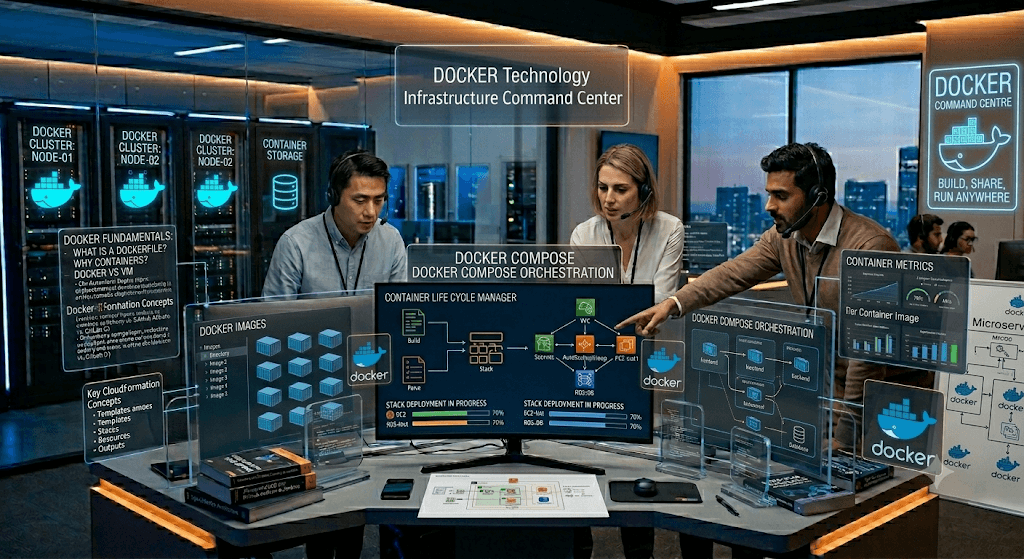
Key Benefits
- Portability — “Build once, run anywhere.”
- Efficiency — Containers share the host OS kernel (unlike VMs), making them faster to start and lighter on resources.
- Consistency — Eliminates “it works on my machine” issues.
- Scalability — Easy to scale and orchestrate (e.g., with Docker Compose, Swarm, or Kubernetes).
Core Concepts
- Docker Image: A read-only template (blueprint) for launching containers. Built from a Dockerfile.
- Docker Container: A runnable instance of an image — lightweight, isolated process.
- Dockerfile: Text file with instructions to build an image.
- Docker Daemon (dockerd): Background service managing containers, images, networks, and volumes on the host.
- Docker Client: CLI (docker command) that interacts with the daemon.
- Docker Registry (e.g., Docker Hub): Repository for storing and sharing images (public/private).
Difference between Containers and VMs:
- Containers virtualize at the OS level (share host kernel via namespaces and cgroups) → lightweight, fast startup.
- VMs emulate a full OS → heavier, slower, better isolation.
Docker is one of the most frequently asked topics in Cloud, DevOps, Data Engineering, Platform Engineering, MLOps, and AWS interviews.
1. What is Docker?
Answer
Docker is an open-source containerization platform that allows developers to package applications along with their dependencies, libraries, and configurations into lightweight, portable containers.
Benefits
- Consistent environments
- Faster deployment
- Efficient resource utilization
- Easy scalability
- Simplified CI/CD integration
Real Example
Without Docker:
Works on my machine
Fails in QA
Fails in Production
With Docker:
Build Once
Run Anywhere
2. What is Containerization?
Answer
Containerization packages:
- Application code
- Runtime
- Libraries
- Dependencies
- Configuration
into a single container.
Example
Python application:
Python Code
Pandas
NumPy
Boto3
All packaged into one Docker image.
3. Difference Between Containers and Virtual Machines
| Feature | Docker Container | Virtual Machine |
|---|---|---|
| OS | Shares Host OS | Own OS |
| Startup | Seconds | Minutes |
| Size | MBs | GBs |
| Performance | High | Lower |
| Resource Usage | Low | High |
Interview Answer
Containers virtualize the OS level while VMs virtualize hardware.
4. Docker Architecture
Components:
Docker Client
docker build
docker run
docker pull
Docker Daemon
dockerdResponsible for:
- Building images
- Running containers
- Managing networks
Docker Registry
Stores images.
Examples:
- Docker Hub
- Amazon ECR
- GitHub Container Registry
5. What is Docker Image?
Answer
Docker Image is a read-only template used to create containers.
Example:
ubuntu:22.04
python:3.11
nginx:latest
6. What is Docker Container?
Answer
A running instance of a Docker image.
Example:
docker run nginxImage = Blueprint
Container = Running Application
7. Docker Lifecycle
Build Image
      ↓
Create Container
      ↓
Start Container
      ↓
Stop Container
      ↓
Remove Container
Commands:
docker build
docker run
docker stop
docker rm
8. What is Docker Hub?
Answer
Docker Hub is the default public registry used to store and distribute Docker images.
Example:
docker pull nginxDownloads image from Docker Hub.
9. What is a Dockerfile?
Answer
Dockerfile is a text file containing instructions to build Docker images.
Example:
FROM python:3.11

WORKDIR /app

COPY . .

RUN pip install -r requirements.txt

CMD ["python","app.py"]
10. Explain Dockerfile Instructions
FROM
Base image.
FROM ubuntu:22.04WORKDIR
Sets working directory.
WORKDIR /appCOPY
Copies files.
COPY . .ADD
Copies files and extracts archives.
ADD sample.tar.gz /appRUN
Executes commands during image build.
RUN apt-get updateCMD
Default command.
CMD ["python","app.py"]ENTRYPOINT
Container executable.
ENTRYPOINT ["python"]ENV
Sets environment variables.
ENV APP_ENV=prodEXPOSE
Documents exposed port.
EXPOSE 808011. CMD vs ENTRYPOINT
| CMD | ENTRYPOINT |
|---|---|
| Default arguments | Main executable |
| Can be overridden | Difficult to override |
Example:
ENTRYPOINT ["python"]
CMD ["app.py"]
Execution:
python app.py12. How to Build Docker Image?
docker build -t myapp:v1 .Options:
-tTag image.
13. How to Run a Container?
docker run myapp:v1Detached mode:
docker run -d myapp:v1Interactive mode:
docker run -it ubuntu bash14. Common Docker Commands
Images
docker imagesContainers
docker ps

docker ps -a
Stop
docker stop container_idRemove
docker rm container_idDelete Image
docker rmi image_id15. What is Docker Layering?
Answer
Each Dockerfile instruction creates a new layer.
Example:
FROM ubuntu

RUN apt-get update

RUN apt-get install python3

COPY app.py .
Layers:
Layer1 Ubuntu
Layer2 Update
Layer3 Python
Layer4 App
Benefits:
- Faster builds
- Reusability
- Caching
16. What is Docker Cache?
Docker reuses unchanged layers.
Example:
COPY requirements.txt .
RUN pip install -r requirements.txt
If requirements.txt unchanged:
Cache UsedBuild becomes faster.
17. How to Optimize Docker Images?
Use Smaller Base Images
FROM alpineMulti-stage Build
FROM maven AS build

RUN mvn package

FROM openjdk:17

COPY --from=build app.jar .
Remove Unnecessary Files
Use:
.dockerignore18. What is .dockerignore?
Similar to:
.gitignoreExample:
.git
*.log
node_modules
__pycache__
19. What is Docker Volume?
Answer
Volumes persist data beyond container lifecycle.
Example:
docker volume create myvolumeAttach:
docker run -v myvolume:/data nginx20. Why Volumes are Needed?
Containers are ephemeral.
Without volume:
Container Deleted
Data Lost
With volume:
Container Deleted
Data Retained
21. Bind Mount vs Volume
| Bind Mount | Volume |
|---|---|
| Host Path | Docker Managed |
| Less Portable | Portable |
| Development | Production |
Example:
docker run -v /host:/app22. What is Docker Network?
Allows communication between containers.
Example:
docker network create appnet23. Types of Docker Networks
Bridge
Default network.
docker network create mybridgeHost
Shares host network.
--network hostNone
No networking.
--network noneOverlay
Multi-host communication.
Used in Docker Swarm.
24. Port Mapping
Container:
8080Host:
80Command:
docker run -p 80:8080 appFormat:
host:container25. Docker Compose
Answer
Tool for running multi-container applications.
Example:
services:

  app:
    image: app

  mysql:
    image: mysql
Start:
docker compose up26. Benefits of Docker Compose
- Multi-container deployment
- Easy local development
- Service dependencies
- Single YAML configuration
27. Sample Docker Compose for Python + MySQL
version: '3'

services:

  app:
    build: .
    ports:
      - "5000:5000"

  mysql:
    image: mysql:8
    environment:
      MYSQL_ROOT_PASSWORD: admin
28. What is Docker Registry?
Stores Docker images.
Examples:
- Docker Hub
- Amazon ECR
- GitHub Registry
29. Push Image to Docker Hub
Login:
docker loginTag:
docker tag app myrepo/app:v1Push:
docker push myrepo/app:v130. Docker Security Best Practices
Run as Non-root
USER appuserScan Images
docker scoutMinimal Images
FROM alpineSecrets Management
Never hardcode:
ENV PASSWORD=12331. What is Multi-Stage Build?
Example
FROM golang AS builder

RUN go build

FROM alpine

COPY --from=builder app .
Benefits:
- Smaller image
- Improved security
- Faster deployment
32. Docker Logs
docker logs container_idFollow logs:
docker logs -f container_id33. Execute Command Inside Container
docker exec -it container_id bashUseful for debugging.
34. Inspect Container
docker inspect container_idReturns:
- IP
- Mounts
- Environment variables
- Configuration
35. Health Check
HEALTHCHECK CMD curl -f http://localhost || exit 1Docker continuously monitors health.
36. Docker in CI/CD
Pipeline Flow:
Git Push
 ↓
Build Image
 ↓
Run Tests
 ↓
Push to Registry
 ↓
Deploy
Common Tools:
- Jenkins
- GitHub Actions
- GitLab CI
37. Docker and AWS Interview Questions
How do you store Docker images in AWS?
Answer:
Use Amazon ECR.
How do you run Docker containers in AWS?
Answer:
- Amazon ECS
- Amazon EKS
- AWS Fargate
- EC2
Difference Between ECS and EKS?
| ECS | EKS |
|---|---|
| AWS Native | Kubernetes |
| Easier | More Flexible |
| Less Complex | More Complex |
38. Docker Troubleshooting Questions
Container Keeps Restarting
Check:
docker logsInspect:
docker inspectPort Already in Use
Error:
bind: address already in useSolution:
netstat -anChange port mapping.
Disk Space Full
Cleanup:
docker system prune -a39. Senior-Level Docker Questions
How does Docker use Linux namespaces?
Namespaces isolate:
- Process IDs
- Network
- Mounts
- Users
What are Cgroups?
Control Groups manage:
- CPU
- Memory
- I/O
limits for containers.
What is container runtime?
Software responsible for running containers.
Examples:
- containerd
- CRI-O
- runc
40. Most Frequently Asked Docker Interview Questions
- What is Docker?
- Why Docker over VMs?
- What is containerization?
- Explain Docker architecture.
- What is Dockerfile?
- Difference between CMD and ENTRYPOINT?
- What are Docker layers?
- What is Docker cache?
- What is Docker Compose?
- What is Docker Volume?
- Bind mount vs volume?
- Docker networking types?
- Bridge network?
- Port mapping?
- Multi-stage builds?
- Docker security best practices?
- Docker registry?
- Docker Hub vs ECR?
- Troubleshooting containers?
- Docker in CI/CD?
- Docker with ECS?
- Docker with Kubernetes?
- Namespaces and cgroups?
- Health checks?
- How to optimize image size?
Data Engineer / AWS Interview Scenario
Question: How would you deploy a Python ETL application using Docker on AWS?
Answer:
- Create Dockerfile.
- Build Docker image.
- Test locally.
- Push image to Amazon ECR.
- Deploy on Amazon ECS/Fargate.
- Store secrets in AWS Secrets Manager.
- Use IAM Roles for permissions.
- Monitor using Amazon CloudWatch.
- Automate deployment through GitHub Actions or Jenkins.
- Use rolling deployments with health checks for zero downtime.
This end-to-end answer is commonly expected in senior Data Engineer, Cloud Engineer, DevOps Engineer, Platform Engineer, and AWS Solutions Architect interviews.
Basic Docker Interview Questions
1. What is Docker? Docker is a containerization platform that packages applications and dependencies into isolated, portable containers. It automates deployment and management, solving environment inconsistencies.
2. What are the main Docker components?
- Client: CLI interface.
- Daemon: Manages containers on the host.
- Images: Templates.
- Containers: Running instances.
- Registry: Image storage (e.g., Docker Hub).
3. What is a Dockerfile? A text file containing instructions (e.g., FROM, RUN, COPY, CMD) to build a Docker image. Example:
dockerfile
FROM python:3.11-slim
WORKDIR /app
COPY . .
CMD ["python", "app.py"]
```<grok-card data-id="cf17b0" data-type="citation_card" data-plain-type="render_inline_citation" ></grok-card>

**4. Difference between Docker image and container?**
Image = static template (read-only). Container = running (or stopped) instance of an image. One image can spawn multiple containers.<grok-card data-id="957a85" data-type="citation_card" data-plain-type="render_inline_citation" ></grok-card>

**5. Key Dockerfile instructions?**
- `FROM`: Base image.
- `RUN`: Execute commands during build.
- `COPY` / `ADD`: Copy files.
- `CMD` / `ENTRYPOINT`: Default command.
- `EXPOSE`: Document ports.
- `WORKDIR`: Set working directory.
Best practice: Order layers for cache efficiency (dependencies before code).<grok-card data-id="166e12" data-type="citation_card" data-plain-type="render_inline_citation" ></grok-card>

**6. Difference between `CMD` and `ENTRYPOINT`?**
- `CMD`: Default command; easily overridden at runtime.
- `ENTRYPOINT`: Main executable; arguments from `CMD` or `docker run` are appended (harder to override).
Common: `ENTRYPOINT ["python"]` + `CMD ["app.py"]`.<grok-card data-id="6cd2e9" data-type="citation_card" data-plain-type="render_inline_citation" ></grok-card>

**7. What is Docker Compose?**
Tool for defining and running multi-container apps via `docker-compose.yml` (services, networks, volumes). Example use: web app + database.<grok-card data-id="12cb9a" data-type="citation_card" data-plain-type="render_inline_citation" ></grok-card>

**8. Common Docker commands?**
- `docker build -t image:tag .`
- `docker run -d -p host:container image`
- `docker ps -a` (all containers)
- `docker images`
- `docker exec -it container bash` (enter running container)
- `docker logs container`
- `docker stop/start/restart`
- `docker rm -f container` / `docker rmi image`.<grok-card data-id="88445f" data-type="citation_card" data-plain-type="render_inline_citation" ></grok-card>

**9. What are Docker volumes?**
Persistent storage managed by Docker (outside container filesystem). Survive container removal. Preferred over bind mounts for production.
`docker volume create myvol` and `-v myvol:/path`.<grok-card data-id="01fd05" data-type="citation_card" data-plain-type="render_inline_citation" ></grok-card>

**10. What happens when you run a container?**
Docker pulls the image (if needed), creates a writable layer on top of the image layers, and starts the process using namespaces/cgroups for isolation.<grok-card data-id="2051a6" data-type="citation_card" data-plain-type="render_inline_citation" ></grok-card>

## Intermediate Questions

**11. Docker networking types?**
- **Bridge** (default): Single-host, containers communicate by name.
- **Host**: Shares host network stack (no isolation).
- **Overlay**: Multi-host (Swarm).
- **None**: No networking.
- **Macvlan**: Assigns MAC addresses.<grok-card data-id="6cf402" data-type="citation_card" data-plain-type="render_inline_citation" ></grok-card>

**12. How does Docker handle data persistence?**
- Volumes (Docker-managed).
- Bind mounts (host path).
- tmpfs (in-memory).
Data in container layers is lost on removal unless persisted.<grok-card data-id="2ab02e" data-type="citation_card" data-plain-type="render_inline_citation" ></grok-card>

**13. Multi-stage builds? Why use them?**
Use multiple `FROM` statements. Build in one stage (with tools), copy artifacts to a slim final stage. Reduces image size and attack surface.<grok-card data-id="0d9304" data-type="citation_card" data-plain-type="render_inline_citation" ></grok-card>

**14. Docker build cache?**
Docker caches layers. Changes invalidate subsequent layers. Optimize by copying dependency files first (`requirements.txt` before source). Use `--no-cache` to bust cache.<grok-card data-id="0e76bf" data-type="citation_card" data-plain-type="render_inline_citation" ></grok-card>

**15. `COPY` vs `ADD`?**
- `COPY`: Simple file copy (recommended).
- `ADD`: Can extract tar, fetch URLs (avoid unless needed; less predictable).<grok-card data-id="aafcbe" data-type="citation_card" data-plain-type="render_inline_citation" ></grok-card>

**16. Docker daemon vs client?**
Daemon (`dockerd`) does the work. Client sends commands via API. Can be remote.<grok-card data-id="ee190d" data-type="citation_card" data-plain-type="render_inline_citation" ></grok-card>

**17. How to debug a running container?**
- `docker logs`
- `docker exec -it container sh`
- Inspect with `docker inspect`
- Check health checks, metrics.<grok-card data-id="08d909" data-type="citation_card" data-plain-type="render_inline_citation" ></grok-card>

**18. What is `.dockerignore`?**
Like `.gitignore` — excludes files from build context (reduces size, improves security/speed).<grok-card data-id="f88c3b" data-type="citation_card" data-plain-type="render_inline_citation" ></grok-card>

## Advanced / Scenario-Based Questions

**19. Docker Swarm vs Kubernetes?**
Swarm: Native, simpler for basic orchestration. Kubernetes: More powerful, feature-rich (industry standard for complex deployments).<grok-card data-id="5a7668" data-type="citation_card" data-plain-type="render_inline_citation" ></grok-card>

**20. Security best practices?**
- Use official/minimal base images.
- Run as non-root (`USER` instruction).
- Scan images (Trivy, Clair).
- Enable Content Trust (`DOCKER_CONTENT_TRUST=1`).
- Least privilege, secrets management (not in images), network isolation, resource limits.
- Regular updates.<grok-card data-id="8282b0" data-type="citation_card" data-plain-type="render_inline_citation" ></grok-card>

**21. How to optimize Docker images?**
- Multi-stage builds.
- Small base images (alpine/slim).
- Layer caching.
- `.dockerignore`.
- Remove unnecessary packages/files in `RUN` layers.
- Use distroless where possible.<grok-card data-id="ed7600" data-type="citation_card" data-plain-type="render_inline_citation" ></grok-card>

**22. Handling secrets?**
Avoid baking into images. Use Docker secrets (Swarm), environment variables (with care), or external tools (Vault, AWS Secrets Manager). For Compose: `secrets` or env files.<grok-card data-id="719eb2" data-type="citation_card" data-plain-type="render_inline_citation" ></grok-card>

**23. Container orchestration?**
Automates deployment, scaling, networking, and management of containers. Docker Swarm (native) or Kubernetes (more common).<grok-card data-id="9db21c" data-type="citation_card" data-plain-type="render_inline_citation" ></grok-card>

**24. Common production issues and troubleshooting?**
- Resource limits (`--cpus`, `--memory`).
- Logging drivers (json-file, syslog, etc.).
- Restart policies (`--restart`).
- Health checks in Compose/Dockerfile.
- Monitor with `docker stats`, Prometheus, etc.
- Out-of-disk, port conflicts, image bloat.<grok-card data-id="b68fd8" data-type="citation_card" data-plain-type="render_inline_citation" ></grok-card>

**25. Difference between bind mounts and volumes?**
Bind mounts: Direct host path (good for dev, security risks in prod). Volumes: Docker-managed (better for prod, portable).<grok-card data-id="b66a4b" data-type="citation_card" data-plain-type="render_inline_citation" ></grok-card>

**26. Docker Content Trust (DCT)?**
Verifies image signatures for integrity and authenticity.<grok-card data-id="32ca13" data-type="citation_card" data-plain-type="render_inline_citation" ></grok-card>

**27. Scaling with Docker?**
- Compose: `docker compose up --scale service=3`.
- Swarm: `docker service scale`.
- Orchestrators for advanced auto-scaling.<grok-card data-id="28c7fe" data-type="citation_card" data-plain-type="render_inline_citation" ></grok-card>

**28. Explain Docker namespaces and cgroups.**
Namespaces: Isolation (PID, network, mount, user, etc.).
Cgroups: Resource control (CPU, memory, I/O).<grok-card data-id="839f23" data-type="citation_card" data-plain-type="render_inline_citation" ></grok-card>

**29. Scenario: "App works locally but fails in container?"**
Check: missing dependencies, port binding (`0.0.0.0`), permissions, volumes, environment variables, base image differences.<grok-card data-id="f106ca" data-type="citation_card" data-plain-type="render_inline_citation" ></grok-card>

**30. How have you used Docker in production?**
(Behavioral) Discuss CI/CD pipelines (Jenkins/GitHub Actions), multi-stage builds, orchestration, monitoring, security practices, etc.

## Additional Tips for Interviews
- Know practical commands and common pitfalls (layer caching, image size, security).
- Be ready to discuss real-world use cases (microservices, CI/CD, data pipelines).
- Understand integration with tools like Kubernetes, Jenkins, Prometheus.
- Practice writing Dockerfiles and Compose files.

This covers **most common questions** (basic to advanced). Focus on understanding *why* things w
Here is a comprehensive list of Docker interview questions and answers, categorized by experience level (beginner, intermediate, advanced). Each answer includes sufficient detail to help you understand the concept fully.
🟢 Beginner Level (Fundamentals)
1. What is Docker? Why is it used?
Answer:
Docker is an open-source platform that automates the deployment, scaling, and management of applications inside containers. It packages an application with all its dependencies (libraries, binaries, config files) into a standardized unit.
Why used?
- Portability – Runs the same on any system (dev, test, prod).
- Isolation – Each container is independent.
- Efficiency – Lightweight (shares OS kernel) vs. VMs.
- Consistency – Eliminates “works on my machine” problems.
2. Difference between Docker Container and Virtual Machine?
| Feature | Container | VM |
|---|---|---|
| OS | Shares host OS kernel | Each VM has full guest OS |
| Size | MBs (lightweight) | GBs (heavy) |
| Boot time | Seconds | Minutes |
| Isolation | Process-level | Hardware-level |
| Resource usage | Low | High |
3. What is a Docker Image?
Answer:
A Docker image is a read-only template containing the application, runtime, system tools, libraries, and settings. Images are built from a Dockerfile and stored in a registry (e.g., Docker Hub). When you run an image, you get a container (writable layer added on top).
4. What is a Dockerfile? Give an example.
Answer:
A Dockerfile is a text script with instructions to build a Docker image.
Example:
dockerfile
# Use official Python image
FROM python:3.9-slim

# Set working directory
WORKDIR /app

# Copy requirements first (for caching)
COPY requirements.txt .

# Install dependencies
RUN pip install --no-cache-dir -r requirements.txt

# Copy the rest of the app
COPY . .

# Expose port
EXPOSE 5000

# Run application
CMD ["python", "app.py"]
5. Common Docker Commands?
| Command | Purpose |
|---|---|
docker pull <image> | Download image from registry |
docker build -t name . | Build image from Dockerfile |
docker run -d -p 80:80 name | Run container in background with port mapping |
docker ps | List running containers |
docker ps -a | List all containers |
docker stop <id> | Stop container |
docker rm <id> | Remove container |
docker rmi <image> | Remove image |
docker logs <id> | View container logs |
docker exec -it <id> bash | Access shell inside running container |
🟡 Intermediate Level (Working with Docker)
6. Explain Docker Architecture.
Answer:
- Docker Client – CLI commands (
docker run, etc.) - Docker Daemon (dockerd) – Background service that manages containers, images, networks, volumes.
- Docker Registry – Stores images (public like Docker Hub, or private).
- Containerd – High-level container runtime (handles image transfer, execution).
- Runc – Low-level runtime that interacts with kernel namespaces/cgroups.
Flow: Client → REST API → Daemon → Containerd → Runc → OS Kernel.
7. What is a Docker Hub?
Answer:
Docker Hub is the default public registry where you can:
- Pull official images (Ubuntu, MySQL, Node.js, etc.)
- Push your own images after
docker login - Automate builds from GitHub/Bitbucket.
8. How do you manage persistent data in Docker?
Answer:
- Volumes (recommended): Managed by Docker. Stored in
/var/lib/docker/volumes/.bashdocker volume create mydata docker run -v mydata:/data myapp - Bind mounts: Map host directory directly.bashdocker run -v /host/path:/container/path myapp
- tmpfs mounts: Stored in memory (temporary).
9. Difference between CMD and ENTRYPOINT?
| CMD | ENTRYPOINT | |
|---|---|---|
| Purpose | Default arguments | Fixed command |
| Override | Can be overridden by docker run args | Can be overridden with --entrypoint |
| Example | CMD ["npm", "start"] | ENTRYPOINT ["python"] |
| Combined | If both exist, CMD becomes args to ENTRYPOINT | Use ENTRYPOINT ["python"] + CMD ["app.py"] |
Example:
dockerfile
ENTRYPOINT ["ping"]
CMD ["google.com"]
docker run myimage → ping google.comdocker run myimage localhost → ping localhost
10. How to reduce Docker image size?
Answer:
- Use alpine-based images (
node:alpine,python:3.9-alpine). - Multi-stage builds – separate build vs. runtime.
- Combine RUN commands – fewer layers.
- Remove package manager caches (
apt-get clean,rm -rf /var/lib/apt/lists/*). - Use
.dockerignoreto exclude unnecessary files. - Use
--squash(experimental) ordocker build --squash.
Multi-stage example:
dockerfile
# Stage 1: build
FROM golang:alpine AS builder
COPY . /src
RUN go build -o myapp

# Stage 2: runtime (much smaller)
FROM alpine
COPY --from=builder /src/myapp /myapp
CMD ["/myapp"]
🔴 Advanced Level (Production & Orchestration)
11. Explain Docker Networking modes.
| Mode | Description |
|---|---|
bridge (default) | Private internal network. Containers can communicate via IP. Ports manually mapped with -p. |
host | Container uses host’s network stack directly. No isolation but better performance. |
none | No network (loopback only). |
overlay | Connects containers across multiple Docker hosts (used in Swarm/Kubernetes). |
macvlan | Assigns a real MAC address to container, appears as physical device on network. |
Create custom bridge network:
bash
docker network create --driver bridge mynet
docker run --network=mynet myapp
12. What is Docker Compose? Give an example.
Answer:
Docker Compose is a tool to define and run multi-container Docker applications using a YAML file.
Example docker-compose.yml:
yaml
version: '3.8'
services:
  web:
    build: .
    ports:
      - "5000:5000"
    depends_on:
      - redis
      - db
  redis:
    image: redis:alpine
  db:
    image: postgres:13
    environment:
      POSTGRES_PASSWORD: secret
    volumes:
      - pgdata:/var/lib/postgresql/data
volumes:
  pgdata:
Commands:
docker-compose up -d– start in backgrounddocker-compose down– stop and removedocker-compose logs– view logs
13. How do you implement health checks in Docker?
Answer:
In Dockerfile:
dockerfile
HEALTHCHECK --interval=30s --timeout=5s --start-period=5s --retries=3 \
  CMD curl -f http://localhost/ || exit 1
Or in docker-compose.yml:
yaml
services:
  web:
    healthcheck:
      test: ["CMD", "curl", "-f", "http://localhost"]
      interval: 30s
      timeout: 5s
      retries: 3
Check status: docker ps shows (healthy) / (unhealthy).
14. What are the security best practices for Docker?
Answer:
- Run as non-root – add
USER appuserin Dockerfile. - Use trusted images – official or verified.
- Keep images updated – regularly rebuild with patches.
- Limit container capabilities – drop all, add only needed:bashdocker run –cap-drop=ALL –cap-add=NET_ADMIN …
- Use secrets – Docker secrets or environment variables from files.
- Enable user namespace remapping – map container root to non-root on host.
- Read-only root filesystem:
docker run --read-only ... - Scan images:
docker scan(Snyk) ortrivy.
15. How to debug a failing container?
Answer:
- Check logs:
docker logs <container> - Inspect exit code:
docker inspect <container> --format='{{.State.ExitCode}}' - Run interactive shell on same image:bashdocker run -it myimage /bin/sh
- Override entrypoint:
docker run --entrypoint /bin/sh myimage - Check resource limits:
docker stats - For stopped container, commit to new image and debug:bashdocker commit stopped-container debug-image docker run -it debug-image /bin/bash
16. Difference between Docker Swarm and Kubernetes?
| Feature | Docker Swarm | Kubernetes |
|---|---|---|
| Complexity | Simple, built into Docker | Steeper learning curve |
| Installation | docker swarm init | Requires separate setup (kubeadm, minikube, etc.) |
| Scalability | Good for small/medium | Enterprise-grade, auto-scaling, self-healing |
| Networking | Overlay network, simpler | CNI plugins, more flexible (Calico, Flannel) |
| Load balancing | Internal round-robin | Ingress controllers, services |
| Storage | Volumes, limited | CSI drivers, many options |
| Market adoption | Low | Industry standard |
17. Explain Docker’s storage driver and copy-on-write (CoW).
Answer:
Docker uses Copy-on-Write to save space. When a container modifies a file from the read-only image:
- The file is copied to the container’s writable layer.
- Modifications are made only in writable layer.
- Image layers remain unchanged.
Common storage drivers:
overlay2(default on Linux) – most efficient.aufs,devicemapper,btrfs,zfs.
To check: docker info | grep "Storage Driver"
18. How to migrate Docker containers from one host to another?
Answer:
Method 1: Save & Load image
bash
# On source host
docker commit container-name myimage:v1
docker save -o myimage.tar myimage:v1
scp myimage.tar user@dest-host:/tmp/

# On destination host
docker load -i myimage.tar
docker run myimage:v1
Method 2: Export/Import (loses layer history)
bash
docker export container-name > container.tar
cat container.tar | docker import - mynewimage:v1
Method 3: Use registry (best)
bash
docker tag myimage myregistry.com/myimage:v1
docker push myregistry.com/myimage:v1
# On new host
docker pull myregistry.com/myimage:v1
19. What is the difference between docker run, docker start, and docker create?
docker create– Creates container from image (state = created). Does not run it.docker start– Starts an existing (stopped/created) container.docker run=docker create+docker start(plus attaches logs).
20. How to limit container resources?
Answer:
bash
# Memory limit
docker run --memory="512m" --memory-swap="1g" myapp

# CPU limit (4 CPU cores max)
docker run --cpus="4" myapp

# CPU share weighting (relative)
docker run --cpu-shares=1024 myapp

# Block IO (read/write)
docker run --device-read-bps=/dev/sda:1mb myapp
Check current usage: docker stats
🎯 Bonus: Scenario-Based Questions
Q: Your container exits immediately after starting. How do you investigate?
A:
- Check logs:
docker logs <container> - Run interactively:
docker run -it myimage /bin/shthen run the CMD manually. - Override CMD to a sleep command:
docker run myimage sleep 3600, thendocker execinto it. - Inspect OOM killer:
docker inspect <container> --format='{{.State.OOMKilled}}'
Q: Multiple containers need to share data. How?
A:
- Named volume mounted to all:bashdocker volume create shared docker run -v shared:/data container1 docker run -v shared:/data container2
- Bind mount the same host directory to all.
- For read-only sharing, mount same volume as
roin some containers.
Q: How to make sure Docker daemon starts on boot?
A:
bash
# On Linux (systemd)
sudo systemctl enable docker
sudo systemctl start docker

# On Windows/macOS (Docker Desktop)
Set in settings: "Start Docker Desktop when you log in"
📌 Quick Reference Card
| Concept | Key Command / File |
|---|---|
| Build image | docker build -t name:tag . |
| Run with port | docker run -p host:container |
| List images | docker images |
| Remove unused | docker system prune -a |
| Copy file to/from container | docker cp <container>:<path> <host> |
| View layers | docker history <image> |
| Inspect low-level details | docker inspect <container> |
| Save image to tar | docker save -o file.tar image |
| Load tar to image | docker load -i file.tar |

