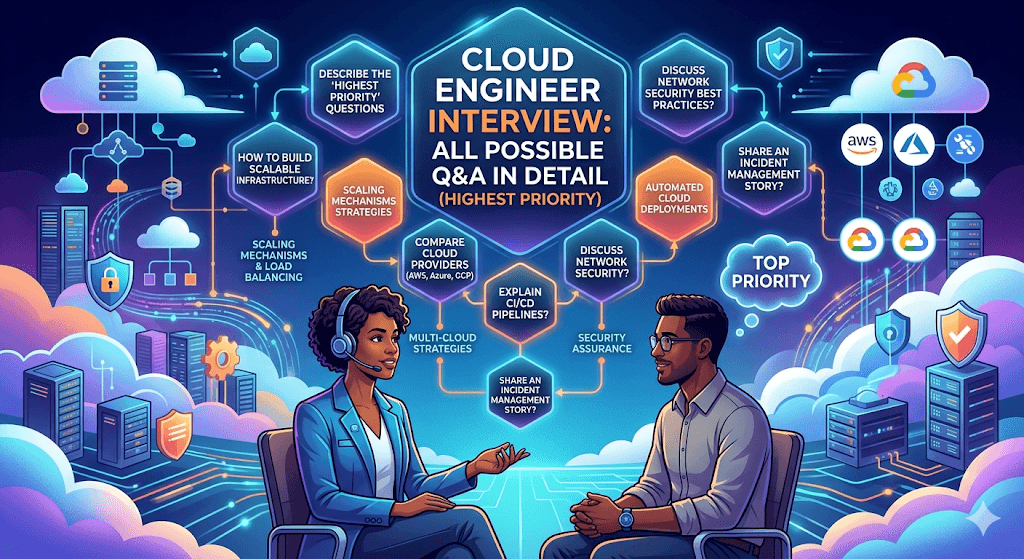
For a Cloud Engineer role (AWS/Azure/GCP), interviewers generally evaluate:
- Cloud Fundamentals
- Networking
- Compute & Virtualization
- Storage
- Security & IAM
- Containers & Kubernetes
- Infrastructure as Code (IaC)
- CI/CD & DevOps
- Monitoring & Troubleshooting
- High Availability & Disaster Recovery
- Cost Optimization
- Cloud Migration
- Automation & Scripting
- System Design & Scenario-Based Questions
Cloud Engineer roles focus on designing, implementing, managing, and optimizing cloud infrastructure across providers like AWS, Azure, and GCP. Interviews typically cover fundamentals, platform-specific knowledge (often one primary provider), IaC (Terraform, CloudFormation, ARM/Bicep), networking, security, DevOps practices, cost optimization, monitoring, and scenario-based troubleshooting.
Expect a mix of:
- Conceptual questions
- Technical/deep-dive
- Scenario-based (design, troubleshooting, migration)
- Behavioral (past projects, teamwork, incidents)
Preparation priorities in 2026: Terraform fluency, Kubernetes (EKS/GKE/AKS), IAM/least privilege, multi-cloud/hybrid, observability, security/compliance, and cost management.
Below is a structured list of high-priority questions with detailed answers (explanations, best practices, and examples).
1. Cloud Fundamentals
Q1. What is Cloud Computing?
Answer:
Cloud computing is the delivery of computing services such as servers, storage, databases, networking, analytics, and AI over the internet on a pay-as-you-go model.
Benefits:
- Scalability
- High Availability
- Cost Optimization
- Global Reach
- Security
- Faster Deployment
Example:
Instead of buying physical servers, organizations use AWS EC2 instances and pay only for usage.
Q2. What are the Cloud Service Models?
Answer:
IaaS (Infrastructure as a Service)
Provides infrastructure.
Examples:
- AWS EC2
- Azure VM
- Google Compute Engine
User manages:
- OS
- Applications
- Security
Provider manages:
- Hardware
- Network
PaaS (Platform as a Service)
Examples:
- AWS Elastic Beanstalk
- Azure App Service
User manages:
- Application
Provider manages:
- Infrastructure
- Runtime
SaaS (Software as a Service)
Examples:
- Salesforce
- Gmail
- Microsoft 365
Everything managed by provider.
Q3. What are Public, Private, and Hybrid Clouds?
Public Cloud
Infrastructure shared among customers.
Examples:
- AWS
- Azure
- GCP
Private Cloud
Dedicated infrastructure.
Examples:
- VMware
- OpenStack
Hybrid Cloud
Combination of both.
Example:
On-premises database + AWS applications.
2. Networking
Q4. What is a VPC?
Answer:
Virtual Private Cloud (VPC) is a logically isolated network in AWS.
Components:
- CIDR Block
- Subnets
- Route Tables
- Internet Gateway
- NAT Gateway
- Security Groups
- NACLs
Q5. Difference between Security Group and NACL?
| Feature | Security Group | NACL |
|---|---|---|
| Level | Instance | Subnet |
| Stateful | Yes | No |
| Allow Rules | Yes | Yes |
| Deny Rules | No | Yes |
Example:
Security Group:
Allow TCP 443
NACL:
Allow 443
Deny specific IP range
Q6. What is NAT Gateway?
Answer:
Allows private subnet resources to access internet without exposing them.
Example:
Private EC2 downloading software updates.
Q7. What is CIDR?
Answer:
Example:
10.0.0.0/16
- 65,536 IP addresses
- Network Mask = 255.255.0.0
Q8. Explain DNS.
Answer:
DNS converts domain names into IP addresses.
Example:
google.com → 142.250.x.x
AWS Service:
Route 53
3. Compute Services
Q9. What is EC2?
Answer:
Elastic Compute Cloud provides virtual servers.
Features:
- Auto Scaling
- Load Balancer Integration
- Multiple Instance Types
Q10. Types of EC2 Instances?
General Purpose
t3, t4g, m5
Compute Optimized
c5, c6
Memory Optimized
r5, x1
Storage Optimized
i3, d2
GPU
p4, g5
Q11. What is Auto Scaling?
Answer:
Automatically increases or decreases EC2 instances based on demand.
Benefits:
- High Availability
- Cost Optimization
Q12. What is Elastic Load Balancer?
Answer:
Distributes traffic across servers.
Types:
- ALB
- NLB
- GWLB
4. Storage
Q13. Difference Between EBS, EFS, and S3?
| Service | Type |
|---|---|
| EBS | Block Storage |
| EFS | File Storage |
| S3 | Object Storage |
Q14. What is S3?
Answer:
Object storage service.
Features:
- 11 9’s durability
- Lifecycle Policies
- Versioning
- Replication
Q15. What is Versioning in S3?
Answer:
Stores multiple versions of an object.
Benefits:
- Recovery
- Protection against accidental deletion
Q16. What is Glacier?
Answer:
Low-cost archival storage.
Used for:
- Compliance
- Backups
5. IAM & Security
Q17. What is IAM?
Answer:
Identity and Access Management controls access to AWS resources.
Components:
- Users
- Groups
- Roles
- Policies
Q18. Difference Between IAM Role and IAM User?
IAM User
Permanent credentials.
IAM Role
Temporary credentials.
Used by:
- EC2
- Lambda
- EKS
Best Practice:
Use Roles whenever possible.
Q19. What is Least Privilege?
Answer:
Grant only required permissions.
Example:
Allow:
s3:GetObject
Not:
s3:*
Q20. What is Multi-Factor Authentication?
Answer:
Adds second authentication factor.
Example:
Password + Mobile OTP
6. Containers & Kubernetes
Q21. What is Docker?
Answer:
Containerization platform.
Benefits:
- Lightweight
- Portable
- Fast startup
Q22. Difference Between VM and Container?
| VM | Container |
|---|---|
| Has OS | Shares Host OS |
| Heavy | Lightweight |
| Slow | Fast |
Q23. What is Kubernetes?
Answer:
Container orchestration platform.
Functions:
- Scheduling
- Auto-healing
- Scaling
- Service Discovery
Q24. Kubernetes Components?
Control Plane:
- API Server
- Scheduler
- Controller Manager
- etcd
Worker Node:
- kubelet
- kube-proxy
- Pods
Q25. What is a Pod?
Answer:
Smallest deployable unit in Kubernetes.
Contains:
- One or more containers
Q26. What is EKS?
Answer:
Amazon Elastic Kubernetes Service.
Managed Kubernetes platform.
Benefits:
- Control plane managed by AWS
- Integrated IAM
- High Availability
7. Infrastructure as Code
Q27. What is Terraform?
Answer:
Infrastructure as Code tool by HashiCorp.
Benefits:
- Automation
- Version Control
- Reusable Infrastructure
Q28. What are Terraform State Files?
Answer:
Track deployed resources.
File:
terraform.tfstate
Q29. What is Terraform Remote State?
Answer:
Stores state in S3.
Benefits:
- Team Collaboration
- Locking via DynamoDB
Q30. Terraform vs CloudFormation?
| Terraform | CloudFormation |
|---|---|
| Multi-cloud | AWS only |
| HCL | JSON/YAML |
8. CI/CD
Q31. What is CI/CD?
CI
Continuous Integration
CD
Continuous Delivery/Deployment
Benefits:
- Faster releases
- Reduced errors
Q32. Popular CI/CD Tools?
- Jenkins
- GitHub Actions
- GitLab CI
- Azure DevOps
- AWS CodePipeline
Q33. Explain CI/CD Pipeline.
Steps:
- Code Commit
- Build
- Test
- Security Scan
- Deploy
- Monitor
9. Monitoring
Q34. How do you monitor cloud resources?
AWS:
- CloudWatch
- CloudTrail
- Config
- X-Ray
Q35. Difference Between CloudWatch and CloudTrail?
CloudWatch
Performance Monitoring
CloudTrail
Audit Logging
Q36. What Metrics Do You Monitor?
- CPU
- Memory
- Disk
- Network
- Error Rate
- Latency
10. High Availability & DR
Q37. What is High Availability?
Answer:
Application remains operational during failures.
Methods:
- Multi-AZ
- Load Balancing
- Auto Scaling
Q38. Explain RTO and RPO.
RTO
Recovery Time Objective
Maximum downtime allowed.
RPO
Recovery Point Objective
Maximum acceptable data loss.
Q39. Disaster Recovery Strategies?
Backup & Restore
Pilot Light
Warm Standby
Multi-Site Active-Active
11. Cost Optimization
Q40. How do you reduce cloud costs?
Methods:
- Reserved Instances
- Savings Plans
- Spot Instances
- Auto Scaling
- S3 Lifecycle Policies
- Right-Sizing
Q41. What are Spot Instances?
Answer:
Unused AWS capacity at discounted prices.
Savings:
Up to 90%
Used for:
- Batch jobs
- Data processing
12. Automation & Scripting
Q42. Which scripting languages do you use?
- Python
- Bash
- PowerShell
Q43. Why is Python popular for Cloud Engineering?
Uses:
- Automation
- Lambda Functions
- Infrastructure Management
- API Integration
Libraries:
- boto3
- requests
- pandas
13. Troubleshooting Scenarios
Q44. EC2 is unreachable. What will you check?
Steps:
- Security Group
- NACL
- Route Table
- Internet Gateway
- Instance Status
- SSH Key
- OS Firewall
Q45. Website is slow. How do you troubleshoot?
Check:
- CPU
- Memory
- Network
- Database
- Load Balancer
- Logs
- Auto Scaling
Q46. S3 Access Denied Error?
Verify:
- IAM Policy
- Bucket Policy
- SCP
- KMS Permissions
14. System Design Questions
Q47. Design a Highly Available Web Application.
Architecture:
Users
↓
Route53
↓
ALB
↓
Auto Scaling EC2
↓
RDS Multi-AZ
↓
S3
↓
CloudFront
Q48. Design a 3-Tier Architecture.
Presentation Layer
ALB + EC2
Application Layer
Private EC2/EKS
Database Layer
RDS
Q49. Design a Secure AWS Environment.
Security Controls:
- IAM Roles
- MFA
- KMS Encryption
- Private Subnets
- VPC Endpoints
- Security Groups
- CloudTrail
- GuardDuty
Top 20 Questions Most Frequently Asked for Senior Cloud Engineer (10+ Years Experience)
- Explain VPC architecture in detail.
- Difference between Security Groups and NACLs.
- Design a multi-region disaster recovery solution.
- Explain Terraform state management.
- How would you secure AWS workloads?
- Explain Kubernetes architecture.
- Difference between ECS and EKS.
- Explain CI/CD pipeline design.
- How would you migrate an on-prem application to AWS?
- Explain Auto Scaling strategies.
- How would you reduce AWS costs by 30%?
- Explain S3 consistency model.
- Explain Route53 routing policies.
- Troubleshoot a failed deployment.
- Explain IAM cross-account access.
- Design a secure enterprise landing zone.
- Explain container security.
- Explain monitoring strategy for production workloads.
- Design a scalable microservices platform.
- Explain Well-Architected Framework pillars.
The 5 Questions That Almost Always Appear
- “Tell me about a cloud migration project you led.”
- “How would you secure a production AWS environment?”
- “Explain a Kubernetes issue you resolved.”
- “How do you optimize cloud costs?”
- “Design a highly available architecture for 1 million users.”
For a Cloud Engineer with 10–15 years of experience, mastery of AWS networking, IAM, Terraform, Kubernetes (EKS), CI/CD, monitoring, security, automation, and troubleshooting scenarios is typically the highest-priority interview focus.
1. General Cloud Computing Fundamentals
Q1: Explain the difference between IaaS, PaaS, and SaaS with examples. Answer:
- IaaS (Infrastructure as a Service): Provides virtualized computing resources (servers, storage, networking). You manage OS, middleware, apps. Example: AWS EC2, Azure VMs, GCP Compute Engine.
- PaaS (Platform as a Service): Provides a platform for developing, running, and managing applications. Abstracts infrastructure. Example: AWS Elastic Beanstalk, Azure App Service, Google App Engine.
- SaaS (Software as a Service): Fully managed applications delivered over the internet. Example: Gmail, Salesforce, Microsoft 365.
Q2: What are the main cloud deployment models? Answer: Public (AWS, Azure), Private (on-prem cloud), Hybrid (combination), Multi-cloud (multiple public providers). Hybrid is common for legacy systems + cloud scalability and compliance.
Q3: Horizontal vs Vertical scaling? When to use each? Answer:
- Horizontal: Add more instances (e.g., Auto Scaling Groups in AWS). Better for stateless apps, fault tolerance.
- Vertical: Increase resources (CPU/RAM) on existing instance. Simpler but has limits and downtime risk. Use horizontal for web apps; vertical for databases with licensing constraints.
Q4: What is Infrastructure as Code (IaC)? Name tools and benefits. Answer: Managing infrastructure through code (declarative/imperative). Tools: Terraform (multi-cloud), AWS CloudFormation, Azure ARM/Bicep, Ansible. Benefits: Version control, repeatability, reduced errors, faster deployments.
2. AWS-Specific Questions (Most Common Provider)
Q5: Explain VPC and key components for a 3-tier app. Answer: Virtual Private Cloud is an isolated network. For a 3-tier app:
- Public subnet: Load Balancer (ALB/NLB).
- Private subnets: App tier (EC2/ASG) and DB tier (RDS).
- NAT Gateway (or NAT Instance) for outbound internet from private subnets.
- Security Groups (stateful) + NACLs (stateless).
- Internet Gateway for inbound. Use VPC Endpoints for private AWS service access (S3, DynamoDB).
Q6: How do you design a highly available and scalable web app on AWS? Answer: Multi-AZ deployment, Auto Scaling Groups + ALB, RDS Multi-AZ or Aurora, S3 + CloudFront for static content, Route 53 for DNS, WAF for security. Use EC2 Spot/Reserved Instances for cost. Monitor with CloudWatch + X-Ray.
Q7: What is S3? Explain storage classes and lifecycle policies. Answer: Object storage. Classes: Standard (frequent access), Intelligent-Tiering, Standard-IA, Glacier (cold), Deep Archive. Use lifecycle policies to transition/move/delete objects automatically for cost optimization.
Q8: How do you secure an S3 bucket? Answer: Block public access, use IAM policies/bucket policies (least privilege), KMS encryption, versioning, MFA Delete, access logs, Macie for sensitive data discovery.
Q9: Explain IAM and how you implement least privilege. Answer: Identity and Access Management. Use IAM roles (for EC2, Lambda) instead of users. Policies: JSON with Effect, Action, Resource. Start with AWS managed policies, then custom. Use IAM Access Analyzer. Rotate credentials, use SSO (IAM Identity Center).
Q10: Troubleshooting: EC2 in private subnet can’t reach internet. Answer: Check route tables (0.0.0.0/0 to NAT), NAT Gateway in public subnet, Security Groups outbound rules, instance private IP. Alternatives: VPC Endpoints or NAT Instance.
Other key AWS topics: Lambda (serverless), EKS (Kubernetes), RDS/ Aurora, CloudFront, API Gateway, ECS/Fargate, CloudTrail, Config, Security Hub, Well-Architected Framework (Reliability, Security, Cost pillars).
3. Azure-Specific Questions
Q11: What is Azure Resource Manager (ARM) and why use it? Answer: Deployment and management service. Allows templating (JSON/ Bicep) for consistent, idempotent deployments. Supports RBAC, tags, policy.
Q12: Difference between Azure VMs and App Services? Answer: VMs = IaaS (full control, manage OS). App Services = PaaS (managed hosting for web/apps, auto-scale, easier CI/CD).
Q13: Explain Azure Virtual Network (VNet) and security features. Answer: Isolated network. Subnets, NSGs (Network Security Groups), Application Security Groups, Azure Firewall, Private Endpoints, Service Endpoints. Use VNet peering for connectivity.
Key Azure services: AKS, Azure Functions, Cosmos DB, Blob Storage, Key Vault, Azure AD (Entra ID), Logic Apps, Data Factory.
4. GCP-Specific Questions
Q14: What is a VPC in GCP? Key components. Answer: Global resource with regional subnets. Uses firewall rules (not NACLs). Routes, Cloud NAT, Shared VPC, VPC Peering. Compute Engine, GKE, Cloud Storage, BigQuery, Cloud Load Balancing (global/regional).
Q15: Explain GKE and when to use it. Answer: Managed Kubernetes. Use for containerized workloads needing orchestration. Features: Autopilot (fully managed), auto-scaling, binary authorization.
Other GCP: Cloud Run (serverless containers), Firestore, Pub/Sub, Operations Suite (monitoring).
5. IaC, DevOps & Containers
Q16: How do you structure Terraform for multi-environment (dev/staging/prod)? Answer: Monorepo with modules (networking, compute, database). Use workspaces or separate state files per env. Variables files (.tfvars), remote backend (S3 + DynamoDB lock). Terragrunt for DRY. Handle state drift with terraform refresh/plan.
Q17: Design a CI/CD pipeline for a containerized app. Answer: Source (GitHub) → Build/Test (GitHub Actions/Jenkins) → Scan (Trivy, SAST) → Push to ECR/ACR → Deploy (Terraform/Helm to EKS/AKS/GKE or Blue-Green/Canary with ArgoCD/Flagger). Use GitOps.
Q18: Kubernetes basics: Deployment vs StatefulSet vs DaemonSet. Answer: Deployment (stateless, replicas), StatefulSet (stateful, stable identity/storage), DaemonSet (one pod per node, e.g., logging agents).
6. Security, Compliance & Cost
Q19: How do you implement least privilege and manage secrets? Answer: Short-lived credentials, IAM roles, Secrets Manager/Key Vault, just-in-time access. Tools: HashiCorp Vault. Rotate regularly. Use service accounts.
Q20: How do you handle a misconfigured S3 bucket or data breach? Answer: Immediate: Revoke access, enable encryption. Investigate (CloudTrail), notify (if PII), remediate with policy. Prevent with Config rules, GuardDuty, automated remediation (Lambda).
Q21: Cost optimization strategies. Answer: Rightsizing, Reserved/Savings Plans, Spot Instances, Auto Scaling, Storage tiering, tagging + Cost Explorer/Budgets, Serverless where possible.
7. Scenario-Based & Troubleshooting (High Priority)
Q22: Migrate on-prem app to cloud with minimal downtime. Answer: Assessment (AWS Migration Hub/ Azure Migrate). Lift-and-shift (VM Import), then refactor. Use DMS for DB, replication (DMS/SRS), cutover with Route 53 weighted routing or Azure Traffic Manager.
Q23: App has uneven load balancing or scaling issues. Answer: Check health checks, sticky sessions, target groups. Ensure stateless design. Monitor metrics. For EKS: HPA + Cluster Autoscaler.
Q24: Production outage due to change. How do you handle rollback? Answer: Use IaC (Terraform rollback), Blue-Green deployments, feature flags, backups/snapshots. Post-incident: RCA, blameless review, improved testing/gates.
8. Behavioral Questions
Q25: Tell me about a complex cloud project/challenge. Answer: Use STAR (Situation, Task, Action, Result). Example: Migrated legacy monolith to microservices on EKS, reduced costs 40%, improved scalability.
Emphasize collaboration, learning new tech quickly, documentation, and business impact.
Preparation Tips (Highest Priority)
- Hands-on: Build projects (e.g., 3-tier app, multi-env Terraform repo). Use free tiers.
- Certifications: AWS Solutions Architect Associate, Azure AZ-400/AZ-305, Google Professional Cloud Engineer.
- Practice: LeetCode-style scenarios, draw diagrams (Lucidchart), explain aloud.
- 2026 Trends: AI/ML integration (SageMaker, Vertex AI), FinOps, zero-trust security, GitOps, sustainability.
- Review Well-Architected Frameworks for each cloud.
This covers ~80-90% of common questions. Tailor answers to the job description (e.g., heavy AWS vs multi-cloud). Good luck! Practice scenarios with real diagrams.
This is a comprehensive guide to Cloud Engineer interview questions, categorized by difficulty and domain. These are the highest priority questions—those most likely to appear in FAANG, startups, and enterprise cloud roles.
Part 1: Foundational Concepts (Every candidate must know)
Q1: What happens when you type https://www.example.com in a browser? (Explain with cloud in mind)
Answer:
- DNS Resolution → Route 53 (AWS) / Cloud DNS (GCP) / Azure DNS resolves
example.comto an IP (often a Cloud Load Balancer). - TCP/TLS Handshake → Cloud Firewall (Security Group/NSG) allows port 443.
- Load Balancer (ALB/GLB/Azure Front Door) receives request → checks health of backend servers.
- WAF inspects request for threats.
- Reverse Proxy (Nginx on EC2/VM) or Serverless (Lambda/Cloud Function) generates response.
- Caching (CloudFront/Cloud CDN) serves static assets.
- Response traverses back.
Q2: Explain the difference between IaaS, PaaS, and SaaS with examples.
| Model | Example | Your Control | Cloud Manages |
|---|---|---|---|
| IaaS | AWS EC2, GCP Compute Engine, Azure VM | OS, middleware, apps | Virtualization, storage, network |
| PaaS | AWS Elastic Beanstalk, GCP App Engine, Azure App Service | Code & data | Runtime, OS, servers |
| SaaS | Gmail, Salesforce, Office 365 | Only user data & settings | Everything else |
Q3: What is the Shared Responsibility Model?
Answer: Cloud provider secures the cloud (physical hardware, network, hypervisor). Customer secures what’s in the cloud (OS, firewall rules, IAM, data encryption, application code).
Example: AWS secures the data center; you secure your S3 bucket permissions.
Q4: Explain High Availability (HA), Fault Tolerance (FT), and Disaster Recovery (DR).
- HA: Minimizes downtime (e.g., 99.9% → 8.76 hrs/year downtime). Auto-scaling group + load balancer across 2+ AZs.
- FT: Zero downtime (99.999%). Active-Active clusters, synchronous replication.
- DR: Restore after disaster. RTO (Recovery Time Objective) & RPO (Recovery Point Objective). Strategies: Backup & Restore, Pilot Light, Warm Standby, Multi-site.
Q5: What is a region, availability zone (AZ), and edge location?
- Region: Geographic area (us-east-1).
- Availability Zone: 1+ data centers, isolated but connected via low-latency links.
- Edge Location: CDN endpoint (CloudFront) for caching.
Part 2: Cloud-Specific Deep Dive (AWS/Azure/GCP)
Q6: Explain AWS VPC vs Azure VNet vs GCP VPC.
Answer (unified):
All provide logically isolated networks.
- AWS VPC: Subnets (public/private), Internet Gateway, NAT Gateway, Security Groups (stateful), NACLs (stateless).
- Azure VNet: Subnets, NSGs, Azure Firewall, VNet Peering, Route Tables.
- GCP VPC: Global (subnets per region), firewall rules (stateful), Cloud NAT.
Key difference: GCP VPC is global by default; AWS/Azure are regional.
Q7: How do you securely store secrets (DB passwords, API keys)?
Answer: Use a dedicated secrets manager:
- AWS: Secrets Manager + KMS encryption + IAM policies.
- Azure: Key Vault with RBAC.
- GCP: Secret Manager + CMEK.
Never hardcode secrets; inject via environment variables or use IAM roles for EC2/K8s service accounts.
Q8: Design a cost-optimized 3-tier web app on AWS.
Answer:
- Web tier: Spot instances + Auto Scaling (min 2) + ALB.
- App tier: Reserved Instances (1-year) + ASG across 2 AZs.
- DB tier: RDS with Multi-AZ (only for prod) or Aurora Serverless for dev.
- Storage: S3 + lifecycle policies (move to Glacier after 30 days).
- CDN: CloudFront with origin shield.
- Cost tools: AWS Budgets, Compute Optimizer, Trusted Advisor.
Q9: What is Infrastructure as Code (IaC)? Compare Terraform vs CloudFormation vs ARM/Bicep.
Answer: IaC manages infrastructure via declarative config files.
| Tool | Cloud | Language | State Mgmt | Drift Detection |
|---|---|---|---|---|
| Terraform | Multi-cloud | HCL | Yes (state file) | Yes |
| CloudFormation | AWS only | JSON/YAML | Managed by AWS | Yes (drift detect) |
| ARM/Bicep | Azure only | JSON or Bicep | Managed by Azure | Partial |
Best practice: Use Terraform for multi-cloud; CloudFormation for AWS-only shops.
Q10: Explain AWS IAM roles vs policies vs groups.
- User: Individual person/application.
- Group: Collection of users (same permissions).
- Role: Assumable by AWS service or federated user (no long-term creds).
- Policy: JSON document (Allow/Deny) defining permissions.
Principle of least privilege + use IAM Roles for EC2 (never store keys on EC2).
Q11: How do you troubleshoot a “connection timeout” vs “connection refused” in cloud?
- Timeout: Network path blocked (Security Group outbound, NACL, route table missing IGW/NAT, corporate firewall).
- Refused: Service not listening (application crashed, wrong port, target group health check failed).
Q12: Explain S3 storage classes & when to use each.
- S3 Standard: Frequent access, low latency (analytics, websites).
- S3 Intelligent-Tiering: Unknown/changeable patterns (automatically moves).
- S3 Standard-IA: Infrequent access, but rapid when needed (backups).
- S3 One Zone-IA: Non-critical, recreate-able data.
- S3 Glacier Instant Retrieval: Long-term, need millisecond retrieval.
- S3 Glacier Flexible: Archived data, retrieval minutes to hours.
- S3 Glacier Deep Archive: Compliance, 12+ hour retrieval.
Part 3: Kubernetes & Containers (Critical for modern roles)
Q13: What is Kubernetes? Explain Pod, Service, Ingress, ConfigMap, Secret.
- Pod: Smallest deployable unit (1+ containers sharing network/storage).
- Service: Stable IP/DNS to access pods (ClusterIP, NodePort, LoadBalancer).
- Ingress: HTTP/S routing (host/path based) to services.
- ConfigMap: Non-sensitive config (env vars, config files).
- Secret: Base64-encoded sensitive data (mount as volume or env).
Q14: Explain the difference between a deployment, statefulset, and daemonset.
- Deployment: Stateless apps (web servers). Rolling updates, replicas.
- StatefulSet: Stateful apps (DBs, Kafka). Stable network identity, ordered deployment.
- DaemonSet: Runs exactly one pod per node (log collector, monitoring agent).
Q15: How do you secure a Kubernetes cluster?
- RBAC (Role-Based Access Control) – least privilege.
- Network Policies (zero-trust intra-cluster).
- Pod Security Standards (restrict privileged containers).
- Secrets encryption at rest (KMS).
- Image scanning (Trivy, Snyk).
- Update Kubernetes version regularly.
- Use OPA/Gatekeeper for policy as code.
Q16: Helm vs Kustomize – which and when?
- Helm: Package manager (charts). Good for complex, parameterized apps, sharing publicly.
- Kustomize: Native kubectl, no server-side component. Good for overlaying configs (dev/staging/prod) without templating complexity.
Best practice: Helm for third-party apps (Prometheus, NGINX Ingress); Kustomize for internal apps with env-specific patches.
Part 4: Networking & Security (High priority for senior roles)
Q17: Explain TLS termination vs TLS passthrough.
- Termination: Load balancer decrypts TLS, then forwards HTTP to backend (simplifies cert mgmt, but LB sees plaintext).
- Passthrough: LB forwards encrypted traffic to backend (higher security, backend needs certs).
Use termination for WAF/header inspection; passthrough for compliance.
Q18: What is a Web Application Firewall (WAF)? Give examples.
Answer: Filters HTTP/S traffic to block SQL injection, XSS, bad bots.
- AWS: WAF on CloudFront/ALB.
- Azure: WAF on Application Gateway/Front Door.
- GCP: Cloud Armor.
Q19: Explain VPC peering vs Transit Gateway vs VPN vs Direct Connect.
- VPC Peering: Connect two VPCs (no transitive routing).
- Transit Gateway: Hub-and-spoke for many VPCs/on-prem (AWS).
- VPN: Encrypted tunnel over internet (slower, cheaper).
- Direct Connect: Dedicated private link to cloud (fast, expensive, low latency).
Q20: What is a DDoS attack and how do you mitigate in cloud?
Answer: Distributed Denial of Service. Mitigation:
- AWS Shield (Standard free, Advanced paid).
- Azure DDoS Protection (Basic/Standard).
- GCP Cloud Armor.
- Use WAF rate limiting, Auto Scaling (absorb traffic), CloudFront (geographic distribution), and load balancers.
- Scatter public IPs across regions.
Part 5: Monitoring, Logging & Troubleshooting
Q21: Explain the three pillars of observability.
- Metrics (Prometheus, CloudWatch, Azure Monitor) – numeric time-series data.
- Logs (ELK, Loki, CloudWatch Logs) – discrete events.
- Traces (Jaeger, X-Ray) – request lifecycle across services.
Q22: Your website is slow. How do you troubleshoot in cloud?
- Check load balancer metrics (high latency, 5xx errors).
- Review CloudWatch/Stackdriver metrics (CPU, memory, RDS connections).
- Check CDN (CloudFront) – cache hit ratio.
- Look at DB slow query logs (RDS Performance Insights).
- Use tracing (X-Ray) to find bottleneck service.
- Check scaling – maybe Auto Scaling hasn’t kicked in.
Q23: What is a dead letter queue (DLQ) and why use it?
Answer: In SQS/SNS/EventBridge – a queue that captures messages that failed processing after max retries. Prevents data loss, allows later analysis & replay.
Example: Lambda processes SQS messages; on failure → send to DLQ → trigger alarm.
Part 6: Scenario-Based & Design Questions
Q24: Design a serverless API that handles 10K requests/sec.
Answer:
- API Gateway (with caching, throttling, WAF).
- Lambda (provisioned concurrency) or Lambda + SQS for async processing.
- DynamoDB (global table, on-demand) or Aurora Serverless.
- CloudFront for static assets.
- Step Functions for orchestration.
- Cost: Lambda reserved concurrency, DynamoDB auto-scaling.
Q25: How do you migrate 10 TB of on-prem data to cloud?
Options:
- Online: AWS DataSync, Azure Migrate, or rsync over VPN/Direct Connect (slow for 10 TB).
- Offline: AWS Snowball Edge, Azure Data Box, GCP Transfer Appliance (ship physical device).
- Incremental: After initial offline sync, use DataSync for delta.
Q26: Your cloud bill doubled overnight. What do you do?
- Check Cost Explorer / AWS CUR – filter by service, region, tag.
- Look for unattached resources (EBS volumes, idle load balancers).
- Check data transfer (NAT gateway costs, cross-region replication).
- Review orphaned snapshots/AMIs.
- Enable S3 lifecycle policies (unexpected Glacier retrieval?).
- Set budget alerts for next time.
Part 7: DevOps & CI/CD (For cloud engineers)
Q27: Explain Blue/Green deployment vs Canary.
- Blue/Green: Two identical environments. Switch router (load balancer) from blue (old) to green (new) – instant rollback.
- Canary: Gradually route % traffic to new version (5% → 25% → 100%). Better for risk reduction, requires monitoring.
Q28: What is GitOps?
Answer: Git as single source of truth. Tools like ArgoCD or Flux reconcile live cluster state with Git manifests. Every change = pull request → automated sync. Benefits: audit trail, rollback by reverting commit, developer self-service.
Q29: How do you implement a CI/CD pipeline for a cloud app?
Example (AWS):
- Developer pushes to GitHub → CodeCommit.
- CodeBuild runs tests, builds Docker image → pushes to ECR.
- CodeDeploy or ArgoCD updates ECS/K8s.
- CloudWatch monitors.
Alternative: GitHub Actions + Terraform Cloud.
Part 8: Advanced / Leadership Questions
Q30: What is eventual consistency? Give a cloud example.
Answer: In distributed systems, after an update, reads may return old data for a short time. Example: AWS S3 (new objects are read-after-write consistent, but overwrites/deletes are eventually consistent). DynamoDB global tables also eventually consistent.
Q31: Explain Chaos Engineering.
Answer: Experimentally inject failures (e.g., kill pods, network latency) to test system resilience. Tools: AWS FIS, Gremlin, Chaos Mesh. You start with “blast radius” small (one instance) then expand.
Q32: How would you reduce cloud costs by 30% without sacrificing performance?
- Rightsize EC2 (CloudWatch + Compute Optimizer).
- Purchase Savings Plans for steady workloads.
- Use Spot Instances for batch/non-prod.
- S3 Intelligent-Tiering + delete old versions.
- Remove unattached IPs/EBS volumes.
- Use Graviton processors (AWS) – 20% cheaper.
- Enable auto-scaling for DB read replicas.
- Monitor NAT gateway – consider VPC endpoints.
Quick Reference: How to Answer Any Cloud Question
| Question Type | Framework |
|---|---|
| Design | Start with requirements (traffic, data, latency). Draw (in mind) LB → App → DB. Add HA, DR, security, cost. |
| Troubleshooting | “I’d check metrics → logs → traces → recent changes → rollback if needed.” |
| Comparison | Table format (Pro/Con) or decision tree. |
| Security | Mention IAM, encryption (at rest/in transit), least privilege, audit logging. |
| Best Practice | Reference well-architected framework (AWS/Azure/GCP). |
Final Pro Tip:
For senior roles, be ready to whiteboard a small architecture and defend your choices (cost vs availability vs security). Always ask clarifying questions before answering.