
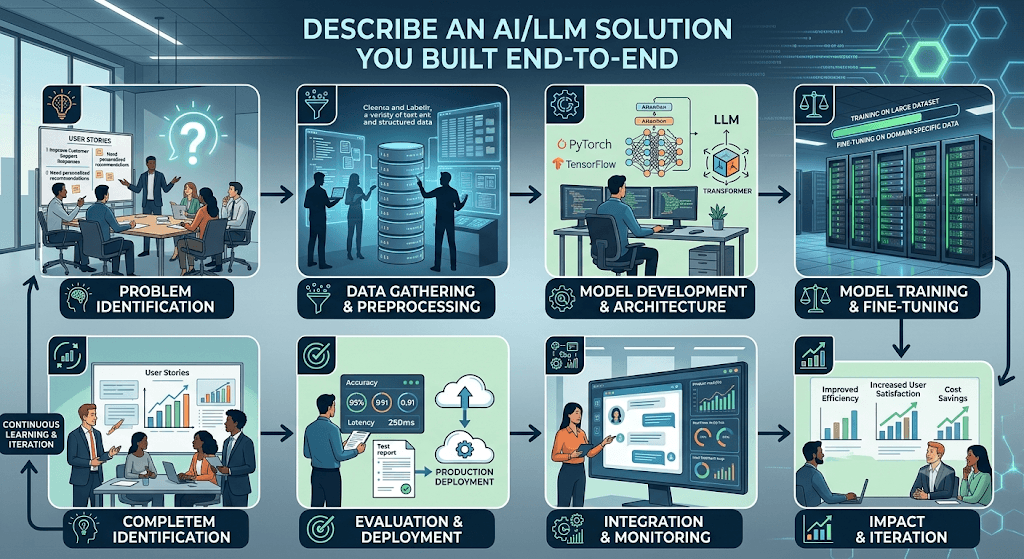
An AI/LLM solution I can walk you through end-to-end is an Enterprise Contract Review & Compliance Agent.
This system was built to help legal teams automatically ingest contracts, flag non-compliant clauses against internal policies, and generate localized summaries.
1. Business Problem & Objective
- The Goal: Reduce contract review times from days to minutes.
- The Challenge: Legal documents are long, dense, and full of complex terminology. Standard LLMs cannot read them accurately without external context, and they often hallucinate details.
- The Metrics: Target 90%+ accuracy in risk detection and under 30 seconds processing time per document.
2. Architecture & Tech Stack
The solution uses a hybrid approach combining semantic search and generative AI:
- LLM Engine: Anthropic Claude 3.5 Sonnet (for complex reasoning) and GPT-4o-mini (for fast, low-cost extraction).
- Vector Database: Pinecone (to index internal legal playbooks and policies).
- Orchestration: LangChain / LangGraph (to manage multi-step workflows and agent decisions).
- Frontend/Backend: FastAPI backend with a React UI for the legal dashboard.
3. End-to-End Workflow
[User Upload] ➔ [OCR & Chunking] ➔ [RAG Enrichment] ➔ [Agent Evaluation] ➔ [UI Output]
- Step 1: Document Ingestion & Parsing
Users upload PDFs or Word documents. The system uses a layout-aware PDF parser to extract text while preserving headers, tables, and section numbers. - Step 2: Intelligent Chunking & Embedding
The text is broken into overlapping 500-word chunks. These chunks are converted into vector embeddings usingtext-embedding-3-largeand stored in Pinecone. - Step 3: Retrieval-Augmented Generation (RAG)
When evaluating a clause (e.g., “Limitation of Liability”), the system queries Pinecone to fetch the company’s exact internal policy regarding liability thresholds. - Step 4: Multi-Agent Evaluation Loop
- Agent A (The Extractor) pulls key metadata (dates, parties, dollar amounts).
- Agent B (The Auditor) compares the contract clause with the retrieved corporate policy. It flags deviations as “Low,” “Medium,” or “High” risk.
- Agent C (The Reviewer) checks Agent B’s work for hallucinations and drafts a redlined alternative clause.
- Step 5: User Interface Delivery
The dashboard displays the contract side-by-side with a color-coded risk report, generated summaries, and clickable citations linking back to specific page numbers.
4. Guardrails & Optimization
- Hallucination Prevention: The prompt strictly limits the LLM to only use facts present in the uploaded document or corporate playbook. If information is missing, it must answer “Not found.”
- Cost Controls: We implemented a routing mechanism. Simple metadata extraction uses the cheaper GPT-4o-mini, while nuanced risk analysis is routed to Claude.
- Data Privacy: All data is processed via enterprise APIs with zero-data retention policies to ensure contract confidentiality.
One More Solutions
A strong interview answer should demonstrate business context, architecture, technology choices, security, deployment, and measurable impact. Here’s a polished answer suitable for an AI Technical Architect or Senior AI Engineer interview.
Sample Answer
One of the end-to-end AI solutions I designed and implemented was an enterprise Generative AI platform for healthcare operations that automated knowledge retrieval and technical support using Large Language Models. The primary business goal was to reduce the amount of time employees spent searching through thousands of documents, SOPs, knowledge articles, and support manuals while ensuring responses complied with organizational security policies.
Business Problem
Support engineers and business users spent approximately 20–30 minutes locating information across multiple repositories including SharePoint, S3, Confluence, PDFs, and internal documentation. This resulted in slower issue resolution and inconsistent answers.
Our objective was to build an intelligent assistant capable of:
- Answering questions in natural language
- Retrieving only organization-approved information
- Preventing hallucinations
- Supporting enterprise authentication
- Maintaining complete auditability
Solution Architecture
The architecture followed a Retrieval-Augmented Generation (RAG) pattern.
Users
   │
Web Application
   │
Amazon API Gateway
   │
AWS Lambda
   │
Query Processing
   │
Amazon Bedrock
   │
Retrieve Relevant Chunks
   │
Vector Database
(OpenSearch / Pinecone)
   │
Embeddings
Titan Embeddings
   │
S3 Document Repository
   │
AWS Glue Document Processing
Technology Stack
Cloud
- AWS
LLM
- Amazon Bedrock
- Anthropic Claude
- Amazon Titan Embeddings
Programming
- Python
- LangChain
Storage
- Amazon S3
- DynamoDB
Vector Database
- Amazon OpenSearch Serverless (Vector Engine)
API
- FastAPI
- AWS Lambda
Authentication
- IAM
- Cognito
Monitoring
- CloudWatch
- CloudTrail
CI/CD
- GitHub Actions
- CloudFormation
Implementation Steps
Step 1: Data Collection
We collected documents from:
- SharePoint
- PDFs
- Knowledge articles
- Word documents
- Internal Wiki
These were stored in Amazon S3.
Step 2: Data Processing
AWS Glue jobs
- extracted text
- removed headers and footers
- cleaned formatting
- split documents into semantic chunks
- generated metadata
Example metadata
Department
Document Version
Owner
Classification
Tags
Date
Step 3: Embedding Generation
Each chunk was converted into vector embeddings using Amazon Titan Embeddings.
Document
↓

Chunking

↓

Embedding

↓

Store Vector
Step 4: Vector Database
Embeddings were stored inside OpenSearch Serverless.
Each vector contained
Vector

Original Text

Metadata

Access Permissions
Step 5: Query Flow
When a user asked
“How do I reset an Aurora PostgreSQL account?”
The application
- generated embedding
- searched vector database
- retrieved top relevant chunks
- built prompt
- sent prompt to Claude through Bedrock
- generated grounded answer
Step 6: Prompt Engineering
System Prompt
You are an enterprise healthcare assistant.

Only answer using supplied context.

If context is insufficient,
respond

"I couldn't find sufficient information."

Never fabricate answers.
This significantly reduced hallucinations.
Step 7: Security
Security was one of the most critical design areas.
Implemented
- IAM least privilege
- Cognito authentication
- Private VPC endpoints
- KMS encryption
- S3 encryption
- CloudTrail auditing
- GuardDuty monitoring
No documents were exposed publicly.
Step 8: CI/CD
Entire solution deployed using
- GitHub Actions
- CloudFormation
Pipeline
Developer

↓

GitHub

↓

Unit Tests

↓

CloudFormation

↓

Deploy Lambda

↓

Deploy API

↓

Deploy Infrastructure
Monitoring
Collected
- Prompt latency
- Token usage
- Model cost
- User feedback
- Hallucination rate
- API errors
CloudWatch dashboards tracked all KPIs.
Optimization
We improved performance by
Semantic Chunking
Instead of fixed 1000-character chunks
Used semantic chunking
Improved retrieval accuracy significantly.
Hybrid Search
Combined
- Vector Search
- Keyword Search
Improved precision.
Prompt Compression
Reduced unnecessary context
Lowered token consumption by around 35%.
Context Filtering
Filtered documents using metadata before vector search.
Improved response quality.
Challenges
Hallucination
Solution
Implemented RAG with strict grounding.
Large Documents
Solution
Hierarchical chunking
Metadata filtering
Response Time
Initial latency
~8 seconds
After optimization
~3 seconds
using
- caching
- parallel retrieval
- optimized prompts
Security
Implemented document-level authorization so users could only retrieve documents they were permitted to access.
Business Results
The solution delivered measurable improvements:
- Reduced knowledge search time from roughly 20–30 minutes to under 2 minutes.
- Improved first-call resolution by approximately 35%.
- Reduced manual support effort by about 40%.
- Lowered token usage by around 35% through prompt optimization.
- Reduced average response latency from about 8 seconds to 3 seconds.
- Achieved enterprise-grade security with full audit logging and role-based access control.
Why This Architecture?
I selected a RAG architecture instead of fine-tuning because:
- Enterprise knowledge changes frequently, making retrieval more maintainable than repeated model retraining.
- It enables responses to be grounded in the latest approved documentation.
- It reduces hallucinations by supplying authoritative context to the model.
- It provides a scalable and cost-effective solution while keeping proprietary data within the organization’s AWS environment.
Concise 2-Minute Interview Version
“I led the design and implementation of an enterprise RAG-based Generative AI assistant on AWS to help healthcare operations teams quickly retrieve information from internal documentation. Documents from SharePoint, S3, and internal knowledge bases were ingested into S3, processed with AWS Glue, chunked, and converted into embeddings using Amazon Titan Embeddings. We stored those embeddings in Amazon OpenSearch Serverless and used Amazon Bedrock with Anthropic Claude to generate grounded responses based on the retrieved context. The solution was built with Python, LangChain, FastAPI, AWS Lambda, API Gateway, and Cognito, with infrastructure deployed through CloudFormation and GitHub Actions. We implemented IAM-based access control, KMS encryption, VPC endpoints, and CloudTrail for security and compliance. The platform reduced document search time from 20–30 minutes to under 2 minutes, improved first-call resolution by about 35%, reduced support effort by roughly 40%, and cut model latency from around 8 seconds to 3 seconds after optimization.”

