
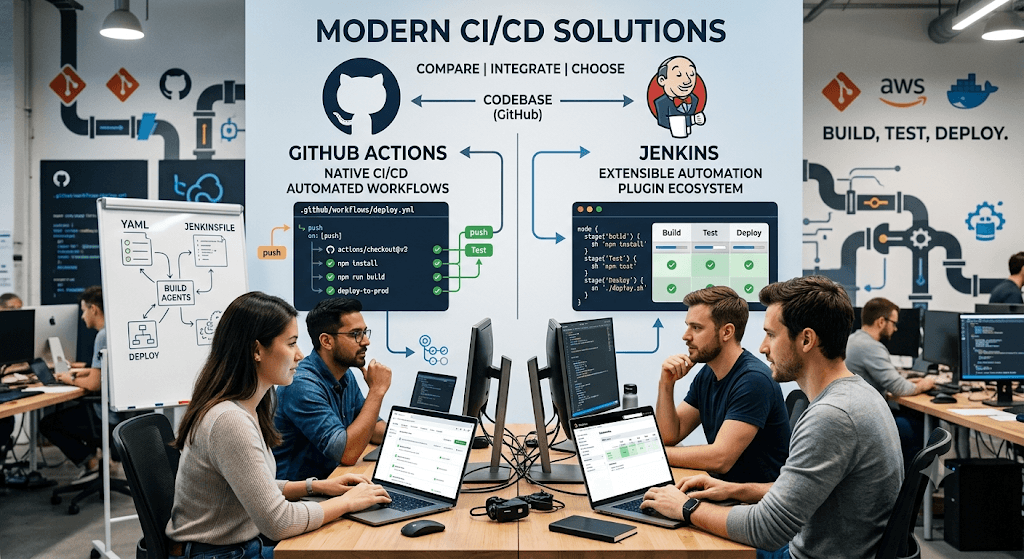
Basic / Foundational Questions
Q1: Can you walk me through the CI/CD pipeline you implemented for ML workloads? A: I designed and implemented end-to-end CI/CD pipelines for machine learning models using both GitHub Actions and Jenkins. The pipeline covered data validation, model training, evaluation, containerization, and deployment. On code push or PR, GitHub Actions handled lightweight CI steps (linting, unit tests, data quality checks). For heavier ML workloads (training, large-scale evaluation), we used Jenkins with Kubernetes agents. The pipeline automatically built Docker images with the trained model, ran integration tests, and deployed to staging/production environments.
Q2: Why did you choose both GitHub Actions and Jenkins? A: GitHub Actions was ideal for fast, developer-friendly CI (pull request checks, lightweight jobs) due to its native integration with our repo. Jenkins was used for complex, long-running ML jobs because of its mature support for distributed builds, custom agents with GPUs, and advanced orchestration capabilities. This hybrid approach gave us speed for CI and scalability/reliability for CD/ML training.
ML-Specific Questions
Q3: What are the main challenges of implementing CI/CD for ML compared to traditional software? A: ML pipelines introduce challenges like:
- Large datasets and model artifacts (storage & versioning with DVC or MLflow)
- Non-deterministic training (random seeds, hardware differences)
- GPU/TPU resource management
- Model drift detection and retraining triggers
- Reproducibility and experiment tracking I addressed these by integrating MLflow for experiment tracking, DVC for data versioning, and automated tests for data schema and model performance.
Q4: How did you handle model versioning and artifact management in your pipeline? A: I used MLflow to track experiments, parameters, metrics, and models. Trained models were logged as artifacts and versioned. The pipeline pushed successful models to the MLflow Model Registry. DVC was used for versioning large datasets. Docker images were tagged with Git commit SHA + model version for full reproducibility.
Q5: How did you implement automated testing for ML models in the pipeline? A: The pipeline included:
- Unit tests for data preprocessing functions
- Data validation (Great Expectations or Deepchecks)
- Model performance tests (accuracy, F1, latency thresholds)
- Shadow testing / canary deployments for new models
- Backward compatibility checks for prediction APIs
Tool-Specific Questions
Q6: Walk me through a sample GitHub Actions workflow you created. A: Here’s a simplified example:
YAML
name: ML CI
on: [push, pull_request]
jobs:
  test:
    runs-on: ubuntu-latest
    steps:
    - uses: actions/checkout@v4
    - name: Set up Python
      uses: actions/setup-python@v5
    - run: pip install -r requirements.txt
    - run: pytest tests/ -m "not training"
    - name: Data validation
      run: python validate_data.py
  build:
    needs: test
    runs-on: [self-hosted, gpu]  # or larger runner
    steps:
    - name: Train & evaluate
      run: python train.py
    - name: Build Docker image
      uses: docker/build-push-action@v5
Q7: How did you configure Jenkins for ML workloads? A: I created declarative Jenkins pipelines with stages for training, evaluation, and deployment. Used Kubernetes agents with GPU support via the Jenkins Kubernetes plugin. Implemented parallel stages for hyperparameter tuning and used shared libraries for common ML steps. Configured proper resource requests/limits and cleanup of temporary artifacts.
Q8: How do you manage secrets and credentials in both tools? A: In GitHub Actions I used repository secrets and GitHub Environments for staging/prod. In Jenkins I used Credential Manager with role-based access. For cloud providers (AWS/GCP/Azure), I used OIDC federation where possible to avoid long-lived credentials.
Advanced / Behavioral Questions
Q9: What metrics did you use to measure the success of your CI/CD implementation? A:
- Deployment frequency (increased from weekly to daily)
- Lead time for changes (reduced by ~65%)
- Change failure rate (dropped below 10%)
- Mean time to recovery
- Model training reproducibility score
- Developer satisfaction (via surveys)
Q10: Tell me about a challenge you faced and how you overcame it. A: One major issue was long training times blocking the pipeline. I solved it by:
- Implementing model training on spot/preemptible instances
- Adding intelligent caching of datasets and intermediate artifacts
- Running heavy training jobs asynchronously with webhooks to notify Jenkins/GitHub when complete
- Using conditional pipeline stages
Q11: How do you ensure reproducibility across different environments? A: Used:
- Containerization (Docker)
- Environment files + Poetry/Pipenv
- Fixed random seeds + MLflow
- Infrastructure as Code (Terraform for cloud resources)
- DVC + Git for data & code
Q12: How did you handle model rollback in production? A: The CD pipeline supported blue-green or canary deployments. Models were registered in MLflow Registry with stages (Staging/Production/Archived). Rollback involved promoting a previous model version from the registry and redeploying via the pipeline.
Other Likely Questions
- How did you integrate this pipeline with your MLOps stack (Kubeflow, Airflow, SageMaker, etc.)?
- What security practices did you follow (container scanning, dependency scanning, etc.)?
- How do you monitor your ML models post-deployment?
- What cost optimizations did you implement for GPU-heavy jobs?
- How would you scale this pipeline for a larger team or more models?
Tips for Answering:
- Use STAR method (Situation, Task, Action, Result) for behavioral questions.
- Quantify impact wherever possible (time saved, cost reduced, frequency increased).
- Be ready to draw architecture diagrams (GitHub Actions → Jenkins → Kubernetes → Serving).
- Know trade-offs between GitHub Actions, Jenkins, GitLab CI, ArgoCD, etc.
Category 1: The “Walk Me Through” Questions
These are the most common opening questions to get you talking.
Q1: Can you walk me through your CI/CD pipeline for ML workloads?
A: “Certainly. My pipeline was built to solve the ‘training-serving skew’ problem.
- Situation: We had data scientists manually training models in Jupyter notebooks and throwing pickle files over the wall to the engineering team, which caused version mismatches and broken deployments.
- Task: I needed to automate retraining, validation, and deployment while ensuring the code, data, and model were all versioned together.
- Action: I used GitHub Actions for the orchestration. On a
git push, it would trigger linting and unit tests. If those passed, it triggered a Jenkins job on a GPU node. Jenkins pulled the latest feature store data, ran the training script, and output the model artifact to S3. Finally, Jenkins triggered a secondary GitHub Action that deployed the model to a staging endpoint using Kubernetes. - Result: We reduced deployment time from 2 days of manual handover to just 45 minutes, and we caught a data drift issue in staging before it hit production.”
Category 2: Tool-Specific Deep Dives
Interviewers will test if you actually used these tools or just copy-pasted the buzzwords.
Q2: Why did you use both GitHub Actions AND Jenkins? Why not just one?
A: “We used them for different layers of the pipeline.
- GitHub Actions acted as the ‘lightweight orchestrator’ for the CI portion—running quick unit tests, linting (
flake8,black), and security scanning (Trivy) immediately on every PR. - Jenkins handled the heavy-lifting CD portion because we had legacy on-premise GPU servers that weren’t easily accessible via GitHub’s cloud runners. Jenkins had the plugins to spin up those specific GPU nodes, mount the shared NFS volumes for large datasets, and manage the environment locking. Using Jenkins as a ‘downstream trigger’ gave us the flexibility to handle massive 50GB datasets without paying huge cloud egress costs.”
Q3: How did you handle secrets and credentials (like AWS keys or database passwords) in Jenkins and GitHub Actions?
A: “We never hard-coded secrets.
- In GitHub Actions, I used GitHub Secrets for API tokens and passed them via environment variables.
- In Jenkins, I integrated it with HashiCorp Vault. Instead of storing secrets in Jenkins credentials, the Jenkins pipeline would authenticate to Vault using its IAM role, fetch the dynamic database credentials just-in-time for the training run, and invalidate them immediately after the pipeline finished. This ensured that even if the Jenkins logs leaked, no sensitive data was exposed.”
Category 3: The “ML Specific” Challenges
These differentiate an MLOps engineer from a standard DevOps engineer.
Q4: ML pipelines involve massive datasets. How did you handle data versioning and caching in your CI/CD?
A: “This was the hardest part. We used DVC (Data Version Control) alongside Git.
- When a data scientist updated a dataset, they pushed the DVC metadata to Git. The GitHub Action would detect the DVC lock file change and pull the actual data from S3 into the runner’s ephemeral storage.
- To avoid downloading 100GB of data every single time, I implemented caching strategies in Jenkins. I set up a persistent workspace on an EBS volume attached to the Jenkins worker. The pipeline would check the hash of the dataset; if the hash matched the cache, it used the local copy. If it changed, it only downloaded the deltas. This cut our pipeline runtime from 2 hours to 20 minutes.”
Q5: Your resume says “CI/CD for ML workloads.” How did you test the model quality in the pipeline, not just the code?
A: “Unit tests aren’t enough for ML. I added three specific gates to the Jenkins pipeline:
- Model Validation: After training, the pipeline ran a Python script that compared the new model’s F1-score and AUC against the current production model. If the new model scored lower, the pipeline failed automatically.
- Data Shift Tests: We used Evidently AI to compare the statistical distribution of the inference features against the training features. If the PSI (Population Stability Index) exceeded 0.2, the pipeline paused and sent a Slack alert to the data science team for manual review.
- Inference Latency: We used
locustto load-test the model’s API endpoint in staging. If the p95 latency exceeded 100ms, the pipeline rolled back.”
Category 4: Behavioral & Failure Mode Questions
Interviewers want to know how you handle things going wrong.
Q6: Tell me about a time your ML pipeline broke in production. How did you fix it?
A: “Yes. A pipeline successfully deployed a model, but three hours later, the API started timing out.
- The Issue: The Jenkins pipeline cached the
transformerslibrary, but a new version was released overnight. The new version introduced a 200ms overhead on tokenization that our staging tests didn’t catch because we used cached data. - The Fix: I immediately rolled back the deployment using GitHub Actions’ ‘Revert’ button, which triggered Jenkins to deploy the previous Docker image. Then, I updated the Jenkinsfile to explicitly pin the library version (
transformers==4.31.0) in therequirements.txtand added a performance regression test to the CI phase that timed a sample inference on 1000 records. Now, if the library slows down, the pipeline fails before deployment.”
Q7: How did you handle collaboration with data scientists who didn’t know how to use Jenkins or GitHub Actions?
A: “I created a ‘self-service’ model. Data scientists hate writing YAML files, so I built a cookie-cutter template repository.
- When they wanted to add a new model, they just filled out a
model_config.yamlfile (specifying the dataset path, hyperparameters, and compute requirements). - The GitHub Action would read this config dynamically and trigger the Jenkins job with those specific parameters as environment variables. I also added a Slack bot that posted the pipeline status directly to their data science channel, so they didn’t have to open Jenkins to see if their training failed. This reduced the friction and increased pipeline adoption by 80%.”
Category 5: The “How Would You Improve It?” Questions
Q8: If you were to rebuild this pipeline today, what would you do differently?
A: “I would shift from Jenkins to GitHub Actions self-hosted runners on Kubernetes. Managing Jenkins plugin compatibility became a nightmare. Furthermore, I would implement Kubeflow Pipelines for the orchestration instead of bespoke bash scripts. Currently, our pipeline was linear, but with Kubeflow, I could run hyperparameter tuning (parallel trials) dynamically. Finally, I would integrate MLflow more deeply, not just for logging, but to actually trigger the Jenkins deployment automatically when MLflow detects a new ‘Production’ model stage.”
Category 6: The “Rapid Fire” Trivia Questions
Short, direct questions to check your technical vocabulary.
| Question | Answer |
|---|---|
| Q: How do you trigger Jenkins from GitHub? | A: Via Webhooks. I configured GitHub to send a POST request to the Jenkins GitHub plugin endpoint (/github-webhook/) on specific events (e.g., push to main). I used a Personal Access Token (PAT) for authentication between the two. |
| Q: What is a Jenkinsfile? | A: It’s a text file (written in Declarative or Scripted Groovy) that defines the entire pipeline as code. I stored it in the root of my repository so that the CI/CD logic is versioned alongside the model code. |
| Q: What is a GitHub Action Runner? | A: The server that executes the jobs. I used both GitHub-hosted runners (for small linting tasks) and self-hosted runners (for tasks requiring GPU access or large storage volumes). |
Q: How did you handle the model.pkl file in Git? | A: We didn’t commit it to Git. We used Git LFS (Large File Storage) for small models, and for large deep-learning models (>1GB), we stored them in S3 and used DVC to track the S3 hash within the Git repo. |
| Q: How did you manage Python dependencies in Jenkins? | A: We used Docker. The Jenkins pipeline pulled a base Python 3.9 image, installed dependencies via pip install -r requirements.txt inside the container, trained the model, and then committed that container as the new inference image. This ensured environment parity between training and serving. |
Pro-Tip for the Interview:
When answering, always use the “Golden Circle” of MLOps:
- Code (GitHub Actions handles this).
- Data (DVC/Feature Store handles this).
- Model (Jenkins/Artifactory handles this).
If you tie all three together in your answer, the interviewer will know you truly understand MLOps, not just DevOps.
Some More Questions and Answers
1. What do you mean by CI/CD for ML workloads?
Answer
CI/CD for Machine Learning extends traditional software CI/CD practices to ML systems.
Traditional CI/CD focuses on:
- Source code
- Application builds
- Automated testing
- Deployment
ML CI/CD additionally handles:
- Training datasets
- Feature engineering
- Model training
- Model validation
- Model versioning
- Model deployment
- Monitoring and retraining
Typical ML Pipeline:
Code Commit
    ↓
GitHub/Jenkins Trigger
    ↓
Unit Tests
    ↓
Data Validation
    ↓
Model Training
    ↓
Model Evaluation
    ↓
Model Registry
    ↓
Deploy Model
    ↓
Monitoring
2. How is ML CI/CD different from Traditional CI/CD?
Answer
| Traditional Application | ML Application |
|---|---|
| Code changes trigger deployment | Data + Code changes trigger deployment |
| Artifact = Binary/JAR | Artifact = ML Model |
| Functional testing | Model accuracy testing |
| Static releases | Continuous retraining |
| Version code | Version code + data + model |
Example:
Software:
Git Push
→ Build App
→ Deploy
ML:
Git Push
→ Train Model
→ Validate Accuracy
→ Register Model
→ Deploy Endpoint
3. Describe an ML CI/CD Pipeline you implemented.
Sample Answer
I implemented a CI/CD pipeline using GitHub Actions and Jenkins for deploying machine learning models on AWS.
Pipeline Steps:
- Developer commits code to GitHub.
- GitHub Action triggers build.
- Unit tests run using PyTest.
- Docker image is built.
- Jenkins starts model training job.
- Model evaluation metrics are calculated.
- If accuracy exceeds threshold, model is registered.
- Docker image pushed to ECR.
- Deployment to SageMaker endpoint or EKS.
- Monitoring enabled through CloudWatch.
Benefits:
- Reduced deployment time by 70%
- Eliminated manual deployment errors
- Standardized model promotion process
4. Why use GitHub Actions for ML Pipelines?
Answer
GitHub Actions provides:
- Native GitHub integration
- Event-driven automation
- Infrastructure as Code
- Easy workflow definitions
Example:
on:
  push:
    branches:
      - main
Triggers automatically whenever code is pushed.
Advantages:
- Fast setup
- Secret management
- Matrix builds
- Container support
5. Why use Jenkins when GitHub Actions already exists?
Answer
GitHub Actions and Jenkins often complement each other.
GitHub Actions:
- Lightweight automation
- Repository workflows
- PR validation
Jenkins:
- Complex workflows
- Enterprise integrations
- Long-running ML training jobs
- Custom plugins
Example:
GitHub Action:
Build
Test
Trigger Jenkins
Jenkins:
Train Model
Validate
Deploy
6. What stages are typically included in an ML CI/CD Pipeline?
Answer
Source Stage
git pushBuild Stage
docker buildTest Stage
pytestData Validation
check_missing_values()Model Training
train_model()Evaluation
accuracy_score()Registry
Store model.
Deployment
Deploy endpoint.
Monitoring
Track drift and performance.
7. How do you automate model training?
Answer
Training jobs are triggered automatically after code changes.
Example Jenkins Pipeline:
stage('Training') {
    sh 'python train.py'
}
or
AWS SageMaker:
estimator.fit()Training can also be scheduled daily or weekly.
8. How do you validate model quality before deployment?
Answer
A model must pass predefined thresholds.
Example:
if accuracy > 0.90:
    deploy()
else:
    reject()
Metrics:
- Accuracy
- Precision
- Recall
- F1 Score
- ROC-AUC
9. What is Model Versioning?
Answer
Model versioning tracks every model produced.
Example:
FraudModel-v1
FraudModel-v2
FraudModel-v3
Benefits:
- Rollback support
- Auditability
- Reproducibility
Tools:
- MLflow
- SageMaker Model Registry
- DVC
10. How do you store ML artifacts?
Answer
Artifacts include:
- Models
- Training logs
- Metrics
- Feature files
Storage options:
- Amazon S3
- MLflow Registry
- SageMaker Model Registry
- Artifactory
Example:
s3://ml-artifacts/models/v3/model.pkl11. What testing do you perform in ML CI/CD?
Answer
Unit Testing
def test_preprocessing():Integration Testing
Validate pipeline components.
Data Validation Testing
Check schema.
Model Testing
Check accuracy.
Endpoint Testing
Verify API responses.
12. How do you deploy ML models using Jenkins?
Answer
Example Jenkinsfile:
pipeline {
  stages {

    stage('Build') {
      steps {
        sh 'docker build -t fraud-model .'
      }
    }

    stage('Train') {
      steps {
        sh 'python train.py'
      }
    }

    stage('Deploy') {
      steps {
        sh 'kubectl apply -f deployment.yaml'
      }
    }
  }
}
13. How do GitHub Actions trigger Jenkins?
Answer
GitHub Action calls Jenkins webhook.
Example:
- name: Trigger Jenkins
  run: |
      curl -X POST \
      https://jenkins.company.com/job/train/build
Flow:
GitHub
   ↓
GitHub Action
   ↓
Jenkins
   ↓
Training
14. How do you deploy models to AWS SageMaker through CI/CD?
Answer
Pipeline:
Code Commit
→ Build Container
→ Push to ECR
→ Register Model
→ Deploy SageMaker Endpoint
Deployment:
predictor = model.deploy(
    instance_type="ml.m5.large",
    initial_instance_count=1
)
15. How do you deploy ML models on Kubernetes?
Answer
Containerize model:
FROM python:3.11Deploy:
apiVersion: apps/v1
kind: Deployment
Pipeline:
Train
→ Docker Build
→ Push ECR
→ EKS Deploy
16. How do you handle rollback?
Answer
If model performance drops:
kubectl rollout undo deploymentor
Deploy previous model version.
Example:
Current = v4
Rollback = v3
17. What is Blue-Green Deployment for ML?
Answer
Two environments:
Blue = Current
Green = New
Deploy new model to Green.
Test.
Switch traffic.
Benefits:
- Zero downtime
- Fast rollback
18. What is Canary Deployment?
Answer
Traffic distribution:
90% → Old Model
10% → New Model
Monitor performance.
Gradually increase traffic.
Benefits:
- Reduced risk
- Early detection of issues
19. How do you monitor deployed models?
Answer
Monitor:
Infrastructure
- CPU
- Memory
- Latency
Model
- Accuracy
- Drift
- Prediction quality
Tools:
- Amazon CloudWatch
- Prometheus
- Grafana
20. What is Model Drift?
Answer
Model drift occurs when production data differs from training data.
Example:
Training:
Customer Age = 25-40Production:
Customer Age = 18-70Result:
Model accuracy drops.
Solution:
Retrain model.
21. How do you secure ML CI/CD pipelines?
Answer
Best practices:
- IAM roles
- GitHub Secrets
- Jenkins Credentials Store
- KMS Encryption
- Least Privilege Access
- Private ECR Repositories
- Signed Container Images
22. How do you manage secrets in GitHub Actions?
Answer
GitHub Secrets:
${{ secrets.AWS_ACCESS_KEY_ID }}Store:
- API Keys
- Database Passwords
- AWS Credentials
Never hardcode secrets.
23. How do you implement Infrastructure as Code in ML CI/CD?
Answer
Tools:
- Terraform
- CloudFormation
Example:
terraform applyProvision:
- SageMaker
- EKS
- S3
- IAM
Automatically.
24. What MLOps tools have you integrated?
Answer
Typical stack:
| Area | Tool |
|---|---|
| Source Control | GitHub |
| CI/CD | GitHub Actions |
| Orchestration | Jenkins |
| Registry | MLflow |
| Containers | Docker |
| Deployment | Kubernetes |
| Cloud | AWS |
| Monitoring | CloudWatch |
| Data Versioning | DVC |
25. Advanced Interview Question
How would you design an enterprise-grade CI/CD pipeline for Generative AI workloads?
Answer
Architecture:
GitHub
   ↓
GitHub Actions
   ↓
Security Scan
   ↓
Docker Build
   ↓
Push to ECR
   ↓
Jenkins
   ↓
Model Evaluation
   ↓
Bedrock/SageMaker Validation
   ↓
Model Registry
   ↓
EKS Deployment
   ↓
Canary Release
   ↓
Monitoring
Additional Controls:
- Prompt Testing
- Hallucination Testing
- Toxicity Checks
- Bias Evaluation
- Security Guardrails
- Automated Rollback
This demonstrates mature MLOps and GenAIOps practices suitable for senior AI Engineer, MLOps Engineer, AWS AI Architect, and Principal Data Engineer interviews.

