
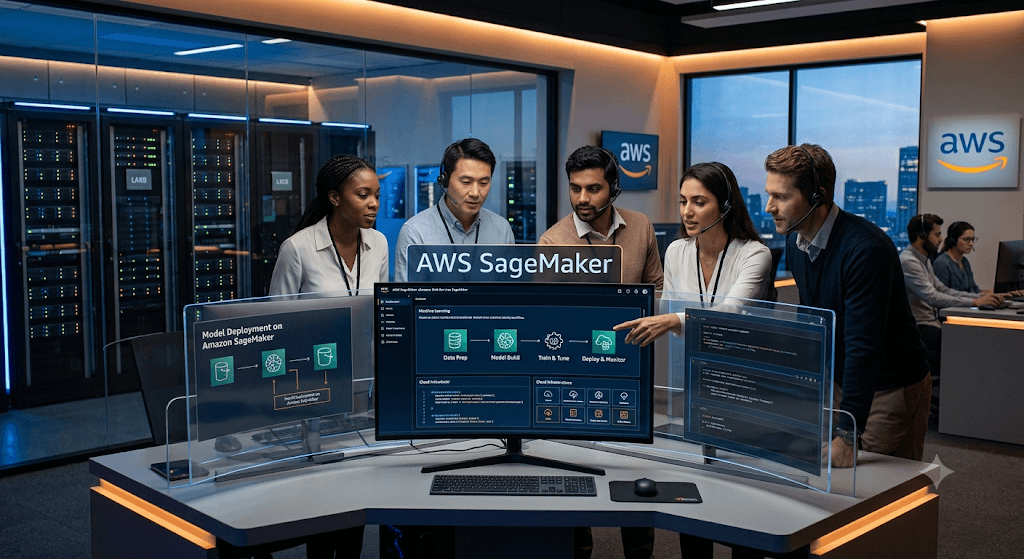
This guide is designed for AWS Data Engineer, Machine Learning Engineer, AI Engineer, Cloud Engineer, MLOps Engineer, Data Scientist, and Solutions Architect interviews.
1. What is AWS SageMaker?
Answer
AWS SageMaker is a fully managed machine learning service that helps developers and data scientists build, train, tune, deploy, and monitor machine learning models at scale.
It removes infrastructure management complexity and provides end-to-end ML lifecycle management.
Key Features
- Data Preparation
- Feature Engineering
- Model Training
- Hyperparameter Tuning
- Model Deployment
- Model Monitoring
- MLOps
- AutoML
- Generative AI Support
- Foundation Models
2. Why use SageMaker instead of building ML infrastructure manually?
Answer
Without SageMaker:
- Manage EC2 instances
- Install ML frameworks
- Configure GPUs
- Handle distributed training
- Build deployment infrastructure
- Create monitoring solutions
With SageMaker:
- Fully managed service
- Automatic scaling
- Built-in monitoring
- Managed endpoints
- Integrated security
- Faster development
3. What are the major components of SageMaker?
Answer
| Component | Purpose |
|---|---|
| Studio | ML IDE |
| Notebook Instances | Development |
| Processing Jobs | Data preprocessing |
| Training Jobs | Model training |
| Hyperparameter Tuning | Optimization |
| Feature Store | Feature management |
| Model Registry | Model versioning |
| Endpoints | Real-time inference |
| Batch Transform | Batch predictions |
| Pipelines | MLOps workflows |
| Clarify | Bias detection |
| Model Monitor | Drift detection |
4. What is SageMaker Studio?
Answer
SageMaker Studio is a web-based integrated development environment for ML.
Provides:
- Jupyter notebooks
- Experiment tracking
- Model management
- Feature engineering
- Pipeline creation
- Debugging tools
Benefits
- Single pane of glass
- Collaborative environment
- Integrated AWS services
5. What is SageMaker Notebook Instance?
Answer
Managed Jupyter notebook environment.
Used for:
- Data exploration
- Model development
- Feature engineering
- Experimentation
Difference from Studio
| Notebook Instance | Studio |
|---|---|
| Single notebook | Complete IDE |
| Older service | Modern platform |
| Limited collaboration | Team collaboration |
6. What is SageMaker Training Job?
Answer
A managed job that trains ML models.
Process:
- Read data from S3
- Launch compute resources
- Run training script
- Save model artifacts
- Store results in S3
Example
from sagemaker.estimator import Estimator

estimator = Estimator(
    image_uri=image_uri,
    role=role,
    instance_count=1,
    instance_type='ml.m5.xlarge'
)

estimator.fit("s3://bucket/train")
7. Explain SageMaker Training Workflow
Answer
Raw Data
    ↓
S3
    ↓
Training Job
    ↓
Model Artifacts
    ↓
S3
    ↓
Endpoint Deployment
8. What are Built-in Algorithms?
Answer
AWS provides prebuilt ML algorithms.
Examples:
- XGBoost
- Linear Learner
- Random Cut Forest
- K-Means
- DeepAR
- PCA
- BlazingText
Benefits
- Optimized
- Managed
- Faster training
9. What is XGBoost in SageMaker?
Answer
One of the most widely used built-in algorithms.
Used for:
- Classification
- Regression
Advantages:
- Fast
- High accuracy
- Supports distributed training
10. What is SageMaker Processing?
Answer
Used for data preprocessing before training.
Tasks:
- Data cleaning
- Feature engineering
- Data validation
- ETL
Example:
from sagemaker.processing import ScriptProcessor11. What is SageMaker Feature Store?
Answer
Centralized repository for ML features.
Benefits:
- Feature reuse
- Consistency
- Online and offline storage
- Reduces duplicate feature engineering
Real Example
Customer:
customer_age
credit_score
purchase_frequency
Stored once and reused by multiple ML models.
12. What is Online Store vs Offline Store?
Answer
| Store | Purpose |
|---|---|
| Online | Real-time inference |
| Offline | Training & analytics |
Online:
- Millisecond access
Offline:
- Historical analysis
13. What is Hyperparameter Tuning?
Answer
Automatic search for best hyperparameters.
Example:
Learning Rate
Max Depth
Batch Size
Epochs
Goal:
Improve model accuracy.
14. How does Hyperparameter Tuning work?
Answer
- Define parameter ranges
- SageMaker launches multiple jobs
- Evaluates performance
- Selects best model
Example:
HyperparameterTuner()15. What is Automatic Model Tuning?
Answer
AWS-managed hyperparameter optimization.
Uses:
- Bayesian Optimization
- Random Search
16. What is SageMaker Automatic Model Tuning?
Answer
It automatically finds:
Best Learning Rate
Best Tree Depth
Best Batch Size
Best Architecture
Without manual trial-and-error.
17. What is SageMaker Autopilot?
Answer
AutoML service.
Automatically performs:
- Data preprocessing
- Feature engineering
- Model selection
- Hyperparameter tuning
Good for:
- Citizen Data Scientists
- Rapid prototyping
18. What is Batch Transform?
Answer
Offline prediction service.
Example:
Predict churn for 10 million customers.
Workflow:
Input File → S3
Batch Transform
Output → S3
19. Difference Between Batch Transform and Endpoint
| Endpoint | Batch Transform |
|---|---|
| Real-time | Offline |
| Low latency | Large datasets |
| API based | File based |
20. What is a SageMaker Endpoint?
Answer
Hosted API for real-time inference.
Client
 ↓
Endpoint
 ↓
Prediction
21. Types of Endpoints
Answer
Real-Time Endpoint
Milliseconds latency
Serverless Endpoint
No infrastructure management
Async Endpoint
Long-running inference
Multi-Model Endpoint
Multiple models on one endpoint
22. What is Multi-Model Endpoint?
Answer
Single endpoint hosts multiple models.
Benefits:
- Lower cost
- Better resource utilization
Used when:
- Hundreds of small models
23. What is Serverless Inference?
Answer
Pay only when requests arrive.
Benefits:
- No idle cost
- Auto scaling
Best for:
- Infrequent predictions
24. What is Async Inference?
Answer
For long-running predictions.
Example:
Video analysis
Process:
Upload
Queue
Process
Store Results
25. What is SageMaker Model Registry?
Answer
Central repository for model versions.
Stores:
- Model metadata
- Approval status
- Deployment history
26. What is Model Governance?
Answer
Managing:
- Model versions
- Approvals
- Compliance
- Auditing
Model Registry supports governance.
27. What is SageMaker Pipelines?
Answer
MLOps workflow orchestration service.
Example:
ETL
 ↓
Training
 ↓
Validation
 ↓
Deployment
Automated pipeline.
28. What are Pipeline Steps?
Answer
- Processing Step
- Training Step
- Tuning Step
- Condition Step
- Register Model Step
29. What is SageMaker Experiments?
Answer
Tracks ML experiments.
Stores:
- Parameters
- Metrics
- Results
Useful for reproducibility.
30. What is SageMaker Debugger?
Answer
Monitors training jobs.
Detects:
- Overfitting
- Vanishing gradients
- Resource bottlenecks
31. What is SageMaker Clarify?
Answer
Responsible AI tool.
Used for:
- Bias detection
- Explainability
Techniques:
- SHAP values
- Feature importance
32. What is Model Explainability?
Answer
Understanding why a prediction occurred.
Example:
Loan denied because:
Low credit score
High debt ratio
33. What is SageMaker Model Monitor?
Answer
Detects production issues.
Monitors:
- Data drift
- Concept drift
- Prediction quality
34. What is Data Drift?
Answer
Input data distribution changes.
Example:
Training Age:
20-40Production Age:
50-70Model accuracy may degrade.
35. What is Concept Drift?
Answer
Relationship between input and output changes.
Example:
Customer behavior changes after economic downturn.
36. How do you secure SageMaker?
Answer
Best practices:
- IAM Roles
- VPC Endpoints
- KMS Encryption
- Secrets Manager
- Private Subnets
- CloudTrail Auditing
37. How does SageMaker integrate with S3?
Answer
Uses S3 for:
- Training data
- Model artifacts
- Batch transform outputs
- Pipeline outputs
38. How does SageMaker integrate with Glue?
Answer
Workflow:
Glue ETL
 ↓
S3
 ↓
SageMaker Training
39. How does SageMaker integrate with Athena?
Answer
Use Athena to:
- Query training datasets
- Create features
- Feed ML pipelines
40. How does SageMaker integrate with Redshift?
Answer
Use Redshift ML workflows.
Example:
Redshift
 ↓
Training Dataset
 ↓
SageMaker
 ↓
Predictions
41. Explain SageMaker MLOps Architecture
CodeCommit/GitHub
      ↓
CodePipeline
      ↓
CodeBuild
      ↓
SageMaker Pipeline
      ↓
Training
      ↓
Model Registry
      ↓
Approval
      ↓
Deployment
      ↓
Monitoring
42. What are SageMaker JumpStart Models?
Answer
Pre-trained foundation models and solution templates.
Examples:
- Llama
- Mistral
- Falcon
- Stable Diffusion
Used for GenAI applications.
43. What is SageMaker JumpStart?
Answer
Provides:
- Foundation models
- Example notebooks
- Industry solutions
Reduces development time.
44. What is SageMaker Canvas?
Answer
No-code ML platform.
Business users can:
- Upload data
- Train models
- Generate predictions
Without coding.
45. What is Distributed Training?
Answer
Training across multiple instances.
Benefits:
- Faster training
- Larger models
Methods:
- Data Parallelism
- Model Parallelism
46. What is SageMaker Data Wrangler?
Answer
Visual data preparation tool.
Features:
- Data cleaning
- Feature engineering
- Visualization
47. What is SageMaker Ground Truth?
Answer
Data labeling service.
Supports:
- Images
- Videos
- Text
- Documents
48. Real-World Scenario: Customer Churn Prediction
Architecture
Customer Data
      ↓
Glue ETL
      ↓
S3
      ↓
Feature Store
      ↓
Training Job
      ↓
Hyperparameter Tuning
      ↓
Model Registry
      ↓
Endpoint
      ↓
Model Monitor
49. Real-World Scenario: Fraud Detection
Services
- Kinesis
- S3
- SageMaker
- Feature Store
- Endpoint
- Lambda
Real-time scoring for transactions.
50. Senior-Level Interview Question
Q: Design an enterprise MLOps platform using SageMaker.
Answer
Architecture:
GitHub
   ↓
CodePipeline
   ↓
CodeBuild
   ↓
SageMaker Pipeline
   ↓
Processing Job
   ↓
Training Job
   ↓
Hyperparameter Tuning
   ↓
Model Registry
   ↓
Approval Workflow
   ↓
Blue/Green Deployment
   ↓
Endpoint
   ↓
Model Monitor
   ↓
CloudWatch
Features:
- CI/CD
- Version control
- Automated retraining
- Drift detection
- Rollback capability
- Compliance auditing
Top 20 Must-Know SageMaker Interview Questions
- What is SageMaker?
- Explain SageMaker Studio.
- What are Training Jobs?
- What is Feature Store?
- Online vs Offline Feature Store?
- What is Hyperparameter Tuning?
- What is Autopilot?
- What is Batch Transform?
- Endpoint vs Batch Transform?
- What is Model Registry?
- Explain SageMaker Pipelines.
- What is MLOps?
- What is Model Monitor?
- Data Drift vs Concept Drift?
- What is SageMaker Clarify?
- Multi-Model Endpoints?
- Serverless Inference?
- Distributed Training?
- SageMaker JumpStart?
- Design a production-grade SageMaker architecture.
These 50 questions cover roughly 80–90% of AWS SageMaker interview topics commonly asked for Data Engineer, ML Engineer, AI Engineer, MLOps Engineer, and AWS Solutions Architect roles. For senior-level interviews, focus heavily on MLOps, Pipelines, Feature Store, Model Registry, CI/CD, monitoring, security, cost optimization, and GenAI/LLM deployments with SageMaker JumpStart.
AWS SageMaker (now often referred to as Amazon SageMaker AI) is a fully managed machine learning (ML) platform by AWS that enables data scientists and developers to build, train, deploy, and monitor ML models at scale. It simplifies the entire ML lifecycle by providing tools for data preparation, model building, training (including distributed and hyperparameter tuning), deployment (real-time or batch), and governance, without heavy infrastructure management.
The next generation of SageMaker unifies data, analytics, and AI capabilities (including SageMaker Lakehouse, Data and AI Governance, Studio, etc.).
Below is a comprehensive (though not literally exhaustive) list of interview questions and detailed answers, categorized for clarity. These draw from common topics in ML engineering, MLOps, and AWS-specific implementations. Focus on hands-on experience, trade-offs, and integration with other AWS services in interviews.
1. Basics and Overview
Q: What is Amazon SageMaker AI, and how does it simplify the ML lifecycle? A: Amazon SageMaker AI is a fully managed service for building, training, and deploying ML/foundation models. It handles infrastructure provisioning, scaling, and management. Key phases it covers:
- Prepare: Data Wrangler, Feature Store, Ground Truth.
- Build: SageMaker Studio (IDE), Autopilot (AutoML), JumpStart (pre-built models).
- Train: Built-in algorithms, custom containers, distributed training, Automatic Model Tuning.
- Deploy & Monitor: Endpoints, Batch Transform, Model Monitor, Clarify (bias/explainability), Pipelines for orchestration.
It reduces time-to-production by providing managed Jupyter-like environments, security (IAM, VPC, KMS), and cost optimizations (Spot instances).
Q: What are the key features and components of SageMaker? A:
- SageMaker Studio: Web-based IDE for notebooks, visual workflows, collaboration.
- Autopilot: Automates model building/tuning with transparency.
- Feature Store: Centralized repository for features (online/offline serving, time-travel).
- Pipelines: MLOps orchestration (DAGs for steps like processing, training, deployment).
- Model Registry: Versioning, approval workflows, lineage.
- Debugger: Real-time monitoring of training (tensors, metrics).
- Model Monitor: Detects data/model drift.
- Clarify: Bias detection and explainability (SHAP).
- JumpStart: Pre-trained models and solutions.
- Edge Manager: Deploy to edge devices.
- Integration with S3, IAM, VPC, CloudWatch, etc.
Q: How does SageMaker work at a high level? A: Data flows from S3/Feature Store → Processing/Training jobs (managed instances or HyperPod) → Model artifacts in S3 → Deployment to endpoints or Batch Transform. Pipelines automate this. All steps are serverless/managed where possible.
2. Architecture and Components
Q: What are the main components of a SageMaker Model? A: A model package includes:
- Model artifacts (trained weights in S3).
- Inference code (Docker container with serve entrypoint).
- Environment variables and dependencies.
- IAM execution role. Components registered in Model Registry can include metadata, lineage, and approval status.
Q: Explain SageMaker Studio vs. Notebook Instances. A: Studio is the preferred web IDE with shared domains, apps (JupyterLab, Canvas), collaboration, and direct integration with other SageMaker tools. Notebook Instances are legacy EC2-based. Use Studio for most modern workflows (better security, scalability, and features like Git integration).
Q: What is SageMaker Feature Store, and when do you use it? A: A purpose-built store for ML features supporting online (low-latency) and offline (training/batch) access, with versioning, time-travel, and consistency. Use it for feature reuse across teams/models, reducing duplication in production serving.
3. Data Preparation and Processing
Q: How do you prepare data in SageMaker? A: Use SageMaker Data Wrangler (visual/no-code transformations, feature engineering), Processing jobs (custom scripts for large-scale Spark/Sklearn/PyTorch), or Feature Store ingestion. Integrate with Glue, EMR, Athena.
Q: Explain SageMaker Ground Truth. A: Managed data labeling service using ML-assisted labeling, human workforce (Amazon Mechanical Turk or private), and active learning to reduce labeling costs.
4. Training Models
Q: How do you train a model in SageMaker? Outline the steps. A:
- Prepare data in S3/Feature Store.
- Choose estimator (built-in algorithm, framework like TensorFlow/PyTorch, or custom container).
- Configure training job (instance type/count, hyperparameters, Spot).
- Launch via Studio, SDK, or Pipeline.
- Monitor with Debugger/CloudWatch. Use distributed training (SageMaker Distributed Library or Horovod/MPI) for large models.
Q: What are built-in algorithms vs. custom models? When to use each? A: Built-in (e.g., XGBoost, Linear Learner, Object Detection) are optimized, scalable, and require minimal code—use for common tasks. Custom (bring-your-own via containers) for advanced frameworks, proprietary logic, or unsupported models.
Q: Explain Hyperparameter Tuning (Automatic Model Tuning) in SageMaker. A: Runs multiple training jobs in parallel using strategies like Bayesian optimization, Random Search, or Hyperband. Define ranges, objective metric, and max jobs. Integrates with Warm Start for efficiency.
Q: How can you reduce training costs? A: Managed Spot Training (up to 90% savings), Pipe Mode for streaming data, smaller instances for tuning, data sampling/augmentation, and early stopping.
5. Deployment and Inference
Q: Explain real-time inference endpoints vs. Batch Transform. A:
- Real-time Endpoints: Hosted, low-latency predictions (HTTP). Supports auto-scaling, multi-model, blue/green deployments.
- Batch Transform: Asynchronous, for large offline datasets (cheaper, no always-on infrastructure).
Q: Describe deploying a model to a SageMaker Endpoint. A: Create Model → Endpoint Config (instance type, variants for A/B testing) → Create Endpoint. Use SDK (deploy()) or console. Monitor with Model Monitor. For updates, use blue/green or rolling deployments.
Q: What are Multi-Model Endpoints and Inference Recommendations? A: Multi-Model: Host thousands of models on one endpoint (cost-effective for similar models). Inference Recommendations: SageMaker suggests optimal instance types based on traffic/load tests.
Q: How do you handle model drift? A: SageMaker Model Monitor (data quality, model quality, bias) baselines data and triggers alerts/retraining via Pipelines or EventBridge.
6. MLOps and Pipelines
Q: What are SageMaker Pipelines, and what components do they include? A: Managed orchestration for ML workflows as DAGs (Processing, Training, Tuning, Registration, Deployment steps). Integrates with Model Registry and CI/CD (CodePipeline). Ensures reproducibility and automation.
Q: How do you implement CI/CD for SageMaker models? A: Use SageMaker Projects (templates), Git integration, Pipelines + AWS CodeCommit/CodeBuild, Model Registry approvals, and EventBridge/Lambda triggers.
7. Security, Governance, and Best Practices
Q: How do you secure SageMaker workloads? A: IAM roles (least privilege), VPC-only access (no public internet), KMS encryption, PrivateLink, network isolation, SageMaker Catalog for governance, and Clarify for compliance.
Q: Explain SageMaker Clarify. A: Detects bias in data/models and provides explainability reports (e.g., feature importance via SHAP).
Best Practices: Use Studio, right-size instances, enable encryption/logging, monitor costs (Savings Plans/Spot), version everything, implement drift detection, and prefer managed services.
8. Advanced/Scenario-Based Questions
Q: How would you deploy a large foundation model with low latency globally? A: Use JumpStart/HyperPod, SageMaker Neo for optimization, multi-region endpoints/Global Accelerator, KV caching/inference optimizations, and Edge Manager where applicable.
Q: Scenario: Training costs are high with a huge dataset. A: Spot instances, Pipe Mode, distributed training, data parallelism, checkpointing, and profiling with Debugger.
Q: How does SageMaker integrate with other AWS services? A: S3 (storage), IAM (security), CloudWatch (monitoring), Step Functions/EventBridge (orchestration), Lambda (custom logic), Bedrock (GenAI), etc.
Q: Is SageMaker serverless? A: Partially—many jobs (Processing, Training, Inference) are managed/serverless in terms of infrastructure, but you configure instances. It leverages underlying compute efficiently.
Additional Tips for Interviews
- Know SDK (sagemaker Python library) basics.
- Discuss trade-offs (cost vs. performance, real-time vs. batch).
- Hands-on: Mention projects with notebooks, custom containers, or Pipelines.
- Stay updated: Check AWS docs for HyperPod, new Studio features, etc.
This covers the vast majority of questions. For deeper dives, refer to official AWS documentation and practice in a free tier account. Good luck!
Preparing for an AWS SageMaker interview can feel overwhelming, but it becomes much more manageable when you focus on the core concepts and, more importantly, how they connect to build real-world ML systems.
Based on an analysis of many technical interviews, the best approach is to structure your knowledge around four key areas:
- The Basics: What SageMaker is and its core components.
- Data & Workflows: How you prepare data and automate the ML lifecycle.
- Training & Tuning: How you build and optimize models at scale.
- Deployment & MLOps: How you put models into production and keep them healthy.
Below is a comprehensive guide organized by these topics, with detailed answers and “pro-tips” to help you stand out.
Part 1: Foundational & Conceptual Questions
1. What is Amazon SageMaker, and why is it preferred over using EC2 directly?
Answer: Amazon SageMaker is a fully managed machine learning service that covers the entire ML workflow—from data labeling and preparation to model training, tuning, deployment, and monitoring .
- vs. EC2: While EC2 gives you raw compute, SageMaker abstracts away the undifferentiated heavy lifting. With EC2, you manually set up the environment, install ML frameworks (TensorFlow, PyTorch), manage auto-scaling, and build your own CI/CD pipelines. SageMaker provides integrated tools (like Pipelines, Debugger, Model Monitor) and managed infrastructure for each step, dramatically reducing operational overhead and time-to-production .
2. What are the key components of SageMaker?
Answer: You need to understand the main building blocks :
- SageMaker Studio: The web-based IDE for all ML tasks.
- Notebook Instances: Compute instances running Jupyter notebooks for exploration and development.
- Training Jobs: A managed compute environment to train models at scale.
- Endpoints: Managed HTTPS endpoints for real-time inference.
- Processing Jobs: For data preprocessing, postprocessing, and feature engineering.
- Hyperparameter Tuning Jobs: Runs multiple training jobs to find the best model.
- Pipelines: A workflow orchestration tool for building CI/CD for ML.
- Model Registry: A version control system for trained models.
3. What is the difference between a Notebook Instance and SageMaker Studio?
Answer: This is a common comparison question. A Notebook Instance is a single, EC2-based environment focused on a specific user or task. SageMaker Studio is the next-generation IDE, offering a unified, web-based interface where multiple users can collaborate, spin up on-demand compute (without managing instances), and visually track experiments and pipelines .
Part 2: Data Preparation & Workflow Questions
4. How do you handle data preprocessing and feature engineering in SageMaker?
Answer: SageMaker provides two primary options :
- SageMaker Processing Jobs: This allows you to run custom data processing code (using scikit-learn, Spark, or your own script) on a managed cluster. It’s ideal for large-scale, repeatable transformations. The output is stored in S3 for the next step.
- SageMaker Data Wrangler: A visual, no-code interface within SageMaker Studio that speeds up exploratory data analysis (EDA) and feature selection. It provides over 300 built-in transformations and can export the transformation logic as code for a Processing Job.
- Integration with AWS Glue: For complex ETL tasks on huge datasets, SageMaker integrates directly with AWS Glue (a serverless Spark environment).
5. Explain the end-to-end workflow of a SageMaker project.
Answer: A typical project follows this path :
- Data Ingestion: Raw data is stored in Amazon S3.
- Data Prep: A SageMaker Processing Job or AWS Glue cleans and transforms the data.
- Model Training: A Training Job uses a built-in algorithm or a custom container to train a model on the prepared data.
- Tuning (Optional): A Hyperparameter Tuning Job runs multiple training jobs to find the best version.
- Evaluation: The trained model is evaluated against a test dataset.
- Registration: The best model is versioned and stored in the SageMaker Model Registry.
- Deployment: The model is deployed to an Endpoint for real-time inference or a Batch Transform for offline predictions.
- Monitoring: SageMaker Model Monitor tracks for data drift and alerts on performance degradation.
Part 3: Model Training & Optimization Questions
6. What training options does SageMaker support?
Answer: SageMaker offers three primary paths :
- Built-in Algorithms: Pre-optimized algorithms from AWS (e.g., XGBoost, Linear Learner, K-Means, DeepAR). They are highly scalable and cost-effective.
- Framework Containers: Managed containers for popular frameworks like TensorFlow, PyTorch, and MXNet. You provide your own training script, and SageMaker manages the infrastructure.
- Custom Containers: You package your own environment and code into a Docker container. This is for maximum flexibility, allowing any language, framework, or library.
7. How does SageMaker handle hyperparameter tuning?
Answer: It uses Automatic Model Tuning (AMT) . You define a range of values for your hyperparameters, specify an optimization metric (e.g., validation:accuracy), and SageMaker launches multiple training jobs in parallel to explore the search space. It uses algorithms like Bayesian Optimization or Random Search to intelligently find the best combination, and can use early stopping to terminate poorly performing jobs and save cost.
8. How do you reduce the cost of training models in SageMaker?
Answer: There are several cost-saving strategies :
- Managed Spot Training: Use EC2 Spot Instances for training jobs. You can save up to 90% compared to On-Demand instances. SageMaker handles checkpointing, so if a spot instance is interrupted, the job automatically resumes from the last checkpoint.
- Use Batch Transform vs. Real-time: For offline predictions, use Batch Transform instead of deploying a real-time endpoint. You only pay for the compute time used to process the batch.
- Instance Selection: Choose the right instance family (e.g.,
ml.c5for general compute vs.ml.p3for GPU-accelerated training). - Auto-scaling: Configure your real-time endpoints to automatically scale down during low-traffic periods.
Part 4: Model Deployment & MLOps Questions
9. What are the different ways to deploy a model in SageMaker?
Answer: SageMaker provides three main deployment options :
- Real-Time Endpoints: A persistent, low-latency HTTPS endpoint. It’s best for interactive applications (e.g., a chatbot, fraud detection for an online transaction).
- Batch Transform: Asynchronous, offline processing. It’s for making predictions on a large batch of data stored in S3 (e.g., generating daily customer churn scores for a marketing campaign).
- Multi-Model Endpoints (MME): A single endpoint that hosts multiple models. The endpoint loads models into memory only when they are requested. This is highly cost-effective for serving many infrequently used models (e.g., a model per tenant in a SaaS application) .
10. What is SageMaker Model Monitor, and how do you use it?
Answer: Model Monitor is a feature that tracks the quality of deployed models in production .
- What it monitors:
- Data Drift: When the distribution of live input data changes significantly compared to the training data baseline.
- Model Quality: When the model’s predictive performance (e.g., accuracy, precision) degrades over time, if ground truth labels are available.
- Feature Attribution Drift: When the importance of features to the model’s output changes.
- How it works: You create a baseline from your training data. Model Monitor then analyzes live endpoint data and publishes metrics to CloudWatch. You can set alerts to trigger automatic retraining or notify an engineer when drift is detected .
11. How would you design an automated retraining pipeline in SageMaker?
Answer: The goal is to create a feedback loop. Here is a common architecture using the “Champion/Challenger” model :
- Trigger: An event, such as new data landing in an S3 bucket or a CloudWatch Alarm from Model Monitor, triggers an AWS Lambda function.
- Automate: The Lambda function starts a SageMaker Pipeline. This pipeline runs:
- A Processing Job to prepare the new data.
- A Training Job to create a new “Challenger” model.
- An Evaluation step to compare the Challenger against the current “Champion” model.
- Register: If the Challenger meets a pre-defined performance threshold (e.g., 5% better accuracy), the pipeline adds it to the Model Registry.
- Deploy: A manual or automated approval step in the Model Registry triggers a Deployment to the endpoint. Using a Blue/Green deployment strategy (like Canary), a small percentage of traffic is sent to the new model. If successful, traffic is fully shifted.
- Monitor: The process starts again.
12. How do you secure a SageMaker environment?
Answer: Security is a critical topic in interviews. The key strategies are :
- IAM: Use IAM roles with the principle of least privilege. Give the SageMaker service a role to perform actions (e.g., read from S3, write to CloudWatch), and give users separate roles.
- VPC: Launch your SageMaker notebook instances, training jobs, and endpoints inside a private VPC subnet. This prevents them from accessing the public internet.
- Encryption: Encrypt data at rest in S3 and on attached EBS volumes using AWS KMS keys. Encrypt data in transit between services using SSL/TLS.
- Private Endpoints: Use VPC Endpoints (AWS PrivateLink) to connect to SageMaker API and runtime endpoints securely from your VPC without going over the public internet.
How to Prepare for Scenario-Based Questions
Interviewers love to present a problem and ask how you would solve it with SageMaker. The best answers follow this structure:
- Clarify the problem: “What is the latency requirement? How much data is there?”
- Propose a specific SageMaker service: “I would use an XGBoost built-in algorithm for its speed and accuracy on tabular data.”
- Justify your choice: “I choose that because it’s a binary classification problem with structured customer data.”
- Walk through the pipeline: “First, a Processing Job would…”
- Mention production concerns: “After deployment, I would set up Model Monitor to watch for data drift and configure CloudWatch alerts for endpoint latency.”
By focusing on the “why” behind your decisions and linking services together into a cohesive workflow, you’ll demonstrate not just knowledge, but the practical experience needed to succeed. Good luck

