
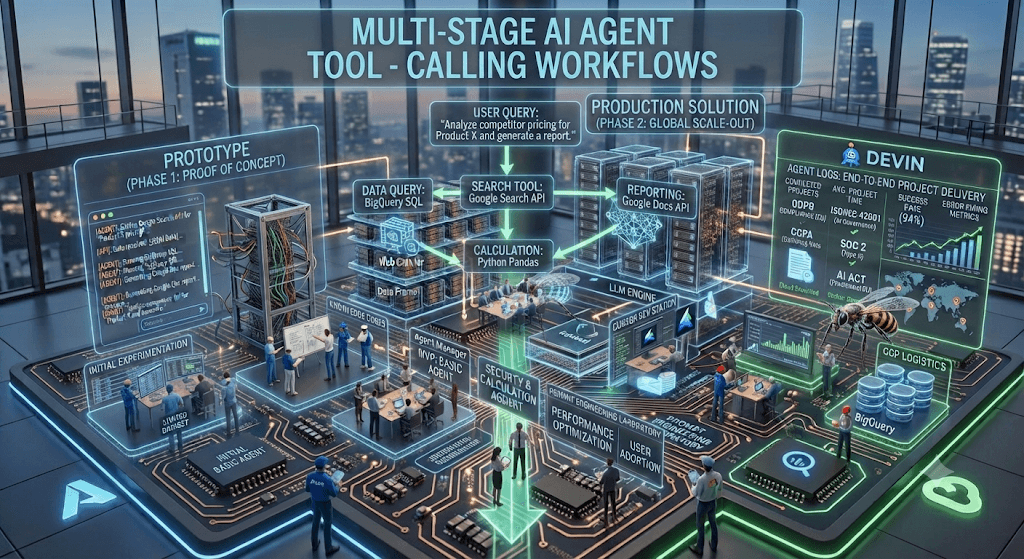
Tool Calling (also called Function Calling, API Calling, or Agent Tool Use) is one of the most frequently asked topics in AI Architect, AI Engineer, GenAI Engineer, and Agentic AI interviews.
1. What is Tool Calling in LLMs?
Answer
Tool Calling is the capability of an LLM to decide that a user request requires external information or an action and generate a structured request to invoke a tool instead of relying solely on its internal knowledge.
The LLM does not execute the tool itself.
Instead it:
- Understands the user request
- Determines which tool is needed
- Creates structured parameters
- Application executes tool
- Tool returns result
- LLM generates final response
Example:
User:
What’s the weather in New York?
LLM Response:
Call Tool:

weather_api

Parameters:

{
   "city":"New York"
}
Application:
Weather API
↓

72°F
Sunny
LLM:
The weather in New York is 72°F and sunny.
2. Why do LLMs need Tool Calling?
Without tools, LLMs cannot:
✔ Search internet
✔ Access databases
✔ Query SQL
✔ Call REST APIs
✔ Send emails
✔ Read PDFs
✔ Execute Python
✔ Book flights
✔ Query Salesforce
✔ Update Jira
✔ Read SharePoint
Tool calling extends LLM capabilities.
3. What is a Tool Calling Workflow?
Workflow:
User

↓

LLM

↓

Choose Tool

↓

Generate Parameters

↓

Application Executes Tool

↓

Tool Result

↓

LLM

↓

Natural Language Response
4. Explain Tool Calling Architecture.
             User
               │
               ▼
      Prompt + Conversation
               │
               ▼
         LLM (GPT/Claude)
               │
      Decide Tool Needed?
         Yes / No
               │
        Tool Selection
               │
               ▼
      Function Call JSON
               │
               ▼
      Orchestrator Service
               │
     ----------------------
     |         |          |
 Weather     SQL      Search
 API         DB        API
     |         |          |
     ----------------------
               │
               ▼
      Tool Result
               │
               ▼
        LLM Response
               │
               ▼
             User
5. What components are required?
Typical architecture includes:
- LLM
- Prompt
- Tool Registry
- Tool Schema
- Function Definitions
- Orchestrator
- APIs
- Database
- Authentication
- Logging
- Memory
- Retry Logic
6. What is a Tool Schema?
Tool schema defines:
- Tool name
- Description
- Input parameters
- Parameter types
- Required fields
Example
{
"name":"get_weather",
"description":"Returns weather",
"parameters":{
"type":"object",
"properties":{
"city":{
"type":"string"
}
},
"required":["city"]
}
}
7. How does the model choose a tool?
Model considers:
Intent
↓
Tool descriptions
↓
Conversation history
↓
Available functions
↓
Required parameters
↓
Confidence
It selects the most appropriate tool.
8. What is Function Calling?
Function Calling is a specific implementation of tool calling where the model returns a structured function invocation instead of natural language.
Example
get_stock_price("AAPL")instead of
Apple stock is…
9. Difference between Tool Calling and RAG?
| Tool Calling | RAG |
|---|---|
| Executes action | Retrieves documents |
| Can update systems | Read-only |
| Calls APIs | Searches knowledge |
| Dynamic | Static knowledge |
| Uses external services | Uses vector DB |
10. Can Tool Calling work with RAG?
Yes.
Example
User
↓
Retrieve policy
↓
RAG
↓
Need latest claim status
↓
Claims API
↓
Merge
↓
Answer
11. Explain Sequential Tool Calling.
One tool after another.
Example
Search Customer

↓

Customer ID

↓

Get Orders

↓

Order ID

↓

Track Shipment
12. Explain Parallel Tool Calling.
Multiple tools simultaneously.
Example
Weather

Flights

Hotels

Restaurants
All run together.
Benefits:
- Lower latency
- Higher throughput
13. What is Multi-step Tool Calling?
Multiple dependent calls.
Example
Find patient

↓

Get appointments

↓

Get prescriptions

↓

Generate summary
14. What is Dynamic Tool Selection?
Model decides at runtime which tool is appropriate.
Instead of hardcoding:
if weather

call weather
The LLM decides automatically.
15. What happens if multiple tools match?
Strategies:
- Highest confidence
- Ranking
- Ask clarification
- Tool priority
- Ensemble reasoning
16. Explain Tool Orchestration.
Orchestrator:
- Receives function call
- Validates
- Executes API
- Handles errors
- Sends results
- Logs execution
17. What is Tool Routing?
Routing chooses:
Question

↓

Finance?

↓

Finance API

OR

Medical?

↓

Healthcare API

OR

Sales?

↓

CRM API
18. What is Tool Chaining?
Output of one tool becomes input of another.
Example
OCR

↓

Extract Text

↓

Translate

↓

Summarize

↓

Email
19. Explain Tool Execution Loop.
Prompt

↓

LLM

↓

Tool

↓

LLM

↓

Tool

↓

LLM

↓

Answer
Common in agent systems.
20. How do you prevent infinite loops?
Methods:
- Max iterations
- Timeout
- Cost limit
- Retry count
- Confidence threshold
- Human intervention
21. How are tool parameters validated?
Validation includes:
- JSON schema
- Type checking
- Required fields
- Enum validation
- Range validation
- Regex validation
22. How do you secure tool calling?
Security measures:
- Authentication
- Authorization
- RBAC
- Input validation
- Rate limiting
- API Gateway
- Audit logs
- Encryption
- Secret management
- Least privilege
23. What are common tool-calling failures?
- Invalid JSON
- Missing parameters
- API timeout
- API unavailable
- Hallucinated tool
- Authentication failure
- Rate limit exceeded
- Incorrect tool selection
24. How do you handle tool failures?
Best practices:
Retry

↓

Fallback Tool

↓

Cached Result

↓

Ask User

↓

Graceful Failure
25. Explain Retry Strategy.
Typical retries:
- Exponential backoff
- Jitter
- Max retries
- Circuit breaker
26. What is Tool Hallucination?
When the LLM invents:
- Non-existent tool
- Wrong function
- Invalid parameters
- Fake API
Mitigation:
- Restricted tool registry
- Schema validation
- Whitelisting
27. Explain Tool Registry.
A catalog of available tools.
Contains:
- Name
- Description
- Schema
- Authentication
- Endpoint
- Permissions
28. Explain Human-in-the-loop Tool Calling.
Critical actions require approval.
Example:
Delete Customer

↓

LLM

↓

Approval

↓

Execute
29. What metrics do you monitor?
- Tool selection accuracy
- Success rate
- API latency
- Error rate
- Retry rate
- Cost per request
- Token usage
- User satisfaction
30. Explain Tool Calling in Agentic AI.
Agents:
Reason

↓

Plan

↓

Choose Tool

↓

Execute

↓

Observe

↓

Reason Again

↓

Repeat

↓

Goal Achieved
31. What tools have you integrated?
Example Answer
I have integrated REST APIs, SQL databases, vector databases for RAG, AWS Lambda functions, Amazon S3, DynamoDB, Salesforce, Jira, GitHub, Slack, email services, search APIs, and Python execution environments. I expose these through structured JSON schemas, allowing the LLM to dynamically select the appropriate tool based on user intent.
32. How would you design an enterprise tool-calling platform?
Architecture:
User
   │
API Gateway
   │
Authentication
   │
LLM Gateway
   │
Agent Orchestrator
   │
Tool Registry
   │
-----------------------------
| CRM | ERP | SQL | RAG | HR |
-----------------------------
   │
Observability
   │
Audit Logs
   │
Monitoring
Key design considerations:
- Centralized tool registry with versioning
- OAuth/API key management via secret vaults
- Schema validation before execution
- Role-based access control (RBAC)
- Retry and circuit-breaker patterns
- Distributed tracing and audit logs
- Human approval for sensitive operations
33. Real-Time Interview Scenario
Question: “How would you build an AI assistant that creates a support ticket?”
Answer:
- User says: “My VPN isn’t working.”
- LLM identifies intent as “create support ticket.”
- LLM extracts:
{
"category": "Network",
"priority": "Medium",
"summary": "VPN connectivity issue"
} - Orchestrator validates the payload.
- Ticketing tool (e.g., ServiceNow/Jira) is invoked.
- Tool returns a ticket ID.
- LLM responds: “Your ticket INC-104523 has been created successfully. You’ll receive updates as the support team investigates.”
34. Advanced Interview Questions
- How do you design a scalable tool registry?
- How do you resolve conflicts when multiple tools can satisfy the same request?
- How do you minimize latency in multi-tool workflows?
- How do you cache tool responses safely?
- How do you prevent prompt injection from influencing tool selection?
- How do you secure tool execution across tenants?
- How would you version tool schemas without breaking existing agents?
- How do you evaluate tool selection accuracy?
- How do you implement rollback for failed multi-step workflows?
- How do you balance deterministic workflows with autonomous agent decisions?
35. Sample Interview Answer (2–3 Minutes)
“Tool calling enables an LLM to interact with external systems rather than relying only on its pretrained knowledge. The model analyzes the user’s request, determines whether a tool is required, selects the appropriate tool based on its schema and description, generates structured arguments, and hands them to an orchestrator. The orchestrator validates the request, applies authentication and authorization, executes the external API or service, and returns the results to the model. The LLM then incorporates those results into a natural-language response.
In enterprise environments, I design tool-calling workflows with a centralized tool registry, JSON schema validation, RBAC, secret management, comprehensive logging, retries with exponential backoff, and human approval for high-risk actions. For complex use cases, I support sequential, parallel, and conditional tool execution, integrating databases, REST APIs, vector stores, cloud services, and business applications. This architecture allows AI assistants to perform reliable, auditable, and secure business operations while minimizing hallucinations and ensuring governance.”
This level of understanding is typically expected for senior AI Engineer, AI Architect, Staff Engineer, and Principal AI roles.
Here is a comprehensive guide to potential interview questions and answers about “tool-calling workflows,” drawing from engineering best practices and common architectural challenges discussed in the field.
1. Foundational & Conceptual Questions
These questions assess your understanding of the “why” and “what” of tool-calling.
Q: What is tool-calling in AI, and why is it essential?
This tests if you can clearly articulate the core value proposition beyond just calling an API.
Answer: Tool-calling is the mechanism that allows an AI agent, typically powered by a large language model (LLM), to interact with external systems by invoking APIs, databases, or executing code. It’s essential because LLMs are fundamentally limited. Their knowledge is frozen at the time of training, and they cannot perform deterministic calculations, access real-time information, or take actions in the real world .
- Tool-calling bridges this gap. The model acts as a “brain” that understands the user’s goal and reasons about which tools to use, while the tools themselves are the “hands and eyes” that interact with external data and services .
Q: What is the relationship between Tool-Calling and Function Calling?
Interviewers often use these terms interchangeably but want to see if you understand the nuance.
Answer: Function Calling is a specific, structured implementation of the broader Tool-Calling capability. In practice:
- Tool-Calling is the overall capability and system design of allowing an agent to use external tools .
- Function Calling is a specific mechanism, popularized by providers like OpenAI, where the model is given a set of function definitions (as JSON schemas) and learns to output a structured request to call one of them . It is “the structured way we make tool-calling happen” .
Q: What are the common failure modes of tool-calling workflows?
This question assesses your understanding of operational risks.
Answer: Common failures are numerous and can be expensive. Key modes include:
- Loop Traps: The agent repeatedly executes the same flawed call, receives the same error, and attempts the same correction, leading to a costly cycle .
- Over-trusting Model Outputs: Directly using model-provided arguments without validation or sanitation can lead to injection attacks or unintended side effects .
- Context Window Explosion: Defining too many tools at once, or returning unnecessarily large API responses, consumes the model’s finite context window, increasing cost and degrading performance .
- Wrong Tool Selection: Poorly described tools can cause the model to select the wrong one or generate incorrect arguments, especially when tool descriptions are ambiguous or similar .
2. System Design & Architecture
These questions evaluate your practical ability to build and maintain a tool-calling system.
Q: How would you design a tool-calling system from scratch?
This is a classic system design question. Structure your answer around the key pillars.
Answer: A robust system is built on three pillars: Interface Design, Runtime Orchestration, and Observability.
- Interface Design: The contract between the agent and the system.
- Declarative Schemas: Define tools using strict JSON schemas (like OpenAPI) with clear names, descriptions, and parameter types .
- Idempotency: For state-changing operations, tools should support idempotency (e.g., via an
Idempotency-Keyheader) so retries don’t cause duplicate effects . - Safety by Design: Tools should operate with the least privilege necessary, and high-risk operations should be clearly marked for confirmation .
- Runtime Orchestration: The execution layer.
- Validation & Sanitization: Validate model-generated arguments against the schema before execution .
- Fallback & Error Handling: Design for failures. Implement async task queues for long-running operations and clear retry logic with exponential backoff .
- Session Management: Define how state is managed, recommending a stateless agent core with externalized state (in a database) to simplify testing and scaling .
- Observability: The key to debugging and improvement.
Q: What are the differences between building stateless and stateful agents?
This probes your understanding of operational trade-offs and complexity.
Answer:
- Stateless: Each decision is based solely on the current input and context provided at that moment. These are easier to reason about, test, scale, and debug because behavior is reproducible from explicit inputs .
- Stateful: The agent maintains internal state across interactions, allowing for continuity. However, this introduces significant complexity and “opacity and fragility,” as it becomes harder to debug and recover from errors .
- Best Practice: Default to a stateless design and externalize any necessary state in a database to retain the benefits of statelessness while managing session continuity .
Q: How do you handle the scaling challenge of having a large number (e.g., 50+) of tools?
This is a classic interview question that tests your ability to solve a real-world performance bottleneck.
Answer: A common, costly mistake is to load all tool definitions into the context window upfront, which explodes token usage . The solution is to use dynamic discovery.
- The Fix: Implement a Code Execution or dynamic tool-loading pattern. Instead of giving the agent all tools upfront, give it access to a “filesystem of tools” and let it explore and load tools on-demand. For instance, it can browse available tools, read the definition of one it thinks is useful, and then generate the code to call it .
- Benefit: This makes the system scale-invariant. The context window usage is decoupled from the total number of tools available, reducing costs and latency dramatically .
3. Operational & Performance Questions
Q: How do you ensure the safety and security of a tool-calling agent?
Security is a critical non-functional requirement.
Answer: Safety requires a multi-layered approach:
- Input Validation: Treat model-provided arguments as untrusted input. Sanitize and validate them before passing them to any external system .
- Least Privilege: Use service accounts with the minimum permissions necessary for the tools they need. Limit the “blast radius” of a compromised or misbehaving agent .
- Observability & Auditing: Log all tool invocations to create an immutable audit trail for reviewing actions .
- Controlled Actions: For high-risk operations (like deleting infrastructure), implement explicit confirmation steps, “dry-run” preview flags, or require human-in-the-loop approval .
Q: How does tool-calling impact the performance profile of an AI application?
Answer: It introduces a trade-off.
- On the negative side: It significantly increases latency due to network round-trips and external API execution. It also consumes more VRAM and context window space to hold tool schemas and intermediate outputs .
- On the positive side: It drastically reduces hallucinations by grounding the model’s reasoning in deterministic, external data sources rather than relying solely on its internal probabilistic knowledge
Tool-calling workflows (also known as function calling or tool use) refer to the mechanism where Large Language Models (LLMs) generate structured calls to external functions/tools/APIs instead of (or in addition to) generating free-form text. The model outputs a structured request (e.g., JSON), the host application executes it, feeds the result back, and the model continues reasoning. This enables agents to access real-time data, perform actions, and handle complex tasks reliably.
Core Workflow
A typical single-turn or multi-turn tool-calling loop:
- User query + Tool definitions (JSON schemas with name, description, parameters) are sent to the LLM.
- LLM decides: Call tool(s) or respond directly (via tool_choice: auto/required/none/specific).
- LLM outputs structured tool call(s) (name + arguments).
- Host executes the actual function (LLM never runs code itself).
- Result is injected back into the conversation history.
- Loop repeats (ReAct-style: Thought → Action → Observation) until final answer.
Parallel calls, sequential chaining, error handling, and state management add complexity in production.
Possible Interview Questions & Answers
1. What is tool calling/function calling in LLMs, and why is it important? Tool calling allows an LLM to request execution of external functions by emitting structured outputs (e.g., JSON matching a schema). The application handles execution and returns results. It overcomes LLM limitations: no real-time knowledge, no external actions, hallucinations on calculations/facts. It powers agents, RAG enhancements, and reliable workflows.
2. Describe the end-to-end tool-calling workflow step by step.
- Define tools with clear names, descriptions, and JSON Schema parameters.
- Include tools + user prompt in API request.
- LLM reasons and outputs tool call(s).
- Parse and execute (validate inputs first).
- Append result as a message.
- Re-invoke LLM (possibly multiple turns) until it generates a final response. In agents, this forms a ReAct loop.
3. Explain ReAct and its relation to tool calling. ReAct (Reason + Act) is a prompting pattern where the LLM alternates:
- Thought: Reasoning.
- Action: Tool call.
- Observation: Tool result. It repeats until a Final Answer. Tool calling provides the “Action” mechanism. Many frameworks (LangGraph, LlamaIndex, custom loops) implement this.
4. How do you design a good tool schema?
- Name: Verb-based, snake_case, clear (e.g., get_weather).
- Description: Detailed — when to use, boundaries, return format.
- Parameters: Use types, enums, required fields, defaults. Descriptive names and examples. Keep schemas concise.
- Best practices: Few-shot examples in prompts, strict typing, validation. Models perform better with smaller, well-documented schemas.
5. Single tool vs. parallel tool calls — when to use each?
- Single: Sequential dependencies or safety (e.g., confirm before write).
- Parallel: Independent tools (e.g., fetch weather + stock price). Reduces latency. Many APIs support emitting multiple calls in one response. Execute concurrently, then feed all results back.
6. What are common challenges in tool-calling workflows?
- Tool selection errors (worse with 100+ tools — “lost in the middle”).
- Parameter hallucination/missing fields.
- Error handling & recovery (API failures, retries).
- State/context management across turns.
- Cost/latency (multi-turn loops).
- Security (permissions, injection, validation).
- Reliability compounding in long chains (90% per step → low end-to-end).
7. How do you handle errors and retries?
- Validate schemas/business logic before execution.
- Catch exceptions, return structured errors (e.g., {“error”: “type”, “message”: “…”, “hint”: “…”}).
- Exponential backoff + limited retries.
- Graceful degradation (use cache, inform user).
- Observability (logging, tracing with OpenTelemetry).
8. Explain hierarchical tool selection for large toolsets. With many tools, include all schemas → poor selection accuracy. Solution: A router/search tool first retrieves relevant tools (via embeddings/vector search), then the agent uses only those. Keeps context small.
9. How does memory/state work in multi-turn tool calling? Maintain conversation history (messages list) including tool calls and results. Use short-term (current session) + long-term (vector DB summaries). Frameworks like LangGraph manage graph state. Prevent infinite loops with max iterations or stop conditions.
10. Security and safety considerations?
- Input validation/sanitization.
- Permission gating (user confirmation for writes).
- Sandboxing/least privilege.
- Rate limiting, auditing.
- Refusal prompts for unsafe requests.
- Idempotency for retries.
11. Compare tool calling in different providers (OpenAI, Anthropic, xAI, etc.). Most use similar JSON schema + tool_choice. Differences in parallel support, strict mode, built-in tools, or parsing. xAI supports custom + built-in tools. Always check docs for nuances (e.g., strict JSON enforcement).
12. How would you implement a simple tool-calling agent from scratch? Use a loop:
- Send messages + tools to LLM.
- If tool_calls present → execute, append result.
- Else → return content. Map tool names to Python functions. Add max_steps and stopping logic. (Many code examples exist with OpenAI SDK.)
13. What metrics evaluate tool-calling performance?
- Tool selection accuracy.
- Parameter extraction correctness.
- End-to-end task success rate.
- Latency, token usage, cost.
- Benchmarks like Berkeley Function Calling Leaderboard, ACEBench.
14. Assisted vs. autonomous agents in tool use.
- Assisted: Human confirmation for high-stakes actions.
- Autonomous: Full loop with safeguards. Line depends on risk (e.g., email vs. read-only query).
15. Advanced patterns: Orchestrator-worker, DAG workflows, programmatic tool calling.
- Orchestrator routes to specialized workers.
- Use graphs (LangGraph) for deterministic flows.
- Programmatic: LLM generates code to process results for complex parsing.
16. How do you prevent hallucinations or unnecessary tool calls? Strong system prompts, few-shot examples, clear “when to use” descriptions, tool_choice controls, and post-hoc validation. Teach the model it can answer directly when knowledge suffices.
17. Production best practices.
- Idempotency & caching.
- Observability/monitoring.
- Versioned tool registry.
- Layered recovery.
- Testing with diverse scenarios.
- Cost/latency optimization (e.g., tool search, batching).
18. Difference between tools, chains, and agents.
- Tools: Atomic functions.
- Chains: Fixed sequences.
- Agents: Dynamic decision-making via LLM + tools + loops.
This covers foundational to advanced topics. Interviewers often probe depth with follow-ups like “debug this failing schema” or “design a tool for X scenario.” Practice implementing a small agent and discussing trade-offs. Good luck!

