
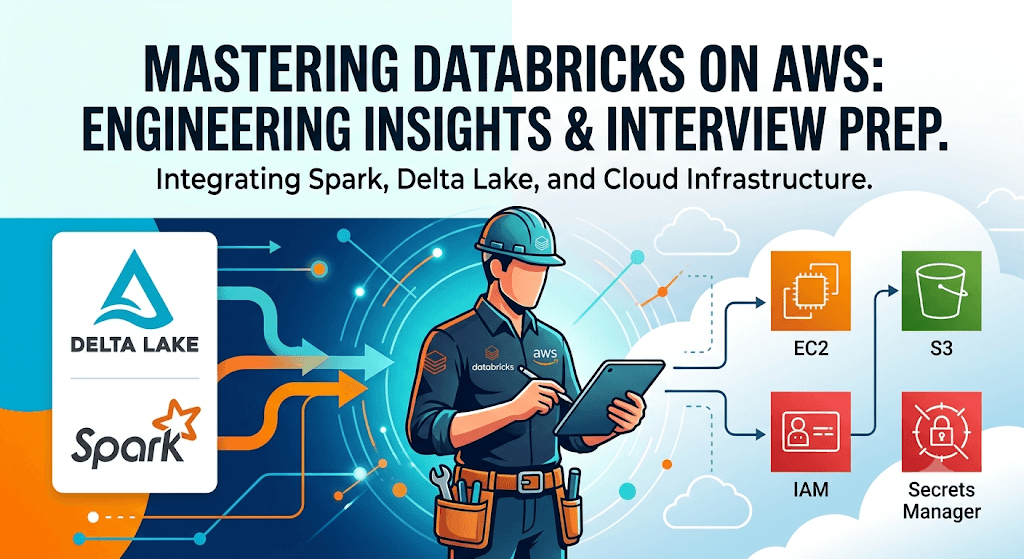
This guide covers Databricks, Apache Spark, Delta Lake, Data Engineering, Data Architecture, AWS Integration, Security, Performance Optimization, Streaming, DevOps, and Real-World Scenarios.
1. Databricks Fundamentals
Q1. What is Databricks?
Answer
Databricks is a cloud-based unified analytics platform built on Apache Spark that provides:
- Data Engineering
- Data Science
- Machine Learning
- Data Warehousing
- AI/GenAI workloads
Key Components:
- Databricks Workspace
- Clusters
- Notebooks
- Delta Lake
- Unity Catalog
- Databricks SQL
- MLflow
Benefits:
- Auto-scaling
- High performance
- Collaborative development
- Managed Spark environment
Q2. Why use Databricks instead of traditional Spark?
Answer
Traditional Spark Challenges:
- Cluster management
- Dependency management
- Scaling complexity
Databricks Advantages:
- Managed Spark
- Auto-scaling clusters
- Delta Lake support
- Collaborative notebooks
- Optimized runtime
- Security integration
Q3. What are Databricks Workspaces?
Answer
Workspace is the collaborative environment where users create:
- Notebooks
- Dashboards
- Libraries
- Jobs
Functions:
- Code development
- Data exploration
- Collaboration
- Pipeline management
Q4. What languages are supported in Databricks?
Answer
Supported Languages:
- Python
- SQL
- Scala
- R
Example:
df = spark.read.csv("/data/file.csv")
display(df)
Q5. What are Databricks Clusters?
Answer
Clusters are compute resources used to run workloads.
Types:
- All-purpose clusters
- Job clusters
Components:
- Driver Node
- Worker Nodes
2. Databricks Architecture
Q6. Explain Databricks Architecture.
Answer
Architecture Layers:
Control Plane
Managed by Databricks:
- Notebook services
- Job scheduler
- Cluster manager
Data Plane
Managed in AWS account:
- EC2
- S3
- VPC
Flow:
Users → Workspace → Spark Cluster → S3 Storage
Q7. What is Driver Node?
Answer
Driver Node:
- Runs Spark Context
- Schedules tasks
- Maintains metadata
Responsibilities:
- DAG creation
- Job execution planning
- Task coordination
Q8. What are Worker Nodes?
Answer
Worker nodes perform:
- Data processing
- Task execution
- Shuffle operations
Each worker contains:
- Executors
- CPU
- Memory
Q9. What is DBFS?
Answer
Databricks File System (DBFS) is a distributed file system abstraction.
Example:
dbutils.fs.ls("/mnt/raw-data")Use Cases:
- Store files
- Mount S3
- Temporary data
Q10. What is Databricks Runtime?
Answer
Optimized Spark runtime provided by Databricks.
Includes:
- Spark
- Delta Lake
- ML libraries
- Performance optimizations
3. Apache Spark Concepts
Q11. What is Apache Spark?
Answer
Open-source distributed processing framework.
Features:
- In-memory processing
- Fault tolerance
- Scalability
Modules:
- Spark Core
- SQL
- Streaming
- MLlib
- GraphX
Q12. What is RDD?
Answer
RDD (Resilient Distributed Dataset)
Characteristics:
- Immutable
- Distributed
- Fault tolerant
Example:
rdd = spark.sparkContext.parallelize([1,2,3])Q13. What is DataFrame?
Answer
Distributed table-like structure.
Benefits:
- Optimized execution
- Catalyst optimizer
- Easier development
Example:
df = spark.read.parquet("/data")Q14. DataFrame vs RDD?
| Feature | RDD | DataFrame |
|---|---|---|
| Optimization | No | Yes |
| Schema | No | Yes |
| Performance | Lower | Higher |
| Ease of use | Complex | Easy |
Q15. What is Spark DAG?
Answer
DAG = Directed Acyclic Graph
Spark converts transformations into DAG before execution.
Stages:
- Transformations
- DAG
- Stages
- Tasks
4. Delta Lake
Q16. What is Delta Lake?
Answer
Open-source storage layer providing:
- ACID transactions
- Schema enforcement
- Time travel
- Data versioning
Q17. Benefits of Delta Lake?
Answer
Major Benefits:
- Reliable pipelines
- Faster queries
- Data consistency
- Streaming support
Q18. What is Time Travel?
Answer
Query historical versions.
Example:
SELECT * FROM sales VERSION AS OF 10;Use Cases:
- Auditing
- Rollback
- Recovery
Q19. What is Schema Enforcement?
Answer
Prevents bad data insertion.
Example:
If table expects integer and string arrives → rejected.
Q20. What is Schema Evolution?
Answer
Allows schema updates.
Example:
.option("mergeSchema","true")Q21. What is OPTIMIZE command?
Answer
Compacts small files.
OPTIMIZE sales;Benefits:
- Faster queries
- Reduced metadata
Q22. What is Z-Ordering?
Answer
Improves query performance.
OPTIMIZE sales
ZORDER BY(customer_id);
Reduces data scanned.
Q23. What is VACUUM?
Answer
Removes old files.
VACUUM sales RETAIN 168 HOURS;Q24. What are ACID transactions?
Answer
- Atomicity
- Consistency
- Isolation
- Durability
Supported by Delta Lake.
5. AWS + Databricks Integration
Q25. How does Databricks integrate with AWS?
Answer
Services:
- S3
- IAM
- Glue
- Redshift
- Kinesis
- Lambda
- SNS
- SQS
Q26. Why use S3 with Databricks?
Answer
Data Lake Storage:
Benefits:
- Unlimited scalability
- Durable
- Cost effective
Example:
spark.read.parquet("s3://bucket/path")Q27. How does IAM work with Databricks?
Answer
IAM Roles provide secure access.
Example:
- Cluster assumes IAM Role
- Access S3 securely
No hardcoded credentials.
Q28. How do you connect Databricks to Redshift?
Answer
Methods:
- JDBC
- Spark Connector
Example:
df.write \
.format("jdbc") \
.option("url", redshift_url)
Q29. What is an Instance Profile?
Answer
AWS IAM Role attached to Databricks clusters.
Benefits:
- Secure authentication
- No secrets required
Q30. How would you secure S3 access?
Answer
Best Practices:
- IAM roles
- Bucket policies
- KMS encryption
- Private endpoints
6. Data Engineering
Q31. Explain ETL in Databricks.
Answer
ETL Flow:
Extract → Transform → Load
Example:
S3 → Databricks → Delta Lake
Q32. What is ELT?
Answer
Extract → Load → Transform
Preferred in cloud architectures.
Q33. How do you ingest JSON data?
df = spark.read.json("/input")Q34. How do you ingest CSV files?
df = spark.read.option("header","true").csv("/data")Q35. How do you handle bad records?
Answer
Options:
.option("mode","PERMISSIVE")Modes:
- PERMISSIVE
- DROPMALFORMED
- FAILFAST
Q36. How do you handle duplicate records?
Answer
df.dropDuplicates()Q37. What is repartition?
Answer
Increases/decreases partitions.
df.repartition(10)Q38. What is coalesce?
Answer
Reduce partitions without shuffle.
df.coalesce(5)7. Performance Optimization
Q39. How do you optimize Spark jobs?
Answer
Methods:
- Partitioning
- Caching
- Broadcast joins
- AQE
- Delta optimization
Q40. What is caching?
df.cache()Stores data in memory.
Q41. What is persistence?
Answer
Stores data:
- Memory
- Disk
df.persist()Q42. What is Broadcast Join?
Answer
Small table copied to workers.
broadcast(df_small)Improves join performance.
Q43. What is Data Skew?
Answer
Uneven data distribution.
Causes:
- Slow tasks
- Executor imbalance
Solutions:
- Salting
- Repartitioning
Q44. What is Adaptive Query Execution (AQE)?
Answer
Runtime optimization feature.
Benefits:
- Dynamic partition sizing
- Join optimization
Q45. How do you identify bottlenecks?
Answer
Use:
- Spark UI
- Ganglia
- Query Plan
- Event logs
8. Streaming
Q46. What is Structured Streaming?
Answer
Spark’s streaming engine.
Supports:
- Exactly-once processing
- Fault tolerance
Q47. What are streaming sources?
Answer
- Kafka
- Kinesis
- Delta Lake
- S3
Q48. What is checkpointing?
Answer
Stores processing state.
.option("checkpointLocation","/checkpoint")Q49. What is watermarking?
Answer
Handles late arriving data.
Example:
.withWatermark("timestamp","10 minutes")Q50. Difference between batch and streaming?
| Batch | Streaming |
|---|---|
| Historical | Real-time |
| Scheduled | Continuous |
9. Unity Catalog
Q51. What is Unity Catalog?
Answer
Centralized governance solution.
Features:
- Data discovery
- Access control
- Lineage
- Auditing
Q52. Benefits of Unity Catalog?
Answer
- Central governance
- Fine-grained access
- Cross-workspace sharing
Q53. Explain hierarchy.
Answer
Metastore
 └ Catalog
    └ Schema
       └ Table
Q54. What is Data Lineage?
Answer
Tracks:
Source → Transformation → Destination
10. Security
Q55. How is Databricks secured?
Answer
Security Layers:
- IAM
- VPC
- Encryption
- Unity Catalog
- Private Link
Q56. Encryption at Rest?
Answer
AWS KMS encrypts:
- S3 data
- Metadata
Q57. Encryption in Transit?
Answer
TLS/SSL.
Q58. What is Private Link?
Answer
Private AWS connectivity without internet exposure.
Q59. Explain Role-Based Access Control.
Answer
Access assigned through roles.
Examples:
- Admin
- Data Engineer
- Analyst
Q60. How do you audit activities?
Answer
Using:
- Audit Logs
- CloudTrail
- Unity Catalog
11. CI/CD & DevOps
Q61. How do you deploy Databricks code?
Answer
Tools:
- GitHub
- Azure DevOps
- Jenkins
- Terraform
Q62. What is Databricks Repos?
Answer
Git integration inside Databricks.
Q63. What is Terraform?
Answer
Infrastructure as Code tool.
Used to create:
- Workspaces
- Clusters
- Jobs
Q64. What are Databricks Jobs?
Answer
Workflow automation service.
Q65. How do you schedule jobs?
Answer
Cron expressions.
Example:
0 0 * * *12. Scenario-Based Questions
Q66. Small files problem?
Answer
Use:
OPTIMIZE table_nameQ67. Pipeline suddenly became slow. What would you check?
Answer
- Spark UI
- Data skew
- Cluster sizing
- Recent code changes
- Shuffle volume
Q68. How would you process 10TB daily?
Answer
- Partitioning
- Delta Lake
- Auto-scaling clusters
- Parallel processing
Q69. How do you design a Bronze-Silver-Gold architecture?
Answer
Bronze:
Raw data
Silver:
Cleaned data
Gold:
Business-ready aggregates
Q70. How would you migrate on-prem Hadoop to Databricks?
Answer
Steps:
- Move data to S3
- Convert to Delta
- Rebuild ETL
- Optimize
- Validate
13. Advanced Databricks Questions
Q71. Explain Photon Engine.
Answer
Vectorized query engine.
Benefits:
- Faster SQL
- Lower costs
- Better performance
Q72. What is Delta Live Tables?
Answer
Managed ETL framework.
Features:
- Quality checks
- Lineage
- Incremental processing
Q73. What is Auto Loader?
Answer
Incremental file ingestion.
cloudFilesSupports billions of files.
Q74. Difference between Auto Loader and Batch Ingestion?
Answer
Auto Loader:
- Incremental
- Event-driven
Batch:
- Full scans
Q75. What is Change Data Feed?
Answer
Tracks inserts, updates, deletes.
Useful for CDC pipelines.
14. AWS Data Engineering Scenarios
Q76. Build a real-time pipeline using AWS and Databricks.
Answer
Architecture:
Kinesis → Databricks Streaming → Delta Lake → Power BI/Tableau
Q77. Design a Data Lakehouse.
Answer
AWS S3
↓
Bronze
↓
Silver
↓
Gold
↓
BI/ML
Q78. How do you handle GDPR deletion?
Answer
- Delta delete
- Vacuum
- Audit logging
Q79. How do you implement CDC?
Answer
Tools:
- AWS DMS
- Debezium
- Delta CDF
Q80. Explain Medallion Architecture.
Answer
Bronze → Silver → Gold
Most common Databricks architecture.
15. Expert-Level Questions
Q81. Explain Catalyst Optimizer.
Answer
Spark SQL optimization engine.
Stages:
- Analysis
- Logical Plan
- Optimization
- Physical Plan
Q82. Explain Tungsten.
Answer
Spark execution engine optimization.
Benefits:
- Better memory management
- CPU efficiency
Q83. What causes shuffle?
Answer
- Join
- GroupBy
- OrderBy
- Distinct
Q84. Explain Narrow vs Wide Transformations.
Answer
Narrow:
Map
Filter
Wide:
Join
GroupBy
Q85. Explain Executor Memory Tuning.
Answer
Optimize:
- Executor count
- Executor memory
- Core allocation
Q86. How do you optimize joins?
Answer
- Broadcast joins
- Bucketing
- Partition pruning
Q87. Explain Dynamic File Pruning.
Answer
Reduces file scans during joins.
Q88. What is Delta Log?
Answer
Transaction log.
Stored under:
_delta_log/Q89. Explain Merge Operation.
Answer
UPSERT support.
MERGE INTOQ90. Explain CDC Merge Pattern.
Answer
Insert, Update, Delete using MERGE.
16. Leadership & Architect Questions
Q91. How would you reduce Databricks costs?
Answer
- Spot instances
- Auto termination
- Photon
- Optimize jobs
Q92. How would you design enterprise governance?
Answer
- Unity Catalog
- RBAC
- Audit logs
- Data lineage
Q93. How do you support multiple teams?
Answer
- Separate catalogs
- Shared governance
- Workload isolation
Q94. How would you migrate 500TB to Databricks?
Answer
Phased migration:
- Assessment
- Data movement
- Validation
- Cutover
Q95. What KPIs would you monitor?
Answer
- Job duration
- Cluster utilization
- Cost per workload
- Data freshness
17. Frequently Asked Hands-On Coding Questions
Q96. Read Delta Table
df = spark.read.format("delta").load(path)Q97. Write Delta Table
df.write.format("delta").save(path)Q98. Merge Delta Table
MERGE INTO target t
USING source s
ON t.id=s.id
WHEN MATCHED THEN UPDATE SET *
WHEN NOT MATCHED THEN INSERT *
Q99. Optimize Table
OPTIMIZE sales;Q100. Vacuum Table
VACUUM sales RETAIN 168 HOURS;Top 20 Questions Most Frequently Asked in Senior Databricks + AWS Interviews
- Explain Databricks Architecture.
- Difference between Delta Lake and Data Lake.
- Explain Medallion Architecture.
- What is Unity Catalog?
- What is Photon Engine?
- Explain Auto Loader.
- What is Delta Live Tables?
- Explain CDC using Delta Lake.
- How does Databricks integrate with AWS?
- What is an Instance Profile?
- Explain Spark DAG.
- What is Data Skew?
- Explain AQE.
- Difference between Repartition and Coalesce.
- Explain Broadcast Join.
- Explain Catalyst Optimizer.
- Explain MERGE INTO.
- How do you optimize a slow Spark job?
- Design a real-time AWS + Databricks pipeline.
- Design a secure enterprise Lakehouse architecture.
For senior-level Databricks Engineer, Data Engineer, Solution Architect, and AWS Data Platform interviews (10–15+ years experience), candidates are also commonly tested on advanced Lakehouse architecture, Unity Catalog governance, Delta Live Tables, streaming design patterns, cost optimization, CI/CD, Terraform, and GenAI integration with Databricks.
This guide covers a comprehensive set of interview questions for Databricks Engineer roles, emphasizing candidates with AWS experience. Questions are grouped by category, progressing from foundational to advanced/scenario-based. Answers include key details, best practices, and AWS-specific integrations.
1. Core Databricks and Architecture
Q: What is Databricks, and how does it differ from standard Apache Spark? A: Databricks is a unified data analytics and AI platform built on Apache Spark. It provides a managed, collaborative environment with notebooks, optimized runtime (Databricks Runtime), and features like Delta Lake for reliability. Unlike open-source Spark (which requires manual cluster management), Databricks offers auto-scaling, built-in security (Unity Catalog), workflows orchestration, and a lakehouse architecture combining data lakes and warehouses.
Q: Explain the Databricks Lakehouse architecture. A: It layers Delta Lake (storage with ACID, schema enforcement, time travel) on cloud object storage, with compute via Spark clusters, governance via Unity Catalog, and tools for ETL, BI, and ML. On AWS, storage uses S3, compute uses EC2 instances managed by Databricks.
Q: What are the different cluster types in Databricks, and when do you use them? A:
- All-Purpose Clusters: Interactive development/notebooks (multi-user).
- Job Clusters: Automated, ephemeral jobs (cost-efficient, auto-terminate).
- SQL Warehouses: For SQL queries and BI tools (serverless or pro). On AWS, configure with instance types (e.g., i3 for storage-heavy), spot instances for cost savings, and auto-scaling policies.
Q: How does Databricks integrate with AWS services? A:
- S3: Primary storage (mount via DBFS or direct paths like s3://bucket/).
- IAM: Instance profiles for secure access (least privilege roles).
- VPC/PrivateLink: Secure networking without public internet.
- CloudWatch: Monitoring metrics/logs.
- Glue: Catalog integration (or use Unity Catalog).
- EMR: Comparison point—Databricks is easier for Spark but has DBU costs.
2. Delta Lake and Data Storage
Q: What is Delta Lake, and how does it provide ACID transactions on S3? A: Delta Lake is an open storage layer adding reliability to data lakes. It uses transaction logs (_delta_log) for ACID properties: Atomicity (all-or-nothing), Consistency, Isolation (MVCC), Durability. On S3 (eventually consistent), it achieves this via optimistic concurrency and checkpointing.
Q: Explain Time Travel, VACUUM, and OPTIMIZE in Delta Lake. A:
- Time Travel: SELECT * FROM table VERSION AS OF 5 or TIMESTAMP AS OF for auditing/recovery.
- OPTIMIZE: Compacts small files (Z-Ordering for clustering).
- VACUUM: Removes old files (default 7-day retention; use DRY RUN first). Best practice: Schedule OPTIMIZE + ZORDER on high-query columns.
Q: How do you handle schema evolution in Delta Lake? A: Use mergeSchema or overwriteSchema options. Set spark.databricks.delta.schema.autoMerge.enabled = true. Supports add columns; restrictive for removals (use replaceWhere carefully).
Q: Delta Lake vs. Parquet? A: Delta adds ACID, schema enforcement, versioning, and unified batch/streaming on top of Parquet files.
3. Spark and Performance Optimization
Q: How do you optimize Spark jobs in Databricks? A:
- Partitioning and bucketing.
- Caching/persistence (df.cache() or MEMORY_AND_DISK).
- Broadcast joins for small tables (spark.sql.autoBroadcastJoinThreshold).
- Adaptive Query Execution (AQE) — enabled by default in recent runtimes.
- Photon acceleration (vectorized engine).
- File compaction and Z-ordering.
Q: Explain small files problem and how to solve it on S3. A: Many small files increase metadata overhead and slow listing. Fix with OPTIMIZE, Auto Loader (with cloudFiles for incremental), or repartition before write. Monitor with Spark UI.
Q: Difference between transformations and actions? Lazy evaluation? A: Transformations (e.g., filter, select) build DAG lazily. Actions (e.g., count, write) trigger execution. This optimizes by avoiding unnecessary computation.
Q: How do you handle skew in joins? A: Salting (add random key), broadcast if possible, or AQE skew join optimization.
4. AWS-Specific and Integration
Q: How do you securely access S3 from Databricks? A: Use IAM instance profiles attached to clusters (assume roles). Avoid access keys. Enable S3 encryption (SSE-KMS). Use Unity Catalog for governance.
Q: Databricks vs. AWS EMR? A: Databricks offers better UX, Delta Lake, unified analytics/ML, and easier management but higher cost (DBUs + EC2). EMR is cheaper for pure Hadoop/Spark batch, deeper AWS-native, but requires more ops effort (e.g., no native notebooks).
Q: How would you design an ETL pipeline from S3/on-prem to Databricks? A:
- Ingest with Auto Loader (cloudFiles).
- Transform in notebooks or Delta Live Tables (DLT).
- Orchestrate with Databricks Workflows (Jobs).
- Load to Delta tables on S3.
- Use AWS Glue/SNS for notifications or Lambda triggers.
Q: Explain networking and security best practices on AWS Databricks. A: VPC peering/PrivateLink, security groups, IP access lists, cluster policies (restrict instance types), secrets in Databricks Secret Scope or AWS Secrets Manager. Least privilege IAM.
5. Orchestration, Streaming, and Advanced Features
Q: What are Databricks Workflows and Delta Live Tables (DLT)? A: Workflows: Orchestration with tasks, dependencies, alerts. DLT: Declarative pipelines with expectations (quality), auto materialization, change data capture. Use DLT for reliable streaming/batch.
Q: How do you implement streaming in Databricks? A: Structured Streaming with Auto Loader for S3 sources. Use foreachBatch for merges. Watermarking for late data. Output to Delta tables.
Q: Unity Catalog — what is it and why use it? A: Centralized governance: 3-level namespace (catalog.schema.table), RBAC, data lineage, auditing. Replaces Hive metastore. Essential for multi-team/secure environments.
6. Scenario-Based and Troubleshooting (AWS Focus)
Q: A job reading from S3 is slow. How do you troubleshoot? A: Check Spark UI (stages, tasks), data skew, small files, network (cross-AZ), instance types. Enable S3A committer, increase parallelism, use predicate pushdown.
Q: How do you optimize costs in Databricks on AWS? A: Job clusters over all-purpose, auto-termination, spot instances, cluster policies, right-size (Photon for faster runs), monitor DBU usage, schedule with Workflows. Use serverless SQL where possible.
Q: Handle concurrent writes to the same Delta table? A: Delta’s optimistic concurrency handles it (retries on conflict). Use MERGE INTO for upserts.
Q: Design a solution for streaming + batch without resource contention. A: Separate clusters/pools or use serverless. Multi-task workflows with different cluster configs. DLT for unified pipelines.
Q: Experience with CI/CD for Databricks pipelines? A: Use Databricks CLI, Terraform for IaC (workspaces, clusters, jobs), Git integration for notebooks, dbx or Databricks Asset Bundles (DABs) for deployment.
7. Behavioral and Experience Questions
- Describe a complex pipeline you built on Databricks + AWS.
- How did you handle production issues (e.g., job failures due to S3 throttling)?
- Experience with MLflow for model management?
- How do you ensure data quality and governance?
Preparation Tips
- Hands-on: Practice with Databricks Community Edition or AWS trial (Auto Loader, DLT, Workflows, Unity Catalog).
- Know Spark UI deeply, Delta commands (DESCRIBE HISTORY, GENERATE symlink_manifest for Athena).
- AWS: IAM roles, S3 best practices, VPC, CloudWatch.
- Emphasize lakehouse benefits over traditional data lakes/warehouses.
This covers the most common and critical topics based on real interview patterns. Tailor answers to your experience, and be ready for live coding (PySpark/Delta SQL) or system design. Good luck!
Part 1: AWS + Databricks Integration (Core)
Q1: How does Databricks integrate with the AWS ecosystem?
Answer: Databricks runs on AWS in a customer’s VPC (or Databricks-managed VPC). Key integrations:
- Data Lake: Uses S3 as primary storage (Delta Lake).
- IAM Roles: Instance profiles for EC2 to access S3, Glue Catalog, etc.
- Networking: VPC peering or PrivateLink for secure communication.
- Metadata: Glue Metastore can be used as Hive metastore.
- Monitoring: CloudWatch metrics, S3 access logs, CloudTrail.
- Security: AWS KMS for encryption, Secrets Manager for credentials.
Q2: How do you configure Databricks to assume an IAM role to access S3?
Answer:
- Create an IAM role with policy allowing
s3:GetObject,PutObject,ListBucket. - Attrust policy allowing
ec2.amazonaws.comand Databricks account ID. - In Databricks, create an Instance Profile (upload role ARN).
- Attach instance profile to cluster (in Advanced options → Instance Profile).
- Access:
spark.read.format("delta").load("s3://bucket/path")
Q3: How would you set up a secure Databricks workspace on AWS?
Answer:
- Network: Deploy in your own VPC (no public IPs), enable PrivateLink for UI/API access.
- Security Groups: Restrict ingress to corporate VPN/Databricks control plane.
- Storage: Enable S3 bucket policies and KMS encryption.
- Auth: SSO with AWS IAM Identity Center or SAML 2.0.
- Secrets: Use Databricks Secrets backed by AWS Secrets Manager.
- Audit: Enable CloudTrail + Databricks audit logs.
Part 2: Delta Lake & Table Management
Q4: What is Delta Lake and how does it interact with S3?
Answer: Delta Lake is an ACID table storage layer on top of Parquet files.
- Storage: Delta table =
s3://bucket/path/table/containing.parquetfiles +_delta_log/. - Write guarantees: ACID, time travel, schema enforcement.
- Optimization: Z-ordering, vacuum, optimize (compaction).
- AWS: S3 is eventually consistent, but Delta Lake uses commit logs to ensure consistency.
Q5: Explain how to perform time travel on a Delta table stored in S3.
Answer:
sql
-- By version
SELECT * FROM my_table VERSION AS OF 5

-- By timestamp
SELECT * FROM my_table TIMESTAMP AS OF '2025-01-01'

-- Python
df = spark.read.format("delta") \
  .option("versionAsOf", 5) \
  .load("s3://path/table")
Under the hood: Delta log stores transaction history. Time travel reads the table state at that version.
Q6: What is VACUUM in Delta Lake, and how do you manage it on AWS S3?
Answer: VACUUM removes old file versions (not needed for time travel).
- Default retention: 7 days (cannot be less than 168 hours in production).
- Command:
VACUUM delta.`/mnt/table\RETAIN 168 HOURS` - S3 cost impact: Reduces storage cost by deleting unreferenced files.
- Caution: Don’t vacuum if you have concurrent readers on older versions.
Part 3: Performance Tuning on AWS
Q7: How do you handle data skew when joining large tables on Databricks/AWS?
Answer:
- Salting: Add a random salt key to distribute skewed key.
- Auto-optimize:
spark.sql.adaptive.skewJoin.enabled=true(AQE). - Broadcast hint: For small table (<10GB) →
/*+ BROADCAST(small_df) */. - Cluster sizing: Use spot instances for non-critical shuffle partitions.
- Partition pruning: Use partition columns (e.g.,
year/month/day) on S3 paths.
Q8: Explain how you would optimize a Spark job reading many small files from S3.
Answer:
- Problem: S3 list + open overhead → many tasks.
- Solution:
OPTIMIZE(Delta) to coalesce small files.spark.sql.files.maxPartitionBytes=256MBspark.sql.files.openCostInBytes=4MB- Use Auto Loader with file notification mode (SQS) to avoid listing.
- Bucketing:
CLUSTER BYkey.
Q9: What is Photon and when should you enable it on AWS?
Answer: Photon is Databricks’ native vectorized query engine (C++).
- When to enable: Complex SQL aggregations, joins, window functions; Parquet/Delta scans.
- Not beneficial: UDF-heavy workloads, row-by-row ops.
- AWS: Works with all EC2 instances (optimized on i3/enhanced networking).
- Toggle:
spark.databricks.photon.enabled=true(SQL Analytics or DBR 9+).
Part 4: Data Engineering & ETL
Q10: How do you implement incremental ETL from S3 to Delta Lake?
Answer:
- Auto Loader (structured streaming):
python
df = spark.readStream.format("cloudFiles") \
  .option("cloudFiles.format", "json") \
  .option("cloudFiles.schemaLocation", "s3://checkpoint/") \
  .load("s3://raw-bucket/") \
  .writeStream.format("delta") \
  .option("checkpointLocation", "s3://checkpoint/") \
.table("bronze_table")- For batch: Use
merge(upsert) with last_modified timestamp.
Q11: Explain idempotent writes in Databricks on S3.
Answer: Idempotent = same result if run multiple times.
- Streaming:
checkpointLocationin S3 ensures exactly-once. - Batch: Use
INSERT OVERWRITEwith partition orMERGEwith unique key. - Delta:
MERGE INTO target USING updates ON key WHEN MATCHED THEN UPDATE ... WHEN NOT MATCHED THEN INSERT * - S3 note: Avoid rename-based commits; Delta’s transaction log handles atomicity.
Q12: You are asked to reduce S3 GET/LIST request costs. How?
Answer:
- Use Delta’s
OPTIMIZEto reduce number of files. - Enable S3 inventory + partition pruning to limit scanned prefixes.
- Use Auto Loader’s file notification mode (SQS) instead of directory listing.
- Increase
spark.sql.files.maxPartitionBytesto reduce task count. - Cache frequently accessed tables using
spark.table(...).cache().
Part 5: Migration to Databricks on AWS
Q13: How would you migrate Hive tables from AWS EMR to Databricks?
Answer:
- Metadata: Use Glue Metastore → attach same Glue catalog in Databricks.
- Data: Leave data in S3; change table location to Delta format.
- Convert to Delta:
sql
CONVERT TO DELTA parquet.`s3://old/table/path`
- Performance: Run
OPTIMIZEandANALYZE TABLE. - Validation: Compare row counts, checksums.
Q14: What is a deep clone vs shallow clone in Delta and their AWS cost implications?
Answer:
- Shallow clone: Copies only metadata (pointers to existing Parquet files). No extra S3 storage → cheap, fast.
- Deep clone: Physically copies all data → new S3 objects, higher storage cost.
- Use shallow clone for testing/branching; deep clone for archival or breaking dependency.
Part 6: Security & Governance
Q15: How do you implement column-level access control in Databricks on AWS?
Answer:
- Dynamic View: Create view with masking logic.
- Unity Catalog (UC): Best approach.
- Create metastore in AWS root account.
- Use UC’s
GRANT SELECT (col1, col2) ON table TO user. - Integrate with AWS IAM for identity passthrough.
- Legacy:
spark.sql.ansi.enabled+ row/col filters via views.
Q16: How do you rotate AWS access keys used by Databricks jobs?
Answer:
- Recommended: Use Instance Profiles (IAM role attached to EC2) → no keys to rotate.
- If keys must be used: Store in Databricks Secrets + AWS Secrets Manager.
- Rotate process:
- Generate new keys in AWS IAM.
- Update secret in AWS Secrets Manager.
- Databricks secret scope auto-refreshes (if configured with
rotation). - Avoid hardcoding.
Part 7: Cost Optimization
Q17: How do you reduce costs of S3 + Databricks?
Answer:
- Storage:
- Enable S3 lifecycle policies (move old Delta files to Glacier).
- Run
VACUUMregularly. - Use
OPTIMIZEfor fewer, larger files.
- Compute:
- Use Spot Instances for non-critical tasks.
- Enable Cluster auto-scaling (min→max).
- Use SQL Serverless (pay per query, no cluster management).
- Terminate idle clusters (set auto-termination to 30 min).
- Data transfer: Keep compute in same AZ as S3 bucket.
Q18: Explain difference between OPTIMIZE and ZORDER BY.
Answer:
- OPTIMIZE: Compacts small files into larger ones (improves read speed).
- ZORDER BY: Clusters related data in same files (improves skip index for filters).
- Example:
sql
OPTIMIZE my_table
ZORDER BY (event_date, user_id)
- On AWS: Both generate new Parquet files in S3; old files removed after
VACUUM.
Part 8: Monitoring & Troubleshooting
Q19: How do you debug a slow Spark job reading from S3?
Answer:
- Spark UI: Look for:
- High task count → many small files.
- Skewed tasks → data skew.
- Large input read time → S3 latency.
- S3 metrics: CloudWatch → high GET/LIST latency, 503 throttling.
- Fix:
- Enable
s3a.fast.uploadandspark.hadoop.fs.s3a.connection.maximum=100. - Use
OPTIMIZEorREPARTITION. - Increase
spark.sql.shuffle.partitionsdynamically.
- Enable
Q20: How would you troubleshoot “S3 request rate exceeded” from Databricks?
Answer:
- Cause: Too many parallel requests to the same S3 prefix.
- Diagnose: Check Spark UI → S3 task retries, CloudWatch
ThrottlingException. - Fixes:
- Add partition columns (e.g.,
year=2025/month=02). - Use S3 request price prefix:
s3://bucket/prefix1/,prefix2/. - Enable
fs.s3a.attempts.maximum=20andfs.s3a.retry.interval=500ms. - Reduce spark.sql.shuffle.partitions if too high.
- Add partition columns (e.g.,
Part 9: Scenario-Based
Q21: Your AWS Databricks job fails with “java.net.SocketTimeoutException: Connect to s3.amazonaws.com:443”. Why?
Answer:
- Possible causes:
- VPC/security group blocking outbound HTTPS to S3.
- S3 gateway endpoint missing from route tables.
- Instance profile missing S3 permissions.
- Network ACLs on subnet.
- Fix: Add S3 VPC endpoint, verify IAM role, check security group egress.
Q22: Design a GDPR-compliant data pipeline using Databricks on AWS.
Answer:
- S3 buckets: Encrypted at rest with KMS (customer-managed key).
- Delta tables: Enable
delta.enableChangeDataFeed = truefor audit. - PII masking: Unity Catalog dynamic views / column masking.
- Delete user data: Use
MERGEorDELETE FROM+VACUUMto purge. - Logging: CloudTrail + Databricks audit logs to S3 (immutable).
- Access: IAM + SCIM to enforce least privilege.
Part 10: Coding & SQL (Examples)
Q23: Write a Databricks notebook cell to read from Kinesis (AWS) and upsert into Delta.
Answer:
python
stream_df = spark.readStream \
  .format("kinesis") \
  .option("streamName", "my-stream") \
  .option("endpointUrl", "https://kinesis.us-east-1.amazonaws.com") \
  .option("awsAccessKey", dbutils.secrets.get("aws", "key")) \
  .option("awsSecretKey", dbutils.secrets.get("aws", "secret")) \
  .load()

query = stream_df.writeStream \
  .foreachBatch(lambda df, epoch: df.write \
    .format("delta") \
    .mode("append") \
    .option("mergeSchema", "true") \
    .save("/mnt/delta/table")) \
  .option("checkpointLocation", "s3://checkpoint/kinesis/") \
  .start()
Q24: Write SQL to find duplicate records in a Delta table and deduplicate keeping latest based on updated_at.
Answer:
sql
WITH deduped AS (
  SELECT *,
    ROW_NUMBER() OVER (PARTITION BY id ORDER BY updated_at DESC) as rn
  FROM my_delta_table
)
DELETE FROM my_delta_table
WHERE (id, updated_at) IN (
  SELECT id, updated_at FROM deduped WHERE rn > 1
);
-- Or use MERGE / INSERT OVERWRITE
Final Tips for Interview
| Area | Must-Know |
|---|---|
| AWS | S3 consistency, IAM roles, VPC endpoints, KMS, Glue Metastore |
| Databricks | Delta Lake, Unity Catalog, Photon, Auto Loader, Structured Streaming |
| Performance | Partitioning, Z-order, OPTIMIZE, AQE, bucketing |
| Security | Instance profile, secrets, private link, audit logs |
| Cost | Spot instances, auto-scaling, lifecycle policies, VACUUM |

