
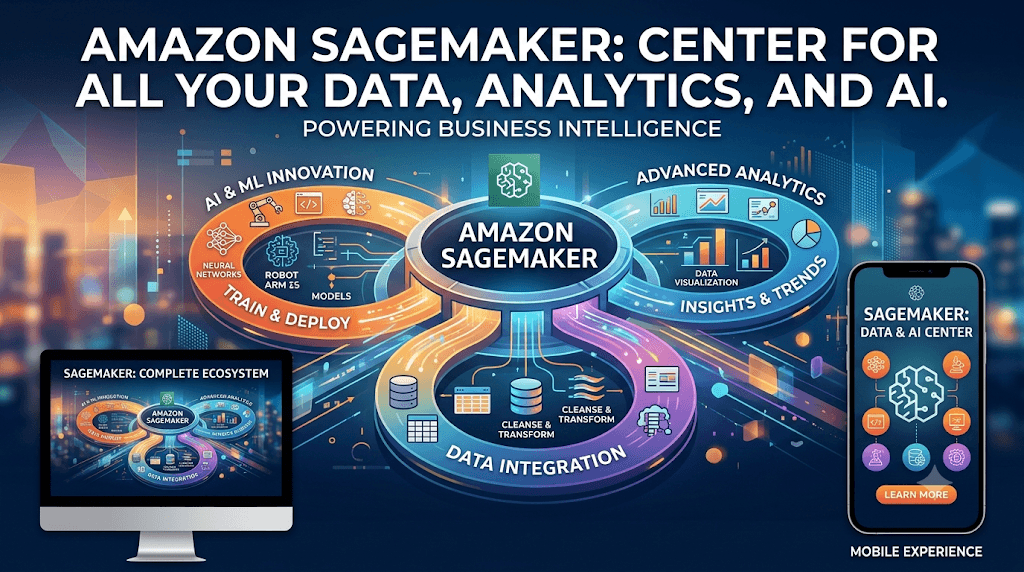
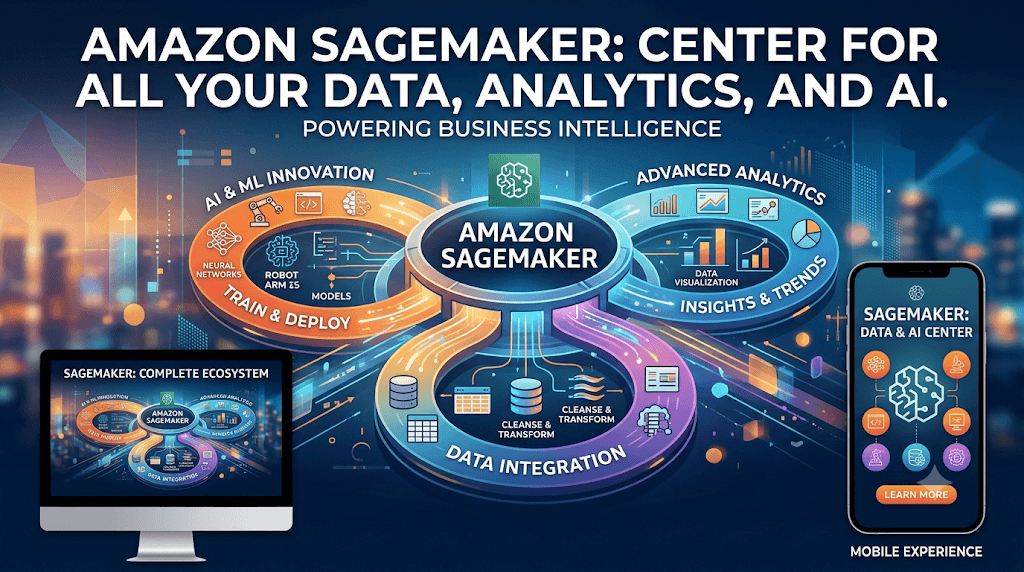
The next generation of Amazon SageMaker is the center for all your data, analytics, and AI
What is the next generation of Amazon SageMaker?
The next generation of SageMaker is a unified platform for data, analytics, and AI. Bringing together widely adopted AWS machine learning (ML) and analytics capabilities, the next generation of SageMaker delivers an integrated experience for analytics and AI with unified access to all your data. SageMaker allows you to collaborate and build faster from a unified studio using familiar AWS services for model development, generative AI, data processing, and SQL analytics, accelerated by Amazon Q Developer, the most capable generative AI assistant for software development. Additionally, you can access all your data whether it’s stored in data lakes, data warehouses, or third-party or federated data sources, with governance built in to address enterprise security needs.
How is the new SageMaker different from what I am using today for my ML workflows?
We expanded the widely adopted SageMaker service with the comprehensive set of AWS data, analytics, and AI capabilities to deliver a unified experience of data, analytics, and AI. Going forward, the existing set of AI/ML capabilities in SageMaker for data wrangling, building, training, and deploying AI models will be referred to as Amazon SageMaker AI. SageMaker AI is integrated within the next generation of SageMaker and is also available as a standalone service for those who wish to focus specifically on building, training, and deploying AI and ML models at scale.
The next generation SageMaker includes:
- Amazon SageMaker Unified Studio: Build in a single development environment to access and use familiar tools and functionality from purpose-built AWS analytics and AI/ML services like Amazon EMR, AWS Glue, Amazon Athena, Amazon Redshift, Amazon Bedrock, and SageMaker AI.
- Amazon SageMaker Data and AI Governance: Securely discover, govern, and collaborate on data and AI with Amazon SageMaker Catalog, built on Amazon DataZone.
What capabilities are included with the next generation of SageMaker?
The next generation of SageMaker includes the following capabilities:
- SageMaker Unified Studio: Build with all your data and tools for analytics and AI in a single environment.
- SageMaker Data and AI Governance: Securely discover, govern, and collaborate on data and AI with SageMaker Catalog, built on Amazon DataZone.
- Model development: Build, train, and deploy ML and foundation models (FMs) with fully managed infrastructure, tools, and workflows with SageMaker AI (formerly SageMaker).
- Generative AI app development: Build and scale generative AI applications with Amazon Bedrock.
- SQL analytics: Gain insights with Amazon Redshift, the most price-performant SQL engine.
- Data processing: Analyze, prepare, and integrate data for analytics and AI using open source frameworks on Athena, Amazon EMR, and AWS Glue.
Amazon SageMaker is built on an open Lakehouse architecture, fully compatible with Apache Iceberg. It unifies all your data across Amazon S3 data lakes, Amazon Redshift data warehouses, third-party and federated data sources.
Amazon SageMaker — Complete Q&A Reference Guide
1. Fundamentals
Q: What is Amazon SageMaker? A: A fully managed AWS service that lets developers and data scientists build, train, tune, and deploy machine learning models at scale. It removes the heavy lifting of infrastructure management across the entire ML lifecycle: data prep, experimentation, training, tuning, deployment, and monitoring.
Q: What problem does SageMaker solve? A: Traditionally, ML workflows required manually provisioning servers, installing frameworks, managing clusters for distributed training, and building custom deployment pipelines. SageMaker provides managed infrastructure and tooling so teams can focus on the model and data instead of operations.
Q: What are the core stages of the SageMaker ML workflow? A:
- Data preparation/labeling (Data Wrangler, Ground Truth, Feature Store)
- Build (notebooks, built-in algorithms, custom containers)
- Train and tune (Training Jobs, Automatic Model Tuning, Debugger)
- Deploy (real-time endpoints, batch transform, serverless, async inference)
- Monitor (Model Monitor, Clarify, CloudWatch)
- Orchestrate/MLOps (Pipelines, Model Registry, Projects)
Q: Is SageMaker serverless? A: Parts of it are. SageMaker Serverless Inference and SageMaker Canvas abstract away server management, but training jobs and many endpoint types still run on provisioned instances you select (though SageMaker manages their lifecycle for you).
2. Notebooks and Development Environments
Q: What is a SageMaker Notebook Instance? A: A managed EC2 instance running Jupyter, pre-loaded with common ML frameworks (TensorFlow, PyTorch, MXNet, scikit-learn) via conda environments.
Q: What is SageMaker Studio? A: A web-based IDE for the full ML lifecycle, providing a single pane of glass for notebooks, experiment tracking, pipelines, model registry, debugging, and deployment — all in one visual interface.
Q: What is SageMaker Studio Lab? A: A free, no-AWS-account-required notebook environment for learning and experimentation, with limited compute (CPU/GPU) and storage.
Q: What is SageMaker Studio Notebooks vs. Notebook Instances? A: Studio notebooks run on shared, elastic compute that can be resized without restarting the kernel and are tightly integrated with Studio’s other features (experiments, pipelines). Notebook Instances are standalone EC2-backed Jupyter servers, simpler but less integrated.
Q: What is JumpStart? A: A hub of pre-trained, open-source models (vision, text, tabular) and solution templates that can be deployed or fine-tuned with a few clicks, accessible from Studio.
Q: What is SageMaker Canvas? A: A no-code visual interface for building ML models — business analysts can generate predictions without writing code, using AutoML under the hood.
3. Data Preparation
Q: What is SageMaker Data Wrangler? A: A visual tool to import, clean, transform, visualize, and analyze data for ML, supporting hundreds of built-in transformations and exporting to a Pipeline, Feature Store, or processing job with one click.
Q: What is SageMaker Ground Truth? A: A data labeling service that uses human labelers (your own workforce, Mechanical Turk, or vendor workforces) combined with active learning to reduce labeling cost and effort. Ground Truth Plus is a fully managed labeling service where AWS manages the workforce.
Q: What is SageMaker Feature Store? A: A centralized repository to store, share, and manage curated features for ML, with both an online store (low-latency lookups for real-time inference) and an offline store (for training and batch use, backed by S3).
Q: What is SageMaker Processing? A: A capability to run data preprocessing, postprocessing, feature engineering, and model evaluation workloads as managed jobs, using your own scripts or built-in containers (e.g., scikit-learn, Spark).
Q: What is SageMaker Clarify? A: A tool for detecting bias in datasets and models (pre-training and post-training bias metrics) and for generating model explainability reports using SHAP values.
4. Training
Q: What is a SageMaker Training Job? A: A managed compute job that pulls training data (typically from S3), spins up the requested instances, runs the training script or algorithm in a container, writes model artifacts back to S3, and tears down the infrastructure afterward — you only pay for the training time.
Q: What are SageMaker’s built-in algorithms? A: Pre-implemented, optimized algorithms requiring no custom code, including:
- Linear Learner – regression/classification
- XGBoost – gradient boosted trees
- K-Means – clustering
- PCA – dimensionality reduction
- Factorization Machines – recommendation/sparse data
- Random Cut Forest – anomaly detection
- DeepAR – time-series forecasting
- BlazingText – text classification/word embeddings
- Object2Vec – embeddings for general objects
- Image Classification / Object Detection / Semantic Segmentation – CV tasks
- Seq2Seq – translation/summarization
- IP Insights – anomalous IP usage detection
- LDA / Neural Topic Model – topic modeling
Q: What are the three ways to bring your own model to SageMaker? A:
- Built-in algorithm — use AWS-provided container, just point to data.
- Script mode — bring your own training script for a supported framework (TensorFlow, PyTorch, etc.); SageMaker provides the container.
- Bring Your Own Container (BYOC) — package your own Docker container implementing the SageMaker training/serving contract for full control.
Q: What is “Pipe mode” vs “File mode” in training data input? A: File mode downloads the full dataset to the training instance’s disk before training starts. Pipe mode streams data directly from S3 to the algorithm, reducing startup time and disk requirements — useful for very large datasets. FastFile mode is a newer hybrid offering streaming-like performance with file-mode simplicity.
Q: What is Managed Spot Training? A: Using EC2 Spot Instances for training jobs to reduce costs by up to 90%, with SageMaker automatically handling interruptions via checkpointing.
Q: What is Distributed Training in SageMaker? A: SageMaker supports data parallelism and model parallelism for training large models across multiple instances/GPUs. The SageMaker Distributed Data Parallel (SMDDP) and SageMaker Model Parallel (SMP) libraries optimize this beyond standard frameworks like Horovod or PyTorch DDP.
Q: What is SageMaker Debugger? A: A tool that captures real-time training metrics (gradients, weights, loss) to detect issues like vanishing gradients, overfitting, or exploding tensors, and can trigger automatic actions (e.g., stopping a job).
Q: What is SageMaker Experiments? A: A capability to track, organize, and compare ML experiments (parameters, metrics, artifacts) across multiple training runs.
Q: What is Automatic Model Tuning (Hyperparameter Optimization)? A: A managed service that runs multiple training jobs with different hyperparameter combinations to find the best-performing model, using strategies like Bayesian optimization, random search, grid search, or Hyperband.
Q: What is Warm Start in hyperparameter tuning? A: Reusing results from previous tuning jobs as a starting point for a new tuning job, speeding up convergence.
5. Deployment / Inference
Q: What inference options does SageMaker offer? A:
- Real-Time Inference — persistent endpoint for low-latency, synchronous predictions.
- Serverless Inference — auto-scaling endpoint with no instance management, ideal for intermittent traffic.
- Batch Transform — run inference on a full dataset at once, no persistent endpoint needed.
- Asynchronous Inference — queues requests for large payloads or long processing times, scales to zero when idle.
Q: What is a SageMaker Endpoint? A: A managed HTTPS endpoint backed by one or more instances hosting your model, used for real-time inference requests.
Q: What is Multi-Model Endpoint (MME)? A: A single endpoint that can host thousands of models, dynamically loading/unloading models from S3 into memory as needed — reduces cost when many models are rarely-but-individually invoked.
Q: What is Multi-Container Endpoint? A: An endpoint hosting multiple different containers (potentially different frameworks) behind a single endpoint, invoked either directly or sequentially (inference pipeline).
Q: What is an Inference Pipeline? A: A sequence of 2-15 containers chained together on a single endpoint (e.g., preprocessing → model → postprocessing) processed in order for a single inference request.
Q: What is Production Variants / A/B Testing? A: SageMaker endpoints can host multiple model variants simultaneously with configurable traffic-splitting weights, enabling canary deployments and A/B testing.
Q: What is Shadow Testing in SageMaker? A: Deploying a new model variant that receives a copy of production traffic without affecting actual responses, used to validate performance before full rollout.
Q: What is SageMaker Inference Recommender? A: A tool that automatically benchmarks and recommends the optimal instance type and configuration for deploying a model based on latency/throughput requirements and cost.
Q: What is Elastic Inference (EI)? A: (Largely deprecated in favor of Inferentia/Graviton) A capability to attach fractional GPU acceleration to CPU instances to reduce inference costs.
Q: What are SageMaker Neo and Inferentia? A: Neo compiles trained models to run optimally on specific target hardware (edge devices, specific instance types). Inferentia (Inf1/Inf2) is AWS’s custom silicon for high-performance, low-cost ML inference, used with the Neuron SDK.
Q: What is SageMaker Edge Manager? A: A capability (now largely folded into Edge functionality) to optimize, secure, monitor, and manage ML models deployed on fleets of edge devices.
6. MLOps / Orchestration
Q: What is SageMaker Pipelines? A: A purpose-built CI/CD service for ML that lets you define, automate, and manage end-to-end ML workflows (data prep → train → evaluate → register → deploy) as a directed acyclic graph (DAG), with caching and lineage tracking.
Q: What is the SageMaker Model Registry? A: A catalog for versioning trained models, tracking metadata, approval status (approved/rejected/pending), and managing the model lifecycle before deployment.
Q: What is SageMaker Projects? A: Pre-built MLOps templates (integrated with CodePipeline/CodeCommit or third-party tools) that scaffold CI/CD pipelines for ML, enabling repeatable, auditable workflows.
Q: What is SageMaker ML Lineage Tracking? A: Automatic capture of the lineage of an ML workflow’s steps — from raw data to deployed model — for auditing, reproducibility, and compliance.
Q: What is SageMaker Model Monitor? A: A service that continuously monitors deployed models for data drift, model quality drift, bias drift, and feature attribution drift by comparing live inference data/predictions against a baseline.
7. Security
Q: How does SageMaker handle network isolation? A: Notebook instances, training jobs, and endpoints can be deployed inside a VPC with no internet access, using VPC endpoints (PrivateLink) for S3 and other AWS services.
Q: What encryption does SageMaker support? A: Encryption at rest using AWS KMS (for notebooks, training/processing job volumes, model artifacts in S3) and encryption in transit via TLS. Inter-container traffic encryption can also be enabled for distributed training/multi-container setups.
Q: How does SageMaker integrate with IAM? A: Every SageMaker resource (notebook, training job, endpoint) runs under an IAM execution role defining what AWS resources it can access (e.g., specific S3 buckets).
Q: What is Network Isolation mode in SageMaker? A: A setting that prevents a training/inference container from making any outbound network calls at all, used for stricter security postures (containers can’t even call other AWS services).
8. Pricing and Cost Management
Q: How is SageMaker priced? A: Pay-as-you-go, based on:
- Instance-hours for notebooks, training, processing, and real-time endpoints
- Per-request and per-GB-processed for Serverless Inference
- Storage (EBS, S3) used
- Data labeling (per object/per hour for Ground Truth)
- No charge for the orchestration features themselves (Pipelines, Model Registry) beyond underlying compute
Q: How can you reduce SageMaker training costs? A: Managed Spot Training, right-sizing instance types, distributed training to reduce wall-clock time, using Pipe/FastFile mode to cut idle data-loading time, and early stopping in hyperparameter tuning.
Q: How can you reduce SageMaker inference costs? A: Use Serverless Inference or Asynchronous Inference for sporadic traffic, Multi-Model Endpoints for many low-traffic models, auto-scaling for real-time endpoints, Inferentia instances, and SageMaker Neo-compiled models.
9. Common Exam/Interview-Style Q&A
Q: When would you choose Batch Transform over a real-time endpoint? A: When you need predictions on a large, finite dataset without needing low-latency responses, and you don’t want to pay for a persistent endpoint (e.g., nightly scoring jobs).
Q: When would you use Serverless Inference vs. a real-time endpoint? A: Serverless Inference is best for unpredictable or intermittent traffic with idle periods, since it scales to zero and you avoid paying for idle instances. Real-time endpoints are better for steady, predictable, latency-sensitive traffic, since serverless has cold-start latency.
Q: How does SageMaker support distributed training across multiple GPUs? A: Through data parallelism (splitting the dataset across devices, each with a full model copy, syncing gradients) and model parallelism (splitting a single large model across devices when it doesn’t fit on one GPU), using SageMaker’s own SMDDP/SMP libraries or open-source frameworks like Horovod/DeepSpeed.
Q: What’s the difference between SageMaker Autopilot and Canvas? A: Autopilot is AutoML aimed at data scientists/developers — it generates and lets you inspect candidate notebooks/pipelines for full transparency and control. Canvas is a no-code UI aimed at business analysts, hiding the underlying complexity entirely.
Q: How does Model Monitor detect data drift? A: It captures a baseline statistical profile of training data, then continuously compares live inference input/output distributions against that baseline using statistical tests, flagging violations via CloudWatch alarms.
Q: What’s the difference between SageMaker’s built-in XGBoost algorithm and bringing your own XGBoost script? A: The built-in algorithm requires no custom code (just point to data and set hyperparameters) and is optimized/maintained by AWS. A custom script (via Script Mode) gives full control over preprocessing, custom loss functions, or library versions not exposed by the built-in container.
Q: How would you reduce inference latency for a deployed model? A: Use a smaller/optimized model (e.g., distillation, quantization), compile with SageMaker Neo for the target hardware, use Inferentia instances, enable auto-scaling to prevent cold queuing, and use Multi-Model Endpoint caching wisely (or avoid MME if cold-load latency is unacceptable).
Q: How do you ensure reproducibility of ML experiments in SageMaker? A: Use SageMaker Experiments to track parameters/metrics, Pipelines for versioned, repeatable DAGs, Model Registry for model versioning, and Lineage Tracking to trace data → model → deployment relationships.
Q: What happens to the underlying compute after a SageMaker Training Job finishes? A: SageMaker automatically terminates the training instances; you’re billed only for the duration of the job, and model artifacts are persisted to the S3 location you specified.
Q: Can SageMaker integrate with Kubernetes? A: Yes — via SageMaker Operators for Kubernetes and the SageMaker Components for Kubeflow Pipelines, allowing teams already standardized on K8s to launch managed SageMaker jobs from their existing tooling.
Q: How does SageMaker support generative AI / foundation models? A: Via JumpStart (deploy/fine-tune open foundation models with one click), Bedrock integration patterns, and native support for large-scale distributed training/fine-tuning (LoRA, PEFT techniques) using the Model Parallel library for very large models.
10. Quick-Reference Comparison Tables
Inference option comparison
| Option | Latency | Traffic pattern | Scales to zero | Max payload |
|---|---|---|---|---|
| Real-Time | ms-level | Steady/predictable | No | 6 MB |
| Serverless | Cold start possible | Intermittent/spiky | Yes | 4-6 MB |
| Batch Transform | N/A (offline) | Bulk/scheduled | N/A | Large datasets |
| Asynchronous | Seconds-minutes | Large payload/long compute | Yes | 1 GB |
Training data input mode comparison
| Mode | Behavior | Best for |
|---|---|---|
| File | Downloads full dataset first | Small/medium datasets |
| Pipe | Streams data during training | Very large datasets |
| FastFile | Streams with file-like semantics | Large datasets needing random access |
This guide covers SageMaker’s major capabilities as of early 2026. AWS frequently renames or reorganizes features (e.g., some legacy services like Elastic Inference are being phased out), so for the most current details, check the official AWS SageMaker documentation.
Amazon SageMaker is a comprehensive, fully managed machine learning (ML) service from AWS. It’s important to note that the service underwent a major evolution at re:Invent 2024. It is now a unified platform for data, analytics, and AI, with the core machine learning capabilities rebranded as Amazon SageMaker AI .
Here is a breakdown of its key capabilities.
🤖 Core Machine Learning & Model Development (SageMaker AI)
This is the heart of the service for building, training, and deploying models, now under the name SageMaker AI. It includes tools for the entire ML lifecycle :
- Amazon SageMaker Studio: A single, web-based integrated development environment (IDE) where you can perform all ML development steps, from data preparation to deployment .
- Amazon SageMaker Autopilot: An automated machine learning (AutoML) capability that automatically builds, trains, and tunes the best model for your tabular data, while still providing full visibility into the process .
- Amazon SageMaker JumpStart: A model hub with over 150 popular open-source and proprietary foundation models, offering one-click deployment and fine-tuning .
- Data Preparation & Labeling: Services like SageMaker Data Wrangler for data preparation, SageMaker Feature Store for storing and sharing features, and SageMaker Ground Truth for creating high-quality labeled training datasets .
- Training & Optimization: Includes SageMaker Experiments to track model iterations, SageMaker Debugger to monitor training and detect anomalies, and distributed training libraries for large-scale models. It also supports Managed Spot Training to reduce training costs by up to 90% .
- Deployment & Management: Offers one-click deployment for real-time inference or batch transform, along with SageMaker Model Monitor to detect and alert on model drift, and SageMaker Pipelines for creating and managing end-to-end MLOps workflows .
🏗️ The Next Generation: A Unified Platform
The “next generation of Amazon SageMaker” expands far beyond model building. It is designed to unify your data and AI tools, governed by a single platform .
This unified platform is built on an open lakehouse architecture (compatible with Apache Iceberg) that unifies access to all your data across Amazon S3 data lakes, Amazon Redshift data warehouses, and other federated sources .
It comprises two main components:
- Amazon SageMaker Unified Studio: A single, collaborative development environment where you can access and use familiar tools and functionality from purpose-built AWS analytics and AI/ML services. From this studio, you can perform :
- SQL Analytics: Query your data directly on S3 using Amazon Athena or Amazon Redshift.
- Data Processing: Run Apache Spark, Trino, and other open-source frameworks with services like Amazon EMR and AWS Glue.
- Generative AI Application Development: Access Amazon Bedrock’s capabilities to build and customize gen AI applications with foundation models.
- Machine Learning: Use all the core SageMaker AI tools for model development.
- Data and AI Governance: This provides enterprise-level security and data management with built-in governance throughout the lifecycle. It includes Amazon SageMaker Catalog for discovering, governing, and collaborating on data and AI assets. You can apply Amazon Bedrock Guardrails to filter model outputs for responsible AI development .
📊 Comparison of Key Capabilities
To help clarify the scope, here’s a comparison of the main capabilities:
I hope this detailed breakdown provides a clear picture of all the capabilities within the modern Amazon SageMaker platform.
Amazon SageMaker (now encompassing the next-generation unified platform and the core SageMaker AI service) is Amazon Web Services’ (AWS) fully managed platform for the entire machine learning (ML), data, analytics, and AI lifecycle.
Overview and Evolution
- Original SageMaker (launched 2017): A fully managed ML service to build, train, and deploy models at scale, removing infrastructure heavy lifting for data scientists and developers. It drew on Amazon’s internal ML experience (recommendations, personalization, etc.).
- Rebranding and Next Generation (announced re:Invent 2024): SageMaker evolved into a unified platform for data, analytics, and AI. The core ML capabilities were renamed Amazon SageMaker AI (formerly just SageMaker). The broader “Amazon SageMaker” now integrates:
- SageMaker AI: Core for building/training/deploying ML and foundation models (FMs).
- SageMaker Unified Studio: Single integrated development environment (IDE) for analytics and AI workflows.
- SageMaker Lakehouse: Unifies data across S3 data lakes, Redshift warehouses, third-party, and federated sources (Apache Iceberg-compatible).
- SageMaker Catalog (built on Amazon DataZone): For discovery, governance, and collaboration on data/AI assets.
- Integration with tools like Amazon Bedrock (generative AI), Redshift (SQL analytics), Athena/EMR/Glue (data processing), and Amazon Q Developer (AI assistance).
It addresses common pain points: data scientists spend only ~20-30% of time on actual modeling; the rest is infrastructure, data wrangling, and ops. SageMaker aims to unify siloed workflows with governance.
Core Components and Capabilities
SageMaker AI (Core ML Service):
- Build: Notebooks (JupyterLab, Studio, Code Editor), Data Wrangler for prep, Feature Store, JumpStart (1,000+ pre-trained models from Meta, Mistral, etc., with one-click deployment/customization).
- Train: Distributed training, HyperPod (resilient clusters for large-scale training with fault tolerance, up to 40% faster; supports thousands of accelerators), automatic model tuning, built-in algorithms + bring-your-own (BYO) frameworks (TensorFlow, PyTorch, etc.).
- Deploy/Inference: Real-time, serverless, asynchronous, batch. Optimization techniques, multi-model endpoints, A/B testing. Supports 70++ instance types.
- Monitor/Govern: Model Monitor, Clarify (bias/explainability), Debugger, Profiler, MLOps with Pipelines, MLflow integration for experiments.
Key Innovations (as of 2026):
- HyperPod: Resilient clusters, elastic training, checkpointless training.
- Serverless model customization (e.g., reinforcement learning via AI agents).
- Inference optimizations (e.g., P-EAGLE for speculative decoding speedups).
- Strong integration with generative AI (fine-tuning FMs, Bedrock).
Unified Studio and Broader Platform:
- Single workspace for SQL analytics, data processing, model dev, gen AI apps.
- AI-assisted workflows (Amazon Q Developer).
- End-to-end governance: Fine-grained access, lineage, data quality, responsible AI (toxicity detection, guardrails).
Supported Frameworks: Major ones like TensorFlow, PyTorch, MXNet, scikit-learn, plus custom containers and Kubernetes/EKS integration.
How It Works (Build/Train/Deploy Lifecycle)
- Data Prep: Connect to S3/Redshift/etc., use Data Wrangler, Feature Store.
- Build/Train: Notebooks or pipelines; distributed training on managed or HyperPod clusters.
- Deploy: Endpoints with autoscaling; monitor for drift.
- MLOps: Pipelines for automation, governance throughout.
Use Cases
- Demand forecasting, fraud detection, predictive maintenance, recommendation engines, medical imaging, personalization, generative AI apps (chatbots, content generation), computer vision, NLP.
- Industries: Automotive (Toyota), telecom (Charter), homebuilding (Lennar), manufacturing (Carrier), finance (NatWest), healthcare, etc.
Pricing
Pay-as-you-go (no upfront commitments for on-demand):
- Charged primarily for compute instances (training, inference, notebooks), storage (S3, EBS), data processing, etc.
- Free Tier: Significant credits for first 1-2 months (e.g., 250 hours ml.t3.medium notebooks, training/inference hours, etc.).
- Savings Plans: Up to 64% off with usage commitments.
- Specifics vary by component (e.g., HyperPod, JumpStart, serverless inference by duration/memory; Data Agent credits).
- Use the AWS Pricing Calculator for estimates. TCO often lower than self-managed alternatives.
Note: Unified Studio access is generally free; you pay for underlying resources.
Security, Compliance, and Governance
- Enterprise-grade: IAM, VPC, encryption, private endpoints.
- Built-in responsible AI, data lineage, fine-grained permissions.
- Compliance with major standards (supports HIPAA, etc., depending on config).
Getting Started
- AWS Free Tier / Console.
- JumpStart for quick starts.
- Tutorials, documentation, and hands-on labs available.
Limitations/Considerations
- Costs can add up with heavy GPU/accelerator usage; optimize with Spot, Savings Plans, serverless options.
- Learning curve for advanced MLOps/HyperPod.
- Vendor lock-in typical of cloud ML platforms, though open frameworks help.
For the absolute latest details, check the official AWS documentation and console, as features evolve rapidly (e.g., new HyperPod releases, Studio updates in 2025-2026).
SageMaker is one of AWS’s fastest-growing services, widely adopted for production ML at scale.
Amazon SageMaker Complete Learning & Interview Guide
What is Amazon SageMaker?
Amazon SageMaker is a fully managed Machine Learning (ML) and Generative AI service from Amazon Web Services (AWS) that enables data scientists, ML engineers, and developers to build, train, deploy, monitor, and manage machine learning models at scale.
It removes much of the infrastructure complexity involved in machine learning by providing managed services for:
- Data Preparation
- Feature Engineering
- Model Training
- Hyperparameter Tuning
- Model Deployment
- Model Monitoring
- MLOps
- Generative AI Development
- Foundation Model Fine-Tuning
SageMaker Architecture
Data Sources
     |
     v
Amazon S3 / Redshift / RDS / DynamoDB
     |
     v
SageMaker Processing
     |
     v
Feature Engineering
     |
     v
Feature Store
     |
     v
Training Jobs
     |
     v
Model Registry
     |
     v
Deployment Endpoint
     |
     v
Applications / APIs
     |
     v
Model Monitoring
Core Components of SageMaker
1. SageMaker Studio
Web-based IDE for Machine Learning.
Features:
- Jupyter Notebooks
- Data Exploration
- Model Training
- Experiment Tracking
- Debugging
- Pipeline Management
Benefits:
- Single interface for ML lifecycle
- Integrated with AWS services
- Collaborative environment
2. SageMaker Notebooks
Managed Jupyter Notebook environment.
Types:
Notebook Instances
Traditional notebook servers.
Studio Notebooks
Modern cloud-native notebooks.
Supported Languages:
- Python
- Spark
- SQL
Data Preparation
SageMaker Data Wrangler
Used for:
- Data Cleaning
- Missing Value Handling
- Feature Engineering
- Data Transformation
Supports:
- Amazon S3
- Redshift
- Snowflake
- Databricks
- Athena
Example Transformations:
Drop Nulls
Normalize Data
One-Hot Encoding
Scaling
Feature Selection
Feature Engineering
SageMaker Feature Store
Central repository for ML features.
Benefits:
Feature Reuse
Avoid duplicate feature engineering.
Consistency
Training and inference use same features.
Online Store
Low latency predictions.
Offline Store
Historical analysis.
Architecture:
Feature Generation
       |
       v
Feature Store
    /      \
Online    Offline
Store      Store
Model Training
SageMaker Training Jobs
Managed training infrastructure.
Workflow:
Training Data
      |
      v
Training Job
      |
      v
Model Artifacts
      |
      v
S3
Training Types:
Single Instance Training
One EC2 instance.
Distributed Training
Multiple nodes.
GPU Training
Deep Learning workloads.
Built-in Algorithms
Popular algorithms include:
XGBoost
- Classification
- Regression
Linear Learner
- Linear Regression
- Binary Classification
Random Cut Forest
- Anomaly Detection
K-Means
- Clustering
PCA
- Dimensionality Reduction
BlazingText
- NLP
Object Detection
- Computer Vision
Custom Training
You can bring your own container.
Supported Frameworks:
- TensorFlow
- PyTorch
- Scikit-learn
- MXNet
- Hugging Face
Example:
from sagemaker.pytorch import PyTorch

estimator = PyTorch(
    entry_point='train.py',
    framework_version='2.0',
    py_version='py310',
    role=role,
    instance_count=1,
    instance_type='ml.g5.xlarge'
)

estimator.fit()
Distributed Training
Used when datasets are huge.
Techniques:
Data Parallelism
Dataset split across nodes.
Model Parallelism
Model split across nodes.
Benefits:
- Faster training
- Lower training time
Hyperparameter Tuning
Automatically finds best parameters.
Example:
Learning Rate
Batch Size
Epochs
Dropout
Hidden Layers
Optimization Methods:
- Bayesian Optimization
- Random Search
Benefits:
- Better accuracy
- Reduced manual effort
SageMaker Autopilot
AutoML service.
Functions:
- Feature Selection
- Algorithm Selection
- Model Training
- Hyperparameter Optimization
Use Cases:
- Citizen Data Scientists
- Rapid Prototyping
Model Deployment
Real-Time Endpoint
Used for:
- Fraud Detection
- Recommendation Systems
- Chatbots
Architecture:
Application
     |
     v
API
     |
     v
SageMaker Endpoint
     |
     v
Model
Batch Transform
Used when real-time prediction isn’t required.
Examples:
- Daily Predictions
- Monthly Forecasting
Benefits:
- Lower cost
- Large-scale processing
Asynchronous Inference
Best for:
- Long-running inference
- Large payloads
Examples:
- Medical Imaging
- Video Analysis
Serverless Inference
No infrastructure management.
Benefits:
- Pay per request
- Cost-efficient
Multi-Model Endpoint
Host multiple models on one endpoint.
Benefits:
- Reduced cost
- Shared infrastructure
Generative AI with SageMaker
Foundation Models
Access models from:
- Anthropic Claude
- Meta Llama
- Mistral
- DeepSeek
- Amazon Nova
Through:
SageMaker JumpStart
Provides:
- Pre-trained Models
- One-click Deployment
- Fine-Tuning
SageMaker JumpStart
Prebuilt ML and Generative AI solutions.
Capabilities:
- Deploy Foundation Models
- Fine-Tune Models
- Solution Templates
Example Use Cases:
- Chatbots
- Document Summarization
- RAG Systems
Fine-Tuning Models
Methods:
Full Fine-Tuning
Train all parameters.
PEFT
Parameter Efficient Fine Tuning.
Examples:
- LoRA
- QLoRA
Benefits:
- Lower cost
- Faster training
RAG with SageMaker
Architecture:
User Query
    |
    v
Embedding Model
    |
    v
Vector Database
    |
    v
Retrieved Context
    |
    v
LLM
    |
    v
Response
Common Integrations:
- OpenSearch
- Pinecone
- FAISS
- Aurora PostgreSQL pgvector
MLOps in SageMaker
SageMaker Pipelines
Automates ML workflows.
Stages:
Data Prep
   |
Feature Engineering
   |
Training
   |
Evaluation
   |
Approval
   |
Deployment
Benefits:
- Automation
- Reproducibility
- Governance
Model Registry
Stores:
- Model Versions
- Metadata
- Approval Status
Lifecycle:
Training
    |
Model Registry
    |
Approval
    |
Deployment
Experiment Tracking
Track:
- Training Runs
- Hyperparameters
- Metrics
Examples:
Accuracy
Precision
Recall
F1 Score
AUC
Model Monitoring
Detects:
Data Drift
Input data changes.
Concept Drift
Prediction behavior changes.
Bias Drift
Fairness issues.
Model Quality Drift
Accuracy degradation.
SageMaker Clarify
Used for:
Bias Detection
Check fairness.
Explainability
Understand model decisions.
Techniques:
- SHAP Values
- Feature Importance
SageMaker Debugger
Monitors training jobs.
Detects:
- Overfitting
- Underfitting
- Vanishing Gradients
- Exploding Gradients
Security in SageMaker
IAM
Control permissions.
Example:
Least Privilege Access
Role-Based Access
VPC Integration
Private networking.
Benefits:
- No internet exposure
- Secure communication
Encryption
At Rest
AWS KMS
In Transit
TLS
PrivateLink
Secure service communication.
Secrets Manager
Store credentials securely.
Monitoring & Logging
CloudWatch
Monitor:
- CPU
- Memory
- GPU
- Latency
- Throughput
CloudTrail
Tracks:
- API Calls
- User Activity
SageMaker Pricing Model
Pay for:
Notebook Instances
Hourly
Training Jobs
Per second billing
Endpoints
Running instances
Storage
S3 usage
Processing Jobs
Resource consumption
Cost Optimization:
- Spot Training
- Serverless Inference
- Auto Scaling
- Endpoint Shutdown
SageMaker Real-Time Project Scenario
Healthcare Predictive Analytics Platform
Challenge
Predict patient risk scores from millions of healthcare records.
Solution
S3 Data Lake
      |
Data Wrangler
      |
Feature Store
      |
Training Jobs
      |
Hyperparameter Tuning
      |
Model Registry
      |
Real-Time Endpoint
      |
Monitoring
Benefits
- 35% faster predictions
- 60% reduced infrastructure effort
- Automated retraining
Most Asked Amazon SageMaker Interview Questions & Answers
Q1. What is Amazon SageMaker?
A fully managed AWS service for building, training, deploying, and monitoring ML models at scale.
Q2. SageMaker vs SageMaker Studio?
| SageMaker | SageMaker Studio |
|---|---|
| ML Platform | IDE |
| Service | User Interface |
| Backend Infrastructure | Frontend Experience |
Q3. What is SageMaker JumpStart?
Provides pre-trained models, foundation models, and solution templates for quick deployment and fine-tuning.
Q4. What is Feature Store?
Centralized repository to store and reuse ML features for training and inference.
Q5. Real-Time vs Batch Transform?
| Real-Time | Batch |
|---|---|
| Immediate predictions | Scheduled predictions |
| Low latency | High volume |
| Always running | On-demand |
Q6. What is Hyperparameter Tuning?
Automated search for optimal model parameters using Bayesian Optimization.
Q7. What is Model Drift?
When production data behavior differs from training data, causing reduced model accuracy.
Q8. What is SageMaker Clarify?
Bias detection and model explainability service.
Q9. What is SageMaker Pipelines?
CI/CD framework for ML workflows.
Q10. How do you secure SageMaker?
- IAM Roles
- VPC
- PrivateLink
- KMS Encryption
- CloudTrail Auditing
- Secrets Manager
Advanced Architect-Level Interview Questions
- Design an enterprise MLOps architecture using SageMaker.
- Explain distributed training in SageMaker.
- Design a RAG platform using SageMaker and Bedrock.
- How would you implement multi-model endpoints?
- Explain serverless inference internals.
- How would you monitor model drift?
- Design SageMaker for healthcare HIPAA workloads.
- How would you deploy Llama 3 using SageMaker?
- Explain LoRA fine-tuning architecture.
- Design a multi-account SageMaker platform using AWS Organizations.
Key Topics to Master for Senior/Lead/Architect Interviews
✅ SageMaker Studio
✅ JumpStart
✅ Feature Store
✅ Data Wrangler
✅ Training Jobs
✅ Distributed Training
✅ Hyperparameter Tuning
✅ Autopilot
✅ Model Registry
✅ MLOps Pipelines
✅ Clarify
✅ Debugger
✅ Monitoring
✅ Serverless Inference
✅ Multi-Model Endpoints
✅ Generative AI
✅ Foundation Models
✅ RAG Architectures
✅ LoRA / QLoRA Fine-Tuning
✅ Security & Compliance
✅ Cost Optimization
✅ Enterprise MLOps Architecture
For a 14+ years experienced AWS/AI Architect or Senior Data Engineer interview, focus especially on SageMaker MLOps, Generative AI integration with Amazon Bedrock, RAG architectures, distributed training, security, and enterprise-scale deployment patterns, as these are the most frequently tested topics in senior AWS AI platform roles.

