
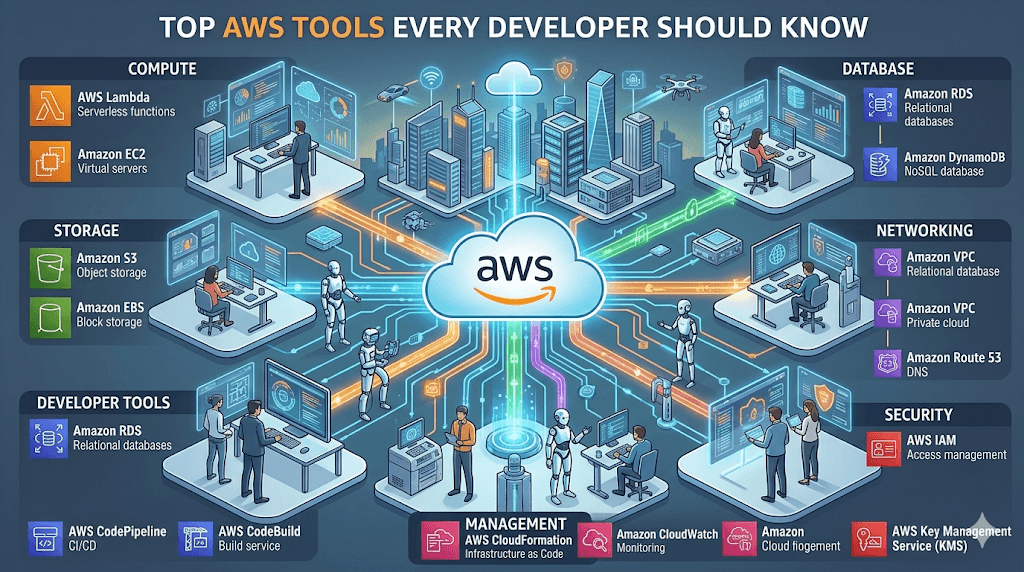
Cloud computing has become the backbone of modern software development, and Amazon Web Services (AWS) continues to lead the industry. Whether you’re building a startup, scaling a SaaS product, or deploying enterprise applications, AWS offers powerful tools to help you move faster and smarter.
In this guide, we’ll explore the Top AWS Tools Every Developer Should Know in 2026 — including what they do, why they matter, and when to use them.
🚀 Why Developers Love AWS
Before diving into tools, here’s why AWS is so popular among developers:
- Scalable infrastructure
- Pay-as-you-go pricing
- Global availability
- Massive ecosystem
- Strong security and reliability
Now let’s explore the most important AWS tools.
1. Amazon EC2 (Elastic Compute Cloud)


7
What It Is
Amazon EC2 allows developers to launch virtual servers in the cloud.
Why Developers Use It
- Host websites
- Run backend applications
- Deploy APIs
- Build scalable infrastructure
Key Features
- Auto Scaling
- Load Balancing
- Multiple OS support
- Flexible pricing
When to Use EC2
Use EC2 when you need full control over your server.
2. AWS Lambda (Serverless Computing)


8
What It Is
AWS Lambda lets you run code without managing servers.
Why Developers Love Lambda
- No server management
- Pay only for execution time
- Auto scaling
- Event-driven architecture
Common Use Cases
- APIs
- Automation
- Data processing
- Background jobs
When to Use Lambda
Use Lambda when you want serverless architecture.
3. Amazon S3 (Simple Storage Service)


7
What It Is
Amazon S3 is object storage for files, images, videos, and backups.
Why Developers Use S3
- Store static files
- Host static websites
- Backup data
- Store logs
Key Features
- Unlimited storage
- High durability (99.999999999%)
- Global availability
When to Use S3
Use S3 when you need reliable file storage.
4. Amazon RDS (Relational Database Service)


5
What It Is
Amazon RDS is a managed relational database service.
Supported Databases
- MySQL
- PostgreSQL
- MariaDB
- Oracle
- SQL Server
Why Developers Use RDS
- Automated backups
- Auto scaling
- High availability
- Managed infrastructure
When to Use RDS
Use RDS when you need managed databases.
5. Amazon DynamoDB


6
What It Is
DynamoDB is a serverless NoSQL database.
Why Developers Use DynamoDB
- Fast performance
- Serverless
- Scalable
- Low latency
Common Use Cases
- Gaming apps
- Real-time apps
- IoT apps
- Mobile apps
6. AWS CloudFront (CDN)


7
What It Is
CloudFront is a Content Delivery Network (CDN).
Why Developers Use CloudFront
- Faster websites
- Reduced latency
- Global content delivery
- Security protection
When to Use
Use CloudFront when you want faster global performance.
7. AWS API Gateway
What It Is
API Gateway allows developers to create and manage APIs.
Why Developers Use It
- Create REST APIs
- Create GraphQL APIs
- Secure endpoints
- Connect Lambda functions
Common Use Cases
- Mobile apps
- Backend services
- Microservices
8. AWS IAM (Identity and Access Management)
What It Is
IAM controls who can access your AWS resources.
Why Developers Must Know IAM
- Security control
- Role management
- User permissions
- Access policies
Why It’s Important
Security is critical when working in the cloud.
9. AWS CloudWatch
What It Is
CloudWatch is AWS monitoring and logging service.
Why Developers Use It
- Monitor servers
- Track logs
- Set alerts
- Debug applications
10. AWS Elastic Beanstalk
What It Is
Elastic Beanstalk makes app deployment easier.
Why Developers Use It
- One-click deployment
- Auto scaling
- Managed infrastructure
Supported Languages
- Node.js
- Python
- Java
- .NET
- PHP
Bonus AWS Tools Developers Should Learn
Here are additional tools worth learning:
- AWS CodePipeline (CI/CD)
- AWS CodeBuild (Build automation)
- AWS CodeDeploy (Deployment)
- AWS Step Functions (Workflows)
- AWS SNS (Notifications)
- AWS SQS (Queue service)
- AWS ECS (Containers)
- AWS EKS (Kubernetes)
🧠 Best AWS Learning Path for Developers
Beginner → Intermediate → Advanced
Beginner
- EC2
- S3
- IAM
Intermediate
- Lambda
- API Gateway
- RDS
Advanced
- DynamoDB
- CloudFront
- Kubernetes (EKS)
🚀 Final Thoughts
AWS offers 200+ services, but you don’t need to learn them all.
Start with the tools listed above, and you’ll be able to build production-ready cloud applications.
Top 5 AWS Tools to Start Today
- EC2
- S3
- Lambda
- RDS
- IAM
Master these first, and you’re already ahead of most developers.
Conclusion
AWS offers over 200 services, but focusing on these top tools will cover 80–90% of what most developers need daily. From reliable compute with EC2 and Lambda to storage with S3, databases with RDS and DynamoDB, and modern deployment pipelines, these services form a powerful toolkit for building the next generation of applications.
Stay curious, experiment often, and keep an eye on innovations like deeper AI integrations and serverless advancements. The cloud rewards those who build efficiently and scale intelligently.
Ready to level up? Start a new project on AWS today and tag your progress with #AWSDeveloper on social media.
What’s your favorite AWS tool? Share in the comments below!
Published on InspireViralTimes.com Empowering developers with practical cloud knowledge | April 2026
This article is for educational purposes. Always refer to the official AWS documentation for the latest features, pricing, and best practices.


Comments are closed.