
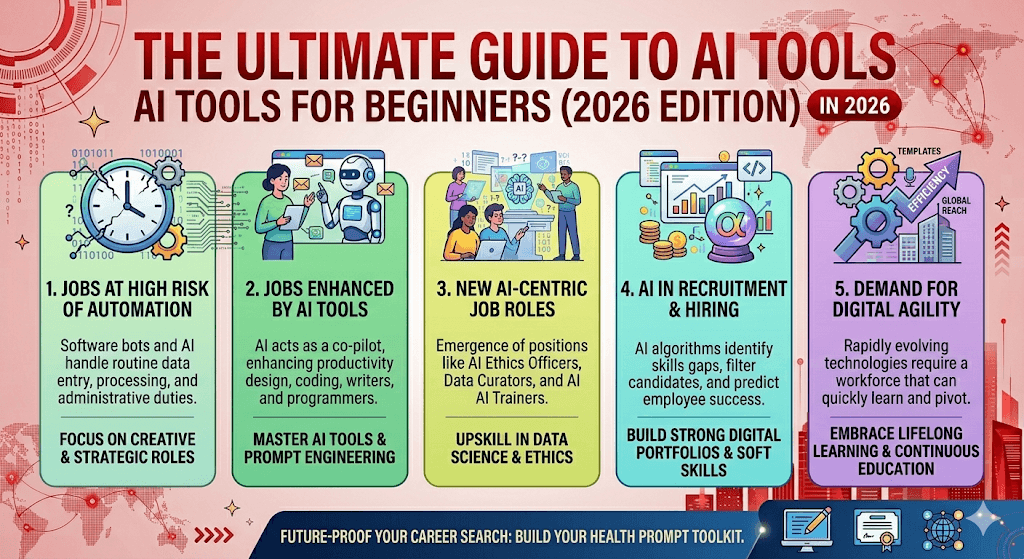
The ultimate guide to AI tools for beginners (2026 edition)
There are hundreds of AI tools competing for your attention. Here’s how to cut through the noise and actually get started — without spending a dime or losing your mind.
Let’s be honest: the AI tool landscape in 2026 is overwhelming. A new tool drops every week, every newsletter screams about something “game-changing,” and half of them disappear within six months.
So instead of another listicle of 50 tools you’ll never actually try, this guide is different. It’s written for the person who’s curious, maybe a little skeptical, and just wants to know where to start — practically and honestly.
“You don’t need ten AI tools. You need two or three that you actually use every day. That’s where the real productivity lives.”
By the end of this post, you’ll have a clear picture of what AI tools can (and can’t) do, which ones are genuinely beginner-friendly, and how to build a simple stack that covers 90% of your needs without paying anything.
What is an AI tool, exactly?
An AI tool is any software application that uses artificial intelligence to perform tasks that would otherwise require human effort — writing, coding, designing, researching, answering questions, generating images, and more.
The big leap in 2026 is that most of these tools now work through plain English. You describe what you want, and the tool does it. No special skills, no coding required. The barrier to entry is basically zero.
Quick framing: Think of AI tools as very capable assistants that work instantly and never get tired. They’re not magic, and they make mistakes — but used well, they can save you hours every week.
The 7 categories every beginner should know
AI tools fall into a handful of clear categories. Understanding this makes it much easier to pick what you actually need instead of chasing shiny new apps.
Hidden gem: NotebookLM’s Audio Overview feature can turn any set of documents into a podcast-style conversation between two AI hosts. It’s surprisingly good for auditory learners and commutes.
Your beginner starter stack (free)
You don’t need all of these. Here’s the simplest possible starting point — five tools that cover almost everything a beginner needs, all for free.
The free beginner stack for 2026
This stack handles writing, research, document work, and visual creation — the four things most beginners need. Every one of them is free to start. Get comfortable here before exploring anything else.
5 mistakes beginners make (and how to avoid them)
1. Trying too many tools at once
The biggest mistake. You sign up for eight tools in a weekend, get overwhelmed, and use none of them consistently. Pick one or two. Master them. Then expand.
2. Treating AI output as final
AI tools make things up. They get facts wrong. They produce generic output if you give them a vague prompt. Always review, fact-check, and put your own voice into the work. Think of AI as a first draft, not a finished product.
3. Writing weak prompts
If you type “write a blog post,” you’ll get a mediocre blog post. If you type “write a conversational 800-word blog post for first-time dog owners about crate training, including common mistakes and a warm encouraging tone,” you’ll get something genuinely useful. Be specific.
Prompt formula that works: [Role] + [Task] + [Context] + [Format] + [Tone]. Example: “You are a financial advisor. Explain compound interest to a 25-year-old with no investing experience. Use 3 short paragraphs and everyday language.”
4. Ignoring free tiers
Most of the best AI tools have genuinely useful free tiers in 2026. ChatGPT free includes GPT-4o. Claude free includes Sonnet. GitHub Copilot added a free tier last year. Don’t pay for anything until you’ve used the free version enough to know it’s worth it.
5. Thinking AI will do everything for you
AI is a force multiplier, not a replacement for thinking. The people getting the most out of these tools are the ones who combine their own judgment, creativity, and expertise with AI’s speed and scale. The tool is only as smart as the person using it.
What AI tools are actually changing in 2026
A few shifts worth knowing if you’re just getting started:
Agents are mainstream now. AI tools no longer just respond — they take actions. Zapier Agents, Gemini’s Deep Research mode, and Perplexity’s research features can browse the web, fill forms, send emails, and execute multi-step tasks with minimal input from you.
Context windows got huge. Tools like Claude and Gemini can now read extremely long documents in a single session — hundreds of pages. This makes them genuinely useful for legal contracts, research papers, and technical documentation.
AI is now inside everything. Canva, Grammarly, Notion, Google Docs, Microsoft Word — every major tool you already use probably has AI baked in now. You may already have access to powerful AI features you haven’t enabled yet.
Multimodal is the default. The best tools now handle text, images, audio, and video. You can photograph a handwritten note and ask Claude to turn it into a formatted document, or upload a screenshot and ask Gemini to explain what it shows.
Frequently asked questions
Do I need to pay for AI tools?
Not to start. The free tiers of ChatGPT, Claude, Gemini, Perplexity, and NotebookLM are all substantial in 2026. Most beginners can go weeks or months before hitting a reason to pay.
Are AI tools safe to use?
For general tasks, yes. The main precaution: don’t paste sensitive personal information, passwords, confidential business data, or private client details into public AI tools. Read the privacy policy of any tool before using it for professional work.
Which tool is “the best”?
There isn’t one. Different tools excel at different things. ChatGPT is great for breadth. Claude is great for depth and writing quality. Perplexity is great for cited research. The right answer is always “best for what?”
Will AI take my job?
Realistically: AI is changing job descriptions, not eliminating them wholesale. People who use AI tools effectively are more productive — and that’s a competitive advantage, not a threat. The risk isn’t AI replacing you; it’s someone who uses AI well replacing you.
Start small. Start today.
You don’t need a masterplan to get started with AI. Pick one tool from this guide — ChatGPT if you’re unsure — and use it for one real task this week. Ask it to rewrite an email. Summarize a document. Help you brainstorm ideas for a project. The best way to learn AI tools is to just start using them. Everything else clicks into place from there.

