
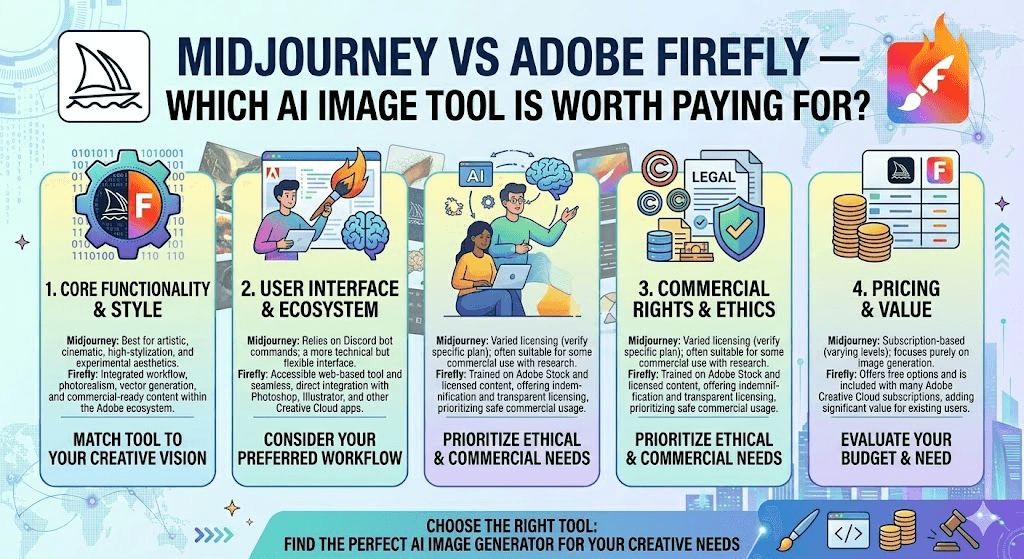
Blog article comparing Midjourney and Adobe Firefly AI image tools in 2026
Midjourney vs Adobe Firefly — which AI image tool is worth paying for?
Both tools have grown up. One produces images that look like art. The other fits right into your existing workflow. Here’s how to figure out which one actually deserves a spot in your budget.
The artist’s tool
Unmatched aesthetic intelligence and creative ambition. Produces images that feel authored, not generated.
From $10/month · Discord + web interface
The professional’s tool
Commercial safety, Creative Cloud integration, and legally defensible outputs. Built for teams and production work.
Free tier available · From $9.99/month standalone
Here’s something worth saying up front: the “which one is better?” question is actually a red herring. These two tools are built for entirely different people with different problems to solve. What’s genuinely helpful — and what this article tries to do — is make the right answer obvious for your specific situation.
Both platforms have changed significantly in the past year. Midjourney launched V7 in April 2025 and made it the default model in June 2025, with a rebuilt AI architecture bringing sharper hands, better coherence, and a new Draft Mode that generates images 10× faster at half the credit cost. Adobe Firefly, meanwhile, has evolved well past its tentative early releases — a new Fill and Expand model ships with Photoshop 27.3+, and the platform now serves as an aggregator for partner models including GPT Image Generation and Runway Gen-4, all under one subscription.
Image quality: what you actually get
Midjourney V7 produces images with a quality that’s genuinely hard to describe without resorting to the word “taste.” There’s a painterly atmosphere to its outputs — the kind of mood, lighting, and compositional instinct that makes an image feel like it was art-directed rather than auto-generated. For conceptual work, editorial illustration, branding moodboards, and anything where visual impact matters above all else, it remains the benchmark.
Adobe Firefly isn’t trying to compete on that dimension — and that’s not a criticism. Its outputs feel purposeful and production-ready. Where Firefly genuinely shines is in context-aware tasks: Generative Fill that blends seamlessly into an existing photo, text effects that would take hours to produce manually, and style consistency across a brand campaign. The recently updated Fill and Expand model shows meaningful improvements in contextual blending, especially for product and architectural photography.
Pricing, side by side
| Plan | Midjourney | Adobe Firefly |
|---|---|---|
| Free tier | None (no free tier) | 25 credits/month — watermarked output |
| Entry paid | $10/mo — 200 fast generations | $9.99/mo — 2,000 premium credits |
| Mid tier | $30/mo — unlimited relaxed generations | $19.99/mo — 4,000 premium credits |
| Creative Cloud users | No bundling benefit | 500–1,000 credits already included with CC |
| High-volume / team | $60/mo Pro · $120/mo Mega | $199.99/mo Premium (50,000 credits) |
| Key gotcha | Discord required for some features | Credits don’t roll over month to month |
The most important pricing insight is this: if you’re already paying for Adobe Creative Cloud, Firefly is effectively bundled in. You’re not paying for a second tool — you’re unlocking AI features inside apps you already have open. Buying a standalone Firefly plan on top of an existing CC subscription is, in most cases, redundant.
For Midjourney, the $30 Standard plan is where value clicks into place. Unlimited relaxed-mode generations gives high-volume creators essentially infinite output for a flat fee. Just know there’s no free option to test it first before committing.
Commercial use and the legal question
This is the part most comparison articles gloss over — and it’s genuinely important for anyone doing client work, selling products, or working in an organization with a legal review process.
Firefly was built from the ground up with commercial safety as a priority. Its models are trained exclusively on Adobe Stock licensed imagery, openly licensed content, and public domain material. Adobe provides IP indemnification for Enterprise customers, and every generated file embeds a verifiable Content Authenticity signature. In practical terms: a legal team can approve Firefly outputs without a lengthy review process.
Midjourney grants commercial rights to paid subscribers, but the company has not disclosed its training data sources and is currently facing lawsuits from artists over unauthorized use of their work. For millions of creators, this doesn’t present a real problem — the legal landscape is unsettled rather than decided. But for agencies serving enterprise clients, or anyone doing high-volume print or merchandise, the risk calculus is meaningfully different.
Workflow and interface
Midjourney operates through Discord (and increasingly via its own web app), which still feels unusual for professional creative work. The upside is that the Discord community is genuinely active and useful — a constant stream of prompts, techniques, and inspiration from other users. The web interface is improving rapidly, with a cleaner visual prompt builder and gallery.
Firefly’s interface advantage is deep. Generative Fill inside Photoshop, Generative Recolor in Illustrator, text effects in Adobe Express — these aren’t separate tools you switch to, they’re contextual capabilities that appear exactly where you need them in your existing workflow. The Firefly plugin for Figma extends this to UI and product design. For designers already living inside Adobe products all day, this integration removes almost all workflow friction.
Who should choose which
- Prioritize raw image quality and artistic depth
- Work on concept art, illustration, or editorial projects
- Create high volumes of images regularly ($30 plan)
- Want to experiment with anime/Niji style work
- Don’t need deep integration with other design tools
- Already pay for Adobe Creative Cloud
- Need commercially safe, indemnified output
- Work in or with enterprise clients and agencies
- Use Generative Fill / Expand inside Photoshop daily
- Want one platform that handles stills, video, and text effects
New in 2025–2026 worth knowing
Midjourney V7, which became the default model in June 2025, brought a completely rebuilt architecture with meaningfully better hand and body coherence — long a weak point for AI image tools. Draft Mode makes rapid ideation genuinely fast and affordable. Niji 7 launched in January 2026 for anime-adjacent creative work. And Midjourney added video generation in June 2025, producing 5–21 second clips.
On the Firefly side, the new Fill and Expand AI model shipping with Photoshop 27.3 and 27.4 replaces older generation models with noticeably better contextual blending. Firefly has also expanded its partner model ecosystem inside a single subscription — Google, GPT Image Generation, and Runway Gen-4 are all accessible from within Firefly, making it increasingly function as a platform rather than a single tool.
The honest bottom line
If you already live inside Adobe’s ecosystem and need commercially safe, client-ready outputs — Firefly isn’t just the practical choice, it’s probably already part of your subscription. Take the integration seriously; it’s genuinely useful.
If artistic quality is the primary driver, or if you’re a freelancer, concept artist, or independent creator who doesn’t face enterprise legal scrutiny — Midjourney V7 remains the best image generator for expressive, visually distinctive work.
And if you can afford the time, many professionals use both: Midjourney for generating creative directions, Firefly for production refinement and delivery. The two-tool approach is no longer unusual — it’s increasingly the professional standard.


Comments are closed.