Artificial Intelligence (AI) is rapidly transforming how people work. From automating repetitive tasks to helping professionals make smarter decisions, AI tools are becoming essential in modern workplaces. Businesses, freelancers, and entrepreneurs are increasingly using AI-powered platforms such as ChatGPT, Grammarly, and Zapier to streamline operations and dramatically improve productivity.
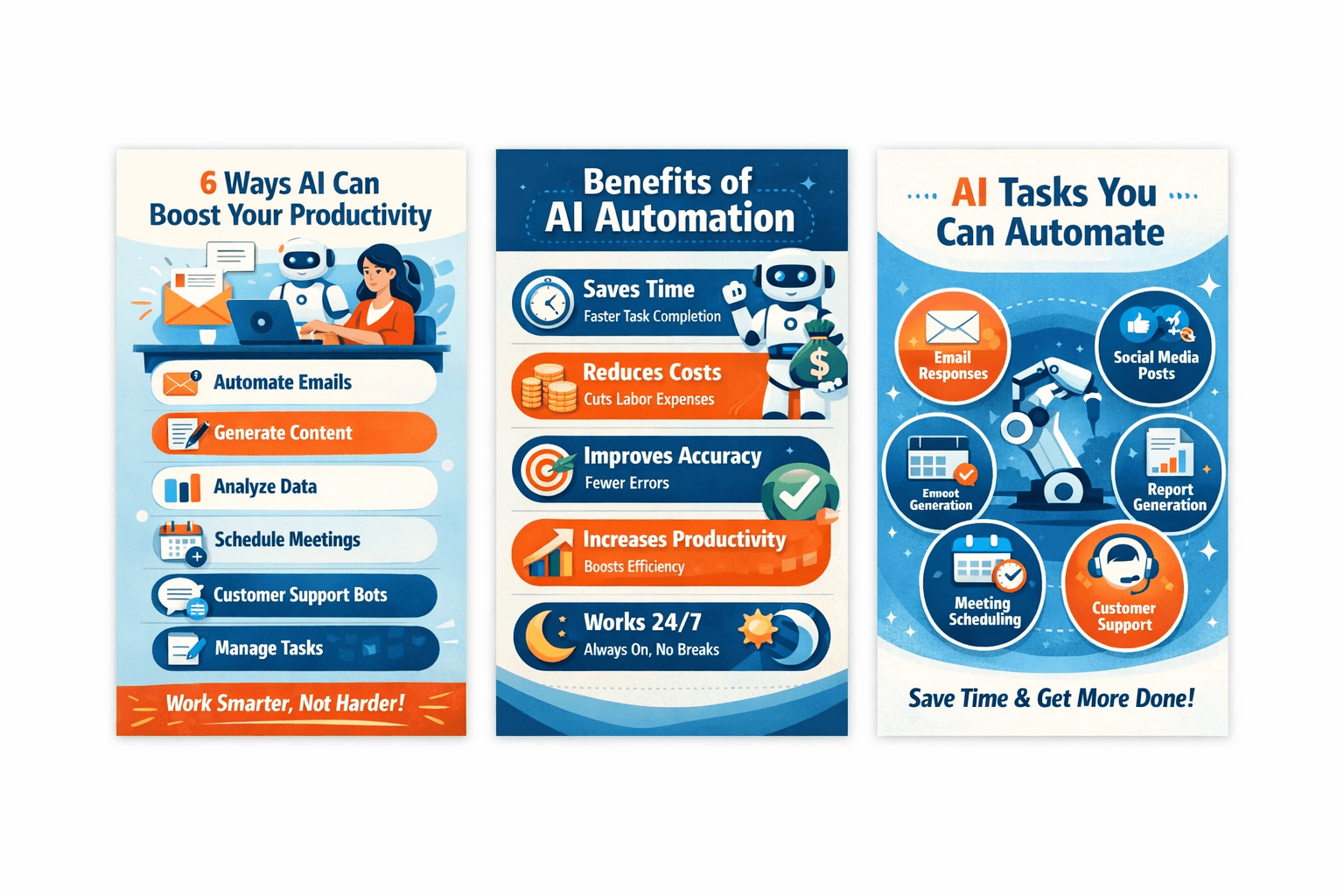
In 2026, AI has evolved from a helpful assistant into a powerful force for automation and productivity gains. Studies and real-world deployments show measurable boosts—ranging from 5-25% in many roles, with some tasks (like coding) seeing up to 55% faster completion. The key shift is toward AI agents and orchestration tools that handle multi-step workflows autonomously, rather than just answering single prompts.
AI primarily increases productivity by:
- Automating repetitive, time-consuming tasks
- Acting as a “copilot” to augment human skills
- Enabling faster decision-making and reducing errors
- Freeing up time for creative, strategic, or high-value work
McKinsey estimates AI could contribute trillions in annual productivity gains, especially in screen-based knowledge work.
Key Ways AI Automates Work in 2026
- Task and Workflow Automation Tools connect apps, move data, and run processes without manual intervention.
- Examples: Auto-summarize emails/meetings, generate reports from data sources, schedule based on priorities, or handle data entry/CRM updates.
- Content Creation & Generation AI drafts, edits, and refines text, code, designs, or media at scale.
- This cuts hours from writing reports, marketing copy, or social posts.
- Intelligent Decision Support & Analysis AI processes large datasets, spots patterns, and suggests actions faster than humans alone.
- Scheduling & Time Management AI analyzes calendars, prioritizes tasks, blocks focus time, and even reschedules dynamically.
- Autonomous AI Agents Emerging in 2026: Agents plan, execute, and iterate on complex goals (e.g., research + draft + review cycle) with minimal oversight.
Practical Examples by Common Job Roles
- Software Developers / Coders — AI writes, debugs, and suggests code (e.g., tools like Claude Code or GitHub Copilot successors). Developers complete tasks 40-55% faster, shifting focus to architecture and innovation.
- Marketing / Content Creators — Auto-generate social posts, email campaigns, ad copy, or A/B test ideas. AI handles research, personalization, and scheduling.
- Administrative / Operations Roles — Automate data entry, invoice processing, report generation, and task routing to the right person.
- Sales & Customer Support — AI agents handle initial inquiries, qualify leads, draft responses, and update CRMs—reducing response times dramatically.
- Managers / Executives — Get instant summaries of meetings, performance dashboards, or scenario planning; AI suggests agenda items or prioritizes emails.
- Researchers / Analysts — Automate literature reviews, data extraction, trend spotting, and initial hypothesis generation.
Top AI Tools & Approaches for Automation + Productivity in 2026
Here are some of the most impactful categories and examples based on current adoption:
- Workflow Automation & Agents Zapier AI (natural language automations connecting thousands of apps), n8n (open-source, flexible workflows), or emerging agent builders like Zapier Agents.
- Writing & Research Copilots Claude, ChatGPT/GPT models, Gemini (integrated into Google Workspace), or Notion AI for notes + docs.
- Scheduling & Task Management Akiflow, Motion, Reclaim — AI that auto-schedules, prioritizes, and protects focus time.
- Specialized Boosters Voice-to-text (e.g., Wispr Flow), AI browsers/research agents (e.g., Perplexity’s Comet), or code-focused tools (Cursor, Claude Code).
- Unified AI Layers The biggest 2026 trend: Build or use a “unified AI layer” over your tools (email, docs, calendar, cloud) so agents coordinate everything.
How to Get Started Today
- Identify 3-5 repetitive tasks that drain your time (email sorting, report formatting, data copying).
- Pick one simple automation (e.g., Zapier: “When I star an email → summarize and add to Notion”).
- Experiment with a strong general-purpose model (Claude or Gemini) for drafting/brainstorming.
- Track time saved weekly—most people see quick wins of 1-3 hours per day.
- Scale to agents/multi-step workflows once comfortable.
The mindset shift in 2026: Stop treating AI as a search/chat tool—start thinking “What can I delegate entirely?” Companies and individuals who redesign workflows around AI (automation-first) see the largest gains, while those who only use it as a fancy autocomplete fall behind.
In this article, we’ll explore how AI can automate your daily tasks, reduce workload, and help you achieve more in less time.
What Does AI Automation Mean?
AI automation refers to the use of artificial intelligence to perform tasks that normally require human effort. Unlike traditional automation, AI systems can analyze data, learn patterns, and make intelligent decisions.
For example, an AI system can:
- Respond to customer inquiries automatically
- Generate reports or summaries
- Schedule meetings and manage emails
- Analyze large datasets quickly
- Create content for marketing and blogs
By eliminating repetitive tasks, AI allows professionals to focus on high-value work such as strategy, creativity, and decision-making.
1. Automating Repetitive Tasks
One of the biggest productivity benefits of AI is its ability to handle repetitive work.
Tasks that once took hours can now be completed in minutes using AI tools.
Examples
Email management:
AI assistants can sort emails, generate replies, and prioritize important messages.
Data entry:
AI-powered tools automatically extract and organize information from documents and spreadsheets.
Meeting scheduling:
AI scheduling assistants coordinate calendars and set meetings without manual effort.
These small efficiencies add up and free a significant amount of time each week.
2. AI for Content Creation
Content creation can be time-consuming, but AI tools are dramatically speeding up the process.
Platforms like ChatGPT help users generate:
- Blog posts
- Social media captions
- marketing copy
- product descriptions
- video scripts
Similarly, writing assistants like Grammarly improve grammar, tone, and clarity instantly.
For bloggers, marketers, and businesses, AI can reduce content creation time by up to 70%.
3. AI Workflow Automation
AI can connect different apps and automate entire workflows.
Tools such as Zapier allow users to build automated systems without coding.
Example Workflow
When a new customer fills out a website form:
- Their data is added to a CRM automatically
- A welcome email is sent
- The sales team receives a notification
- A follow-up task is created
This entire process happens automatically without manual intervention.
4. AI-Powered Data Analysis
Businesses generate massive amounts of data every day. AI tools can analyze this data quickly and identify valuable insights.
AI can help with:
- Predicting customer behavior
- Identifying market trends
- Detecting fraud or anomalies
- Optimizing marketing campaigns
For example, companies using AI-driven analytics platforms such as Tableau can turn raw data into actionable insights within seconds.
5. AI Customer Support Automation
Customer support is another area where AI can dramatically improve efficiency.
AI chatbots can answer common questions 24/7, reducing the need for human agents.
Popular chatbot platforms include:
- ChatGPT
- Intercom
- Drift
These systems can handle thousands of customer queries simultaneously, providing instant responses and improving customer satisfaction.
6. AI for Personal Productivity
AI can also help individuals manage their daily work more effectively.
Some useful productivity tools include:
- Notion AI for organizing notes and tasks
- Otter.ai for recording and summarizing meetings
- Trello with AI-powered automation features
These tools help professionals stay organized and focused on what matters most.
Benefits of AI Automation
Implementing AI in your workflow offers several key advantages:
1. Saves Time
AI handles repetitive tasks faster than humans.
2. Reduces Costs
Businesses can automate tasks that would otherwise require multiple employees.
3. Improves Accuracy
AI systems reduce human errors in data processing and analysis.
4. Increases Productivity
Employees can focus on strategic and creative work.
5. Works 24/7
AI tools operate continuously without breaks.
Challenges of AI Automation
Despite its advantages, AI automation also comes with some challenges.
Implementation Costs
Some advanced AI tools require investment.
Learning Curve
Employees may need training to effectively use AI systems.
Data Privacy Concerns
Organizations must ensure responsible use of sensitive data.
However, as AI technology evolves, these barriers are gradually decreasing.
The Future of AI and Productivity
AI is expected to become a standard part of everyday work across industries. From healthcare and finance to marketing and education, AI-driven automation will continue transforming how tasks are performed.
Companies that adopt AI early will gain a competitive advantage by improving efficiency, reducing costs, and making smarter decisions.
Conclusion
AI is no longer just a futuristic concept—it is already reshaping the modern workplace. By automating repetitive tasks, enhancing decision-making, and streamlining workflows, AI enables professionals to work smarter rather than harder.
Whether you’re a business owner, freelancer, or employee, leveraging AI tools can dramatically increase productivity and unlock new opportunities for growth.