AI isn’t coming—it’s already here, and it’s incredibly capable in 2026.
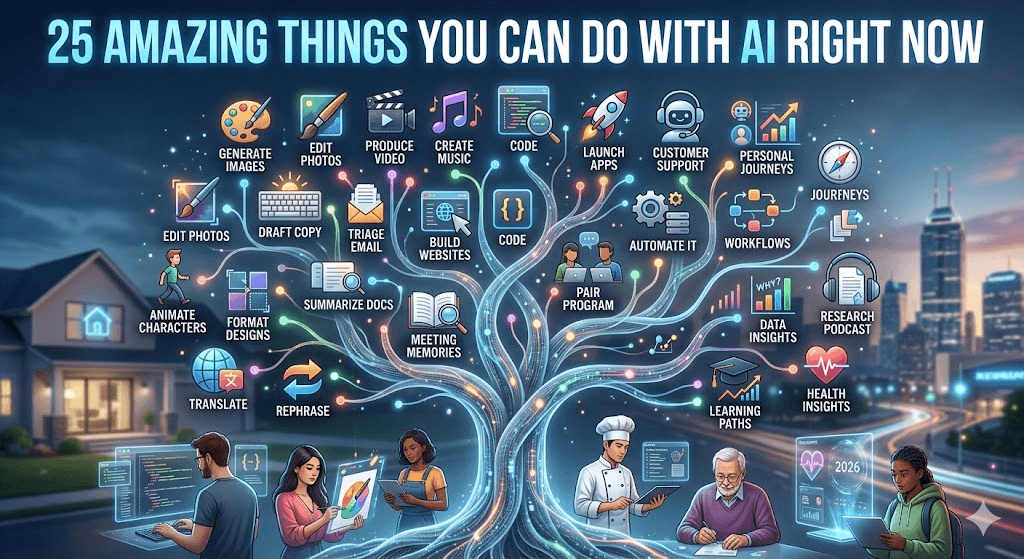
From turning a simple idea into a full video in minutes to debugging complex code or planning your next vacation like a pro, today’s AI tools can handle tasks that once took hours, days, or entire teams. Whether you’re a student, creator, professional, or just someone who wants to experiment, these 25 practical and mind-blowing things are possible right now with free or affordable tools.
No coding skills required for most. Just a good prompt and a bit of curiosity.
1–5: Everyday Productivity Boosts
- Turn voice notes into perfectly structured meeting summaries with action items Upload a recording to tools like Fathom, Descript, or NotebookLM. AI transcribes, summarizes key points, identifies decisions, and even suggests follow-up tasks. Great for work or study groups.
- Research any topic with cited, up-to-date sources in seconds Ask Perplexity AI or Gemini a complex question. It searches the web in real-time and provides answers with direct links, reducing hours of Googling to minutes.
- Brainstorm and outline an entire blog post, business plan, or novel Feed a rough idea to Claude or ChatGPT. It generates detailed outlines, headlines, and even full drafts while maintaining your unique voice.
- Automate repetitive tasks across apps without writing code Use Zapier or n8n with AI agents to connect tools like Gmail, Slack, and Google Sheets. Example: Automatically save email attachments, summarize them, and add to Notion.
- Get instant, personalized learning explanations Struggle with a concept in physics, history, or coding? Ask Gemini or Grok to explain it like you’re five—or at an advanced level—with analogies and examples.
6–10: Creative Explosions
- Generate stunning custom images from text descriptions Describe what you want to Midjourney, Leonardo AI, or DALL·E in ChatGPT. Create book covers, social media graphics, concept art, or product mockups in seconds.
- Create short videos from a single prompt or script Use Google Veo, Runway ML, or Sora to turn text into realistic video clips. Add motion to images or generate animated explainers for YouTube or TikTok.
- Compose original music or generate background tracks Tools like Suno AI let you describe a genre, mood, and lyrics. Get full songs with vocals and instrumentation—perfect for podcasts, videos, or personal fun.
- Design professional presentations or websites in minutes Tell Gamma or Beautiful.AI your topic. It builds beautiful slides or even a full landing page with images, layouts, and content.
- Clone your voice for narration or dubbing Record a short sample on ElevenLabs and generate natural-sounding voiceovers in multiple languages or accents for videos and audiobooks.
11–15: Work & Business Superpowers
- Write, edit, and optimize marketing copy in your brand voice Train Jasper or Claude on past content. It produces emails, ads, social posts, and landing pages that sound authentically like you.
- Build and deploy simple apps or websites from conversation Describe your idea to Lovable, V0, or Cursor. AI generates the code and interface—non-coders can now prototype MVPs quickly.
- Analyze documents, spreadsheets, or PDFs and extract insights Upload files to Claude or NotebookLM. Ask it to summarize contracts, find trends in data, or generate reports.
- Get AI-powered coding help that understands your entire project In Cursor or with GitHub Copilot + Claude, describe features and watch AI write, debug, and refactor code across multiple files.
- Plan trips, meals, or workouts with personalized recommendations Give ChatGPT or Gemini your preferences, budget, and constraints. It creates detailed itineraries, shopping lists, or training plans.
16–20: Fun & Experimental Uses
- Generate personalized bedtime stories or children’s books Include your child’s name, favorite characters, and moral. Add AI-generated images for a custom storybook.
- Create deepfake-style video avatars for fun or training Use HeyGen or Synthesia to make a digital version of yourself (or anyone) deliver speeches in different languages.
- Simulate conversations with historical figures or experts Role-play with Grok or Claude as Einstein, Shakespeare, or a business mentor for insightful (and entertaining) dialogues.
- Turn your photos into different art styles or eras Upload a selfie to image tools and transform it into a Renaissance painting, cyberpunk character, or Pixar-style animation.
- Build your own AI podcast from source material Feed articles or notes into NotebookLM. It generates a natural-sounding two-host podcast discussion complete with banter.
21–25: Advanced & Agentic Magic
- Let AI agents handle multi-step workflows autonomously Tools like Zapier Agents, Manus, or custom setups in AutoGen can research, draft, and even send emails based on high-level instructions.
- Edit videos like a pro with AI magic Use Descript or Runway to remove filler words, add effects, change backgrounds, or overdub voices effortlessly.
- Optimize your resume, cover letter, or LinkedIn profile Upload your current version and target job. AI rewrites it with keywords and achievements that stand out to recruiters.
- Analyze your personal finances or investment ideas Describe your situation or upload statements (carefully). Get summaries, budgeting tips, or scenario planning.
- Collaborate with AI on complex problem-solving Break down big challenges—like starting a side hustle or learning a new skill—into steps. Use Claude or Gemini for reasoning, research, and iterative planning.
Why These 25 Things Feel Like Magic in 2026
Today’s AI excels at reasoning, multimodal generation (text + image + video + audio), and agentic behavior—meaning it doesn’t just answer; it can act and chain tasks together. Models like GPT-5.4 variants, Claude 4 series, and Gemini 3.1 deliver more reliable, context-aware results than ever before.
Pro Tips to Get Started:
- Be specific in prompts (include details, examples, and desired format).
- Combine tools: Use Perplexity for research → Claude for writing → Midjourney for visuals.
- Start free: Most have generous free tiers.
- Always review AI output for accuracy and add your human touch.
The Best Part? You Can Begin Today
Pick just one from this list and try it this week. Whether it’s creating your first AI-generated image or automating a boring work task, you’ll quickly see how AI amplifies your creativity and productivity.
Which of these 25 excites you the most? Have you already tried something amazing with AI? Share in the comments—I’d love to hear your stories and add more ideas!
Subscribe for weekly AI tips, tool guides, and fresh experiments. The future is collaborative—and it’s happening now.